SEEDMASTER 2023
101
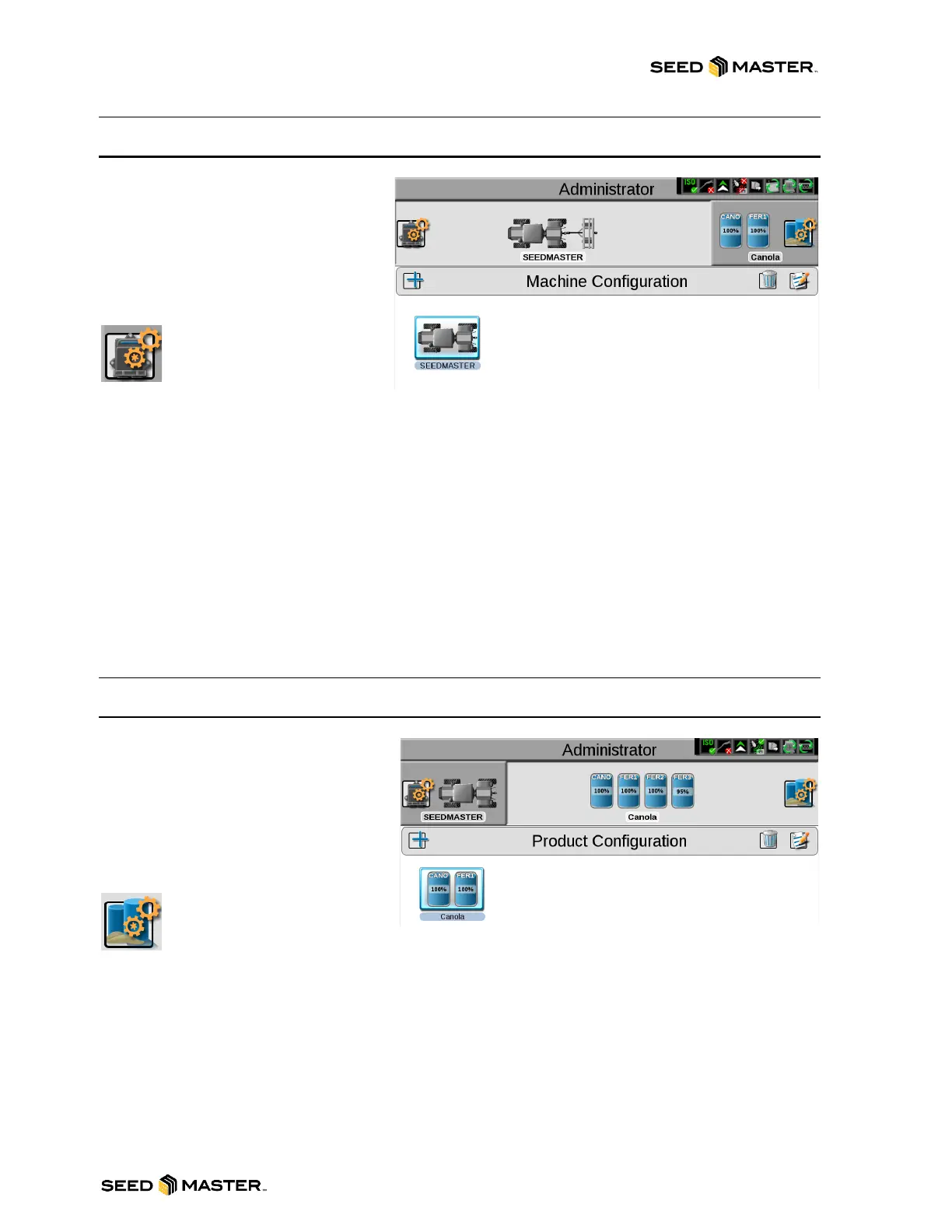
MACHINE CONFIGURATION PANEL
The Machine Panel contains the
following utilities for selecting and
configuring the various types of vehicles
and equipment with which the ROS
device will be operated:
CAN System Configuration
A machine configuration
saves vehicle or tractor
calibration information,
implement geometry for each configured
implement, and CANBUS system information. If a configuration is completed for a specific implement,
the device will automatically identify and select the matching configuration on start up. It will also alert
the operator if a CAN component in the saved profile is not detected.
Machine Configuration and Implement Garage
In some instances, a machine configuration may match more than one equipment set up such as a
tractor used with a plow, swather, hay rake, or a rock picker. If desired, create profiles for each of these
implements to allow the device to save geometry and guidance settings for each specific implement.
When a set up matching these configurations is detected, the device allows the operator to select the
saved machine configuration to quickly set up the field computer for the day’s operations. It also allows
a system administrator or operator to access other saved configurations via the machine or implement
“garage” to modify or remove profiles to keep the device updated for the equipment currently in the fleet
or machine shed.
PRODUCT CONFIGURATION PANEL
The product configuration panel provides
the following utilities for setting up control
channels for common product
applications, tank mixes, or seed
varieties which the device will use to
control input or application:
Product Configuration
Product Configuration allows
the operator to set up a profile
for common applications for upcoming field operations. This saves control channel and
product or mix information for various application or product types and allows the operator to reselect
profiles to quickly resume or restart an application or operation for various fields. New product
configurations may be created using existing products entered into the system or via the AgX product
database pre-loaded on the device.
Product Configuration Selection
Once a product configuration is setup, the product may be selected to quickly set up the device for
operation, resume operation, or repeat the same operation in a different field. Simply select the product
configuration, verify and adjust mix ratios as necessary for accurate job reporting, and get to the field
tasks at hand.



 To Next Page