SEEDMASTER 2023
110
CREATING AN INSIDE FLIP MAP
Once the outside FLIP & Boundary are created, it is possible to create a FLIP Map inside the field
boundary.
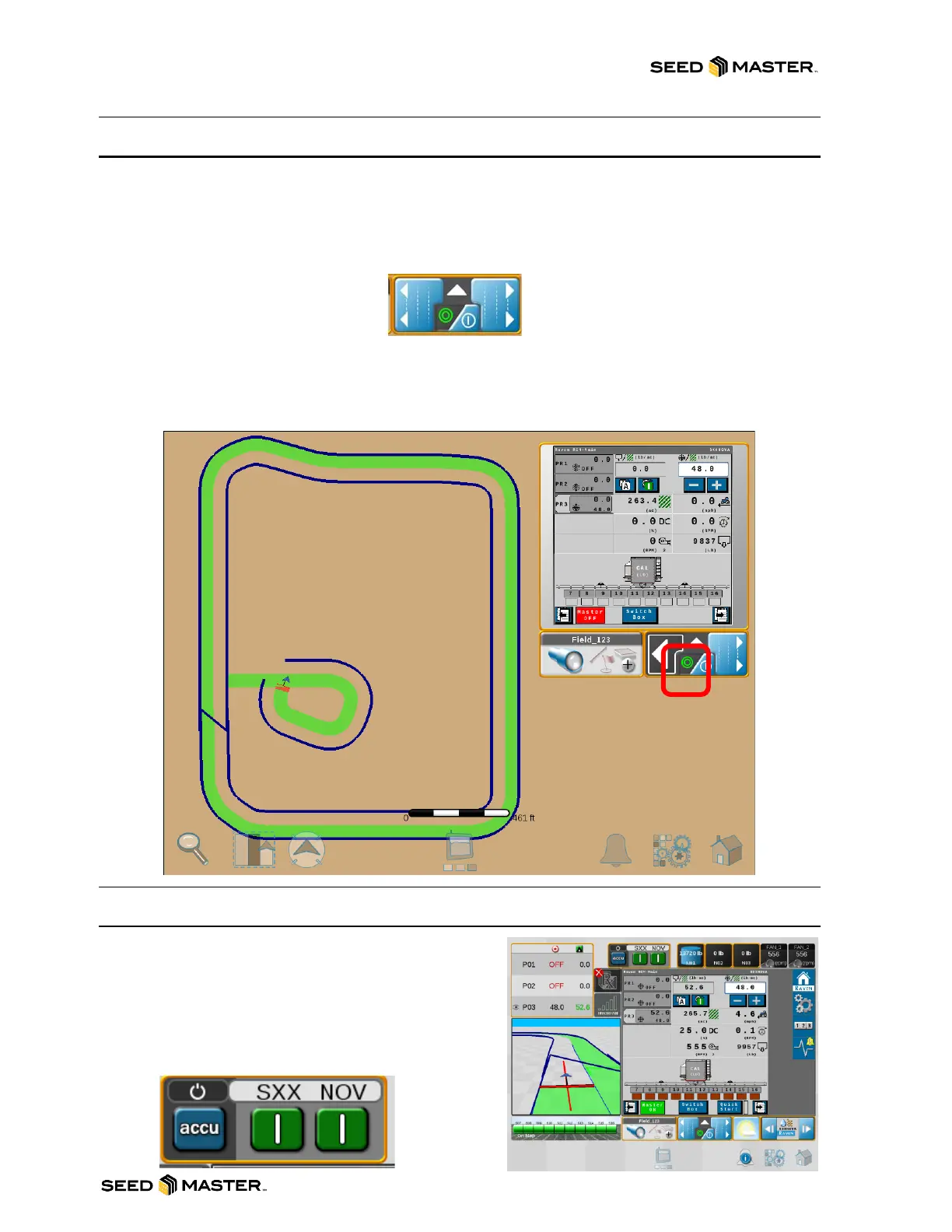
1. To begin creating an inside FLIP map simply touch FLIP LEFT or FLIP RIGHT. If you are going
around the object clockwise, touch FLIP LEFT. If you are going around the object
counterclockwise, touch FLIP RIGHT.
FLIP LEFT FLIP RIGHT
2. Drive around the object until you reach the previously applied area. Once all the zones are off,
stop the machine.
3. Touch the FLIP LEFT or FLIP RIGHT button to complete the inside FLIP Map.
4. Repeat as necessary.
SEEDING THE VIRTUAL PASS
After completing the field or around an object, the virtual
pass will need to be seeded. To override FLIP, the on-
screen switch box will need to be set to on.
1. Touch the Master accu button.
2. Touch the green on button.
3. When finished change it back to accu.



 To Next Page