SEEDMASTER 2023
86
EXISTING RCM LIQUID PRODUCT CONTROL SETUP
(DEALER OR SEEDMASTER ASSISTED ONLY)
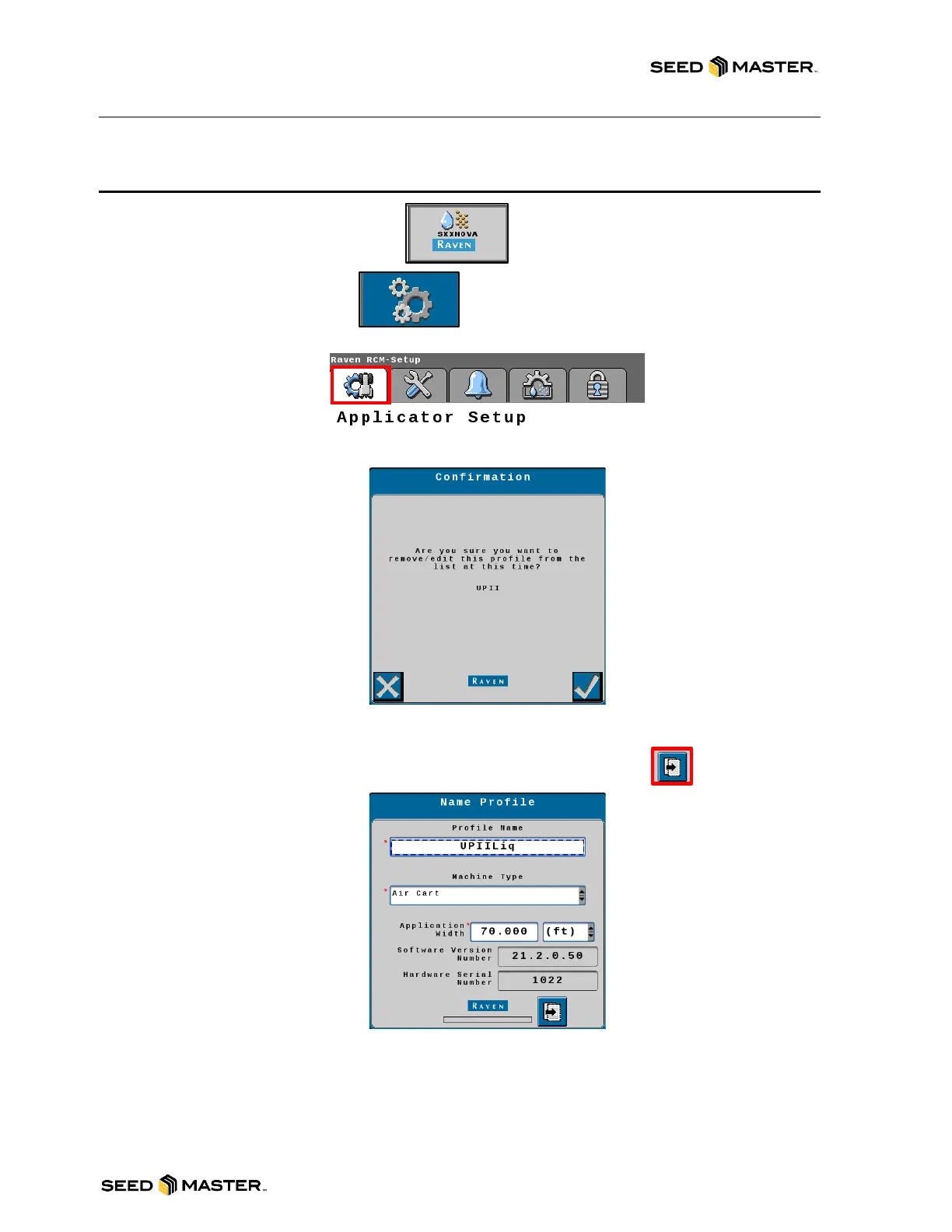
1. Touch the RCM working set button.
2. Touch the Settings soft key.
3. Touch the Applicator Setup tab.
4. Touch the Edit button, the setup wizard will begin.
5. Review the confirmation message. Touch the Check Mark.
6. Enter a Profile Name.
7. Review the Machine Type and ensure Air Cart is selected.
8. Confirm the Application Width of the toolbar then touch the next button.
9. Confirm 4 is entered for the number of products, then number the ECUs where 1 is the first
ECU inline. Touch the next button.
10. Review and confirm 1 or 2 for the number fans installed. Touch next.
11. Touch each drop-down box and select Granular Fertilizer or Granular Seed (lb) for each
granular product, Liquid for a liquid product, or Not Installed if the product does not exist.
Touch next.



 To Next Page