SEEDMASTER 2023
33
SYSTEM DIAGNOSTICS PAGE
Touch the System Diagnostic Soft Key to access the Diagnostics page. From a drop-down
menu, the Diagnostics page will display the DCM Firmware version and any installed load
cell voltage for diagnosing any potential issues. This page also houses a Service Menu
button for SeedMaster and Dealer use during a service call or visit.
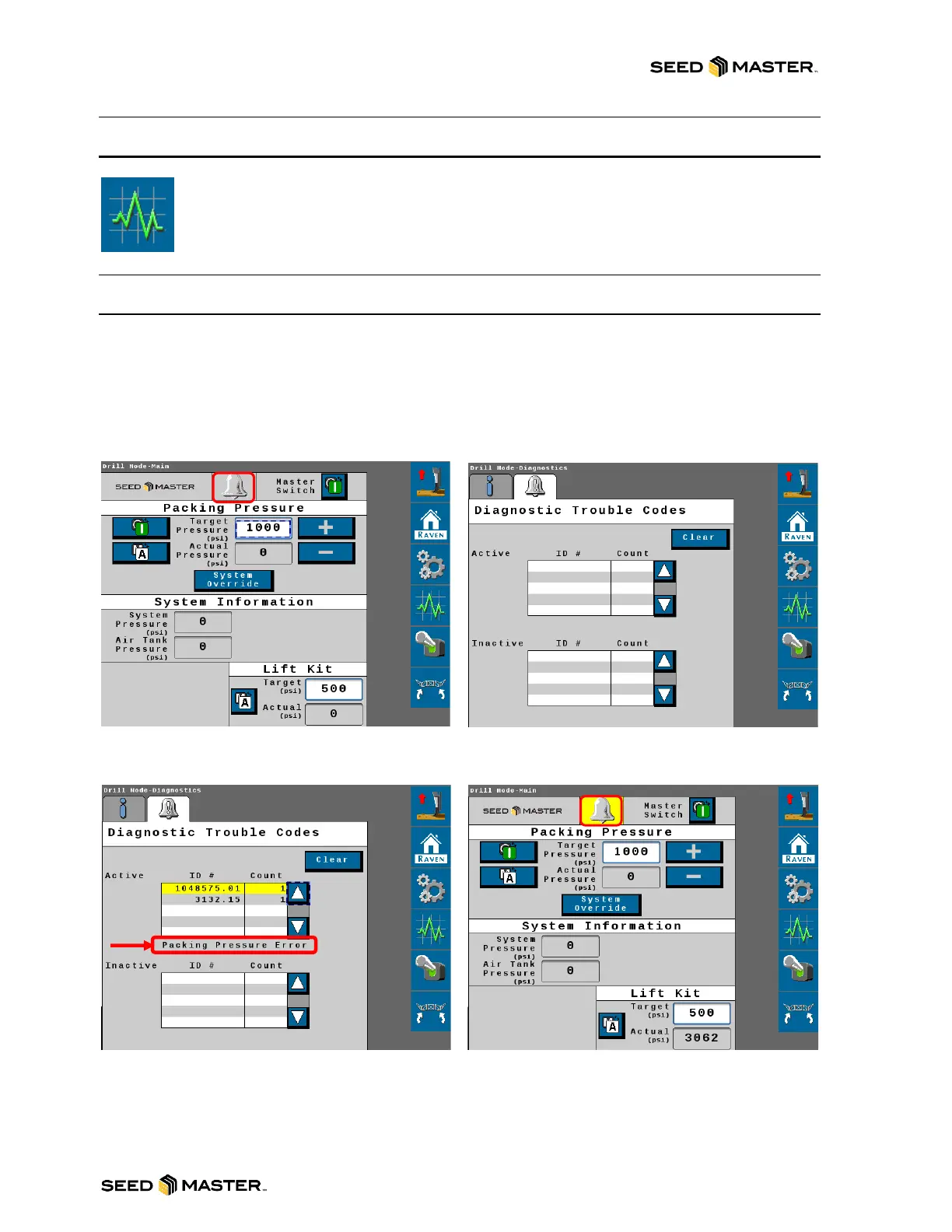
ACTIVE ALARM PAGE
If the color around the bell changes to yellow, this means that there is an active alarm. If you touch on
the bell, it will display the Active Alarms Page. The listed trouble codes can be manually highlighted to
observe their description and specifically identify the triggered alarm. Touch the Home button to return
to the home page after the alarm has been observed.



 To Next Page