SEEDMASTER 2023
52
KAR-TECH WIRELESS REMOTE
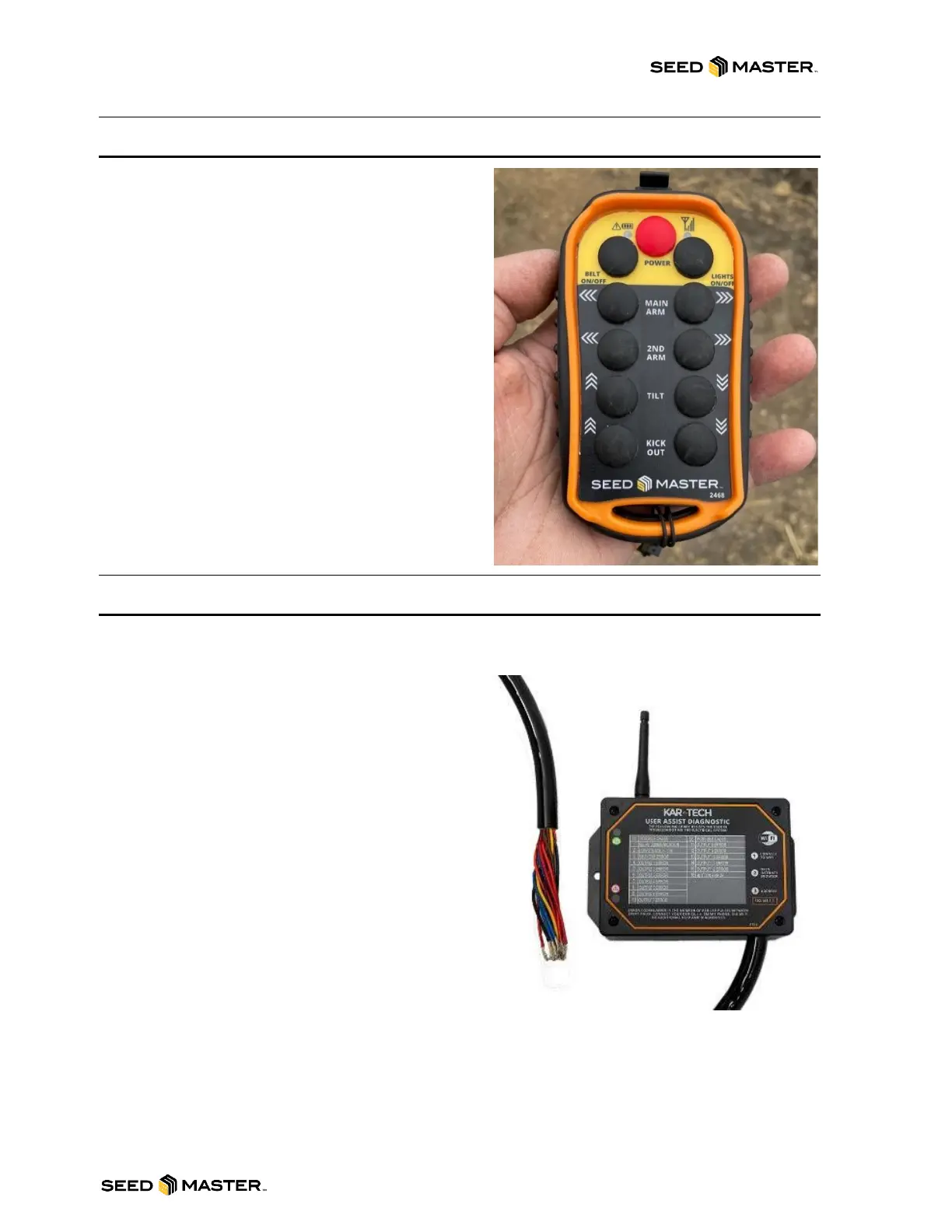
In order to use the Kar-Tech Wireless Remote, it
needs to be powered on first. Simply hold the red
POWER button for at least 2 seconds, release, and the
LED lights will turn on. The transmitter is designed with
a power saving feature which turns the transmitter off
after 15 minutes of inactivity.
ARM MOVEMENTS: Press and hold the
corresponding button to move the arms, and tilt.
NOTE: The MAIN ARM and 2
ND
ARM IN or OUT
functions can be operated simultaneously by pressing
the two buttons at the same time. These functions are
disabled while the belt is running.
KICK OUT: Press and hold the corresponding button
to move the Conveyor Kick Out.
BELT: To turn the belt on or off, press the BELT
ON/OFF button.
LIGHTS: To turn the work lights on or off, press the
LIGHTS ON/OFF button.
SYNCHRONIZING THE REMOTE TO THE RECEIVER
Each remote and receiver is synchronized together during assembly. If a new transmitter is needed,
synchronizing is required:
1. Make sure both the remote and receiver are
off.
2. Press and hold the red POWER button on
the remote for more than 10 seconds. The
red and green LED will start to blink.
3. Apply power to the receiver.
4. Wait for a few seconds until only the green
LED begins to blink on the remote.
5. The remote and receiver are now
synchronized.
Should an operator require more than one remote to
work with a single receiver, the second remote will
need to be “cloned”. If this is required:
1. Make sure both remotes and the receiver are
off.
2. On transmitter A, press and hold the red
POWER button for more than 10 seconds then release. The LEDs will start to blink.
3. On transmitter B, press and hold both 2ND ARM buttons along with the red POWER button for
5 seconds and then release. The LEDs will start to blink.
4. Wait for a few seconds until only the green LED double blinks on both remotes.
5. Turn both remotes off.
6. Synchronize one of the remotes to the receiver using the “Synchronizing the Remote to the Cart
Receiver” instructions above.
7. Both remotes and the receiver are now synchronized.



 To Next Page