SEEDMASTER 2023
98
VIPER 4+ MAIN SCREEN NAVIGATION
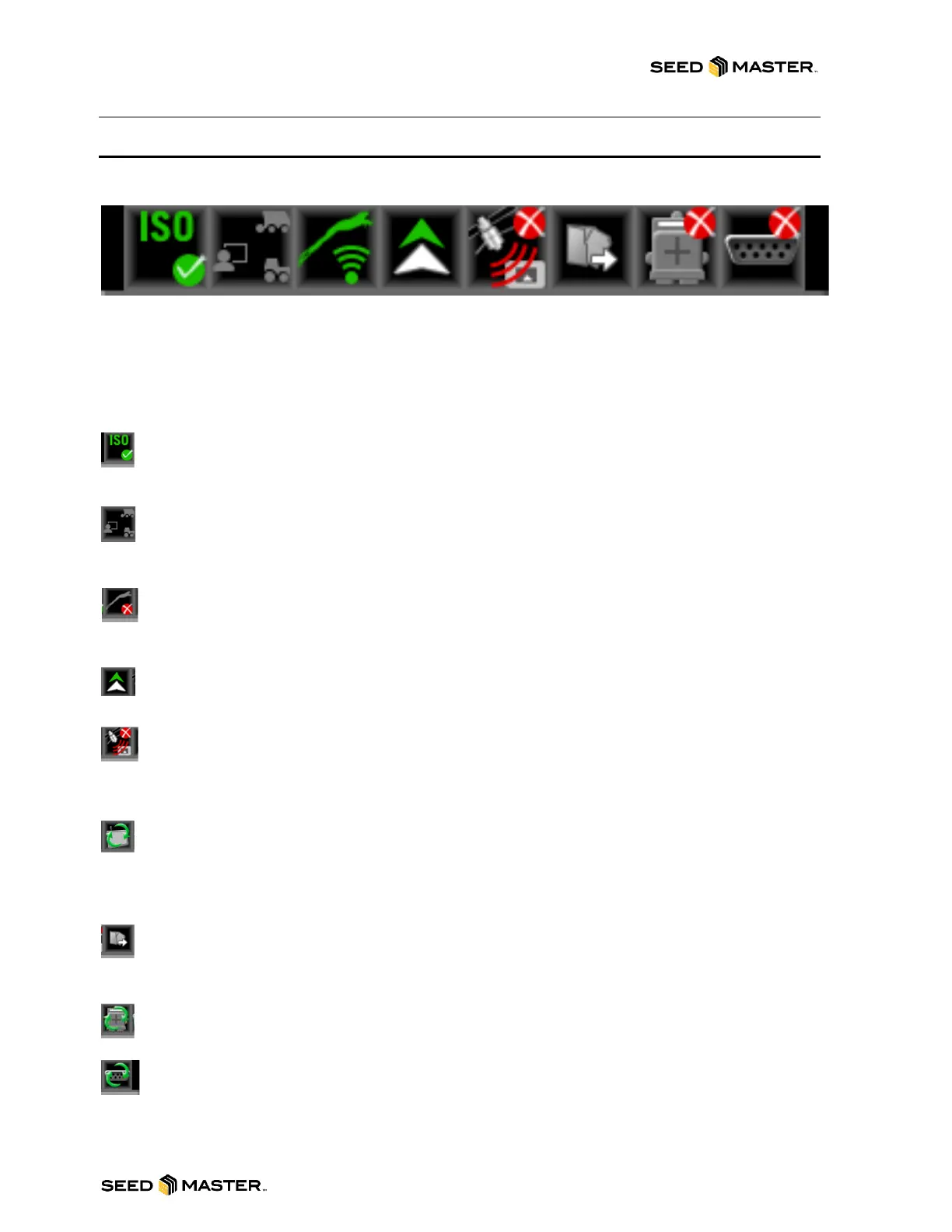
STATUS HEADER
The status of various features or other system components connected to the field computer are
displayed in the upper, right corner of the monitor display.
This area allows the equipment operator to quickly check communication or processes in progress at a
glance and, if necessary, take action to address any issues before beginning the day’s operations.
The following status indicators will be displayed in the status header:
ISOBUS Communications. This status display indicates the status of ISOBUS communication
with ECUs, working sets, implements, etc. This status will only be shown if an ISOBUS ECU is
detected by the ROS device.
Fleet Analytics. This indicates the communication status of Raven Fleet Analytics such as fuel
rate, engine load, and fuel level. SeedMaster does not utilize this function at this time and the
icon will remain grey.
Slingshot®. The status of a Slingshot Field Hub or Wireless Network is displayed. A red “X” will
display on this indicator if the monitor is not connected to a network. When a network is
connected, this area will display the current signal strength for wireless communication status.
Forward/Reverse. The forward/reverse status indicator shows if the machine is traveling forward
or reverse.
GPS. This indicator displays the status of the position solution. This indicator will display:
a. Green if the status of GPS is okay.
b. Yellow if an error or cautionary condition has been encountered.
c. Red if GPS is non-functional.
Software Update Available. One of these status displays will be available if a ROS update or
feature unlock file is available. The update will remain available even after the USB flash drive
is disconnected from the device. This allows the operator to perform the update process at a
convenient time during the day without disrupting field operations.
File Transfer. The status header displays the status of wireless file transfers with a Slingshot®
Field Hub. If a file transfer is in progress, the file transfer indicator will display a green “in
progress” status.
CANBUS Communications. This indicator displays the communication status for a CANBUS
system. A green indicator will be displayed when communication is detected without errors.
Serial Communications. This indicator displays the communication status for serial
communication ports. A green indicator will be displayed when all communication ports are
configured.



 To Next Page