SEEDMASTER 2023
60
RCM MAIN (HOME) PAGE
PRODUCT SELECTION
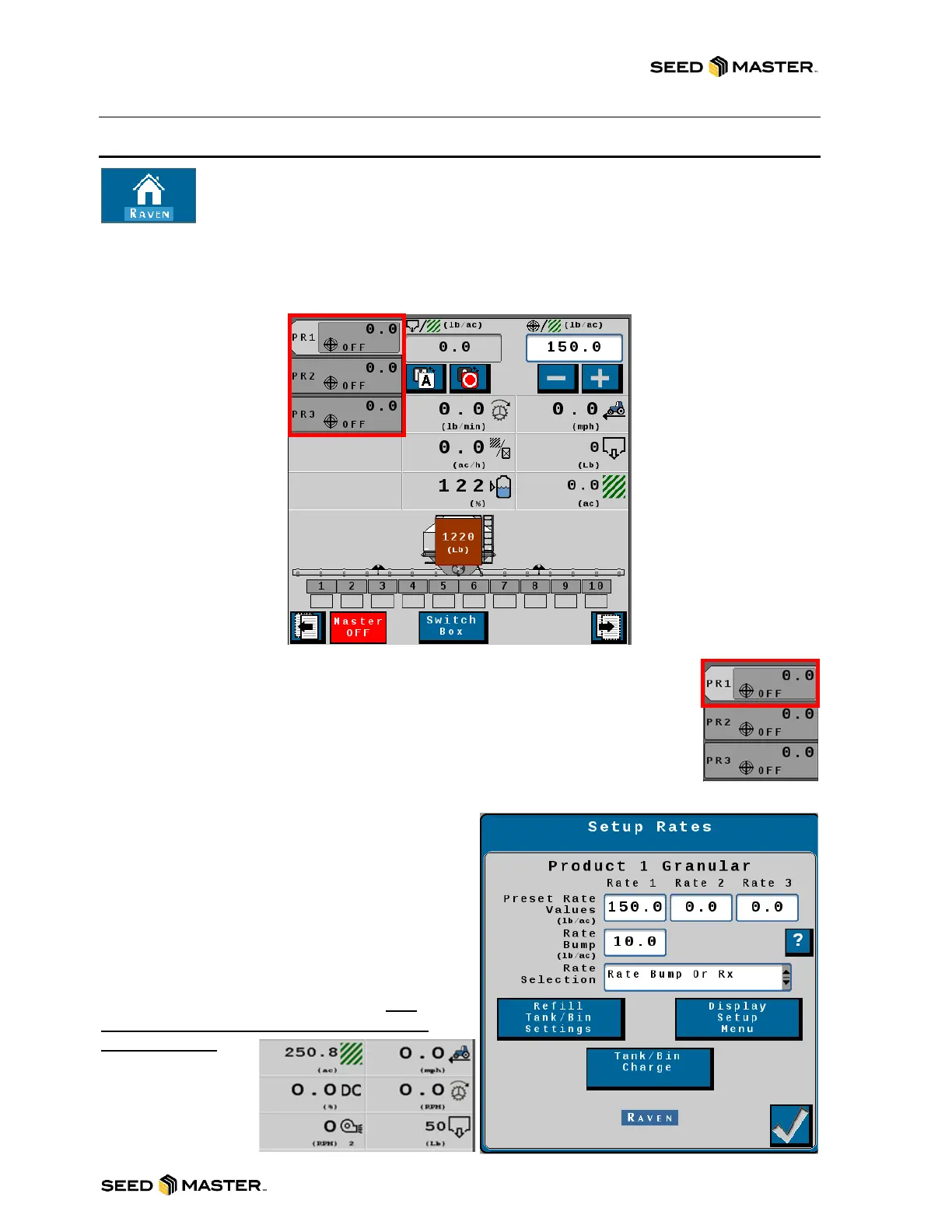
The product selection area displays the products that are setup for the specific RCM.
Each product displays the state of the product. It will display “Off” when the product is
off, it will display the target rate when it is on and set to “Auto” and will display “MAN” when it is on and
set to Manual. Simply touch the desired product to make it the active product. The active product shows
the product number in a light grey color. If the active product button is touched while it is active it will go
to the “Setup Rates” page.
Setup Rates Page
The Rates Setup page allows the operator to change the rate settings after creating a
profile with the setup wizard. Touch on the active product to access this setup page.
Three predefined preset rate values can be set for quick rate changes on the fly. To
have the predefined rates display on the home screen select the Rate Selection from
the drop-down Menu then choose the rate type “Predefined or RX”. Set each value
to the desired rate.
The “Rate Bump or RX” selection displays plus (+)
and minus (-) buttons that increase or decrease the
target rate by the “Rate Bump” value. Enter the
desired “Rate Bump”. If a job is set up with a
prescription map, the target rate will be generated
from the map.
Touching the “Refill Tank/Bin Settings” button
takes you to the Refill setup page also accessible by
touching the bin. See next page for more details.
Touching the “Display Setup Menu” button allows
you to setup the main page display area. It is
recommended to leave these settings at the
factory defaults.
Touch the Tank/Bin
Charge button to
access the Tank/Bin
Charge function
page. See next page
for more details.



 To Next Page