SEEDMASTER 2023
61
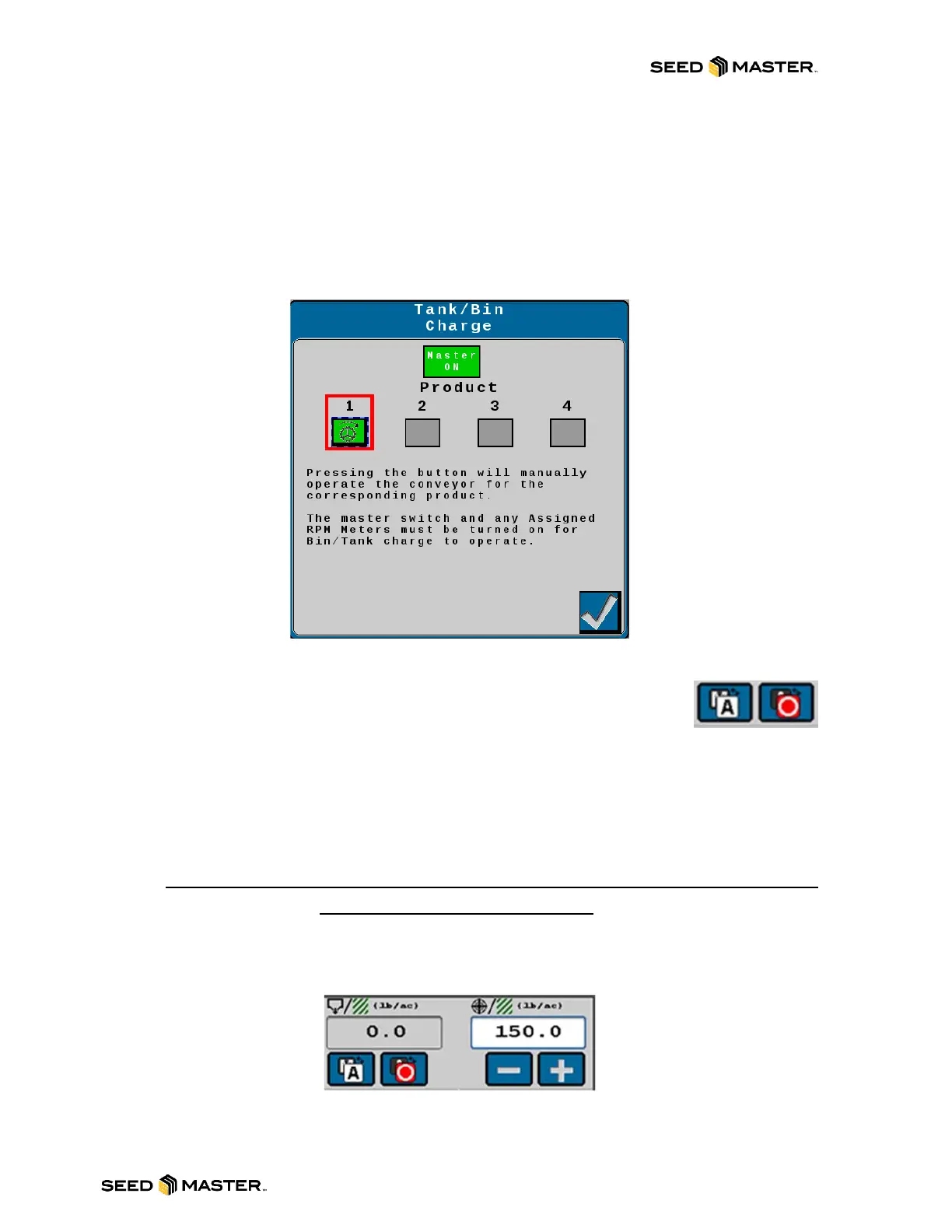
TANK/BIN CHARGE PAGE
Use this page to quickly charge the meter roller.
1. Engage the master foot switch.
2. Touch the product Tank/Bin Charge button for the desired meter/product.
3. The meter will spin for 3 seconds.
4. Repeat to charge other meter rollers.
5. When finished, disengage the master foot switch.
6. Touch the check mark to exit.
CONTROL MODE
The control mode indicator displays the selected mode for product application.
Select the “Auto/Manual” button to toggle the application mode between automatic
and manual. If the product is active the Product Master Switch will display green to
the right of the Auto/Manual button.
- Manual mode allows the operator to control the actual application rate directly using the on-
screen increase and decrease buttons.
- Automatic mode automatically adjusts the application rate to an operator set target rate. Use
the rate increase or decrease buttons in auto mode to adjust the target application rate.
NOTE: Both the remote master (foot switch) and the product master switch must
be toggled on to apply product.
RATES AREA
The application rates area displays the actual and target rate information as well as the currently
selected units in which the information is displayed.
Target Rate: Select the target value to enter the target rate for the current application.
(i.e. 150 pounds per acre).
Actual Rate: The actual rate display shows the operator the actual volume of product being applied.



 To Next Page