SEEDMASTER 2023
63
CATCH TEST CALIBRATION PROCEDURE
Your SeedMaster tank will need to be calibrated for the specific product you are using. The calibration
procedure will require two 5-gallon pails, a catch tray, and a digital scale. Install a catch tray on the
meter from which you will be catching product. For Remote Catch Test Calibration, see page 92.
CALIBRATION PROCEDURE
1. Zero the digital scale and tare the weight of the pail you will be using to catch product.
2. Prepare the meter that you will be catching out of by placing the pail
underneath the catch tray.
3. Shut the MASTER SWITCH OFF (Foot Switch). If turned on, the
calibration soft keys will be greyed out.
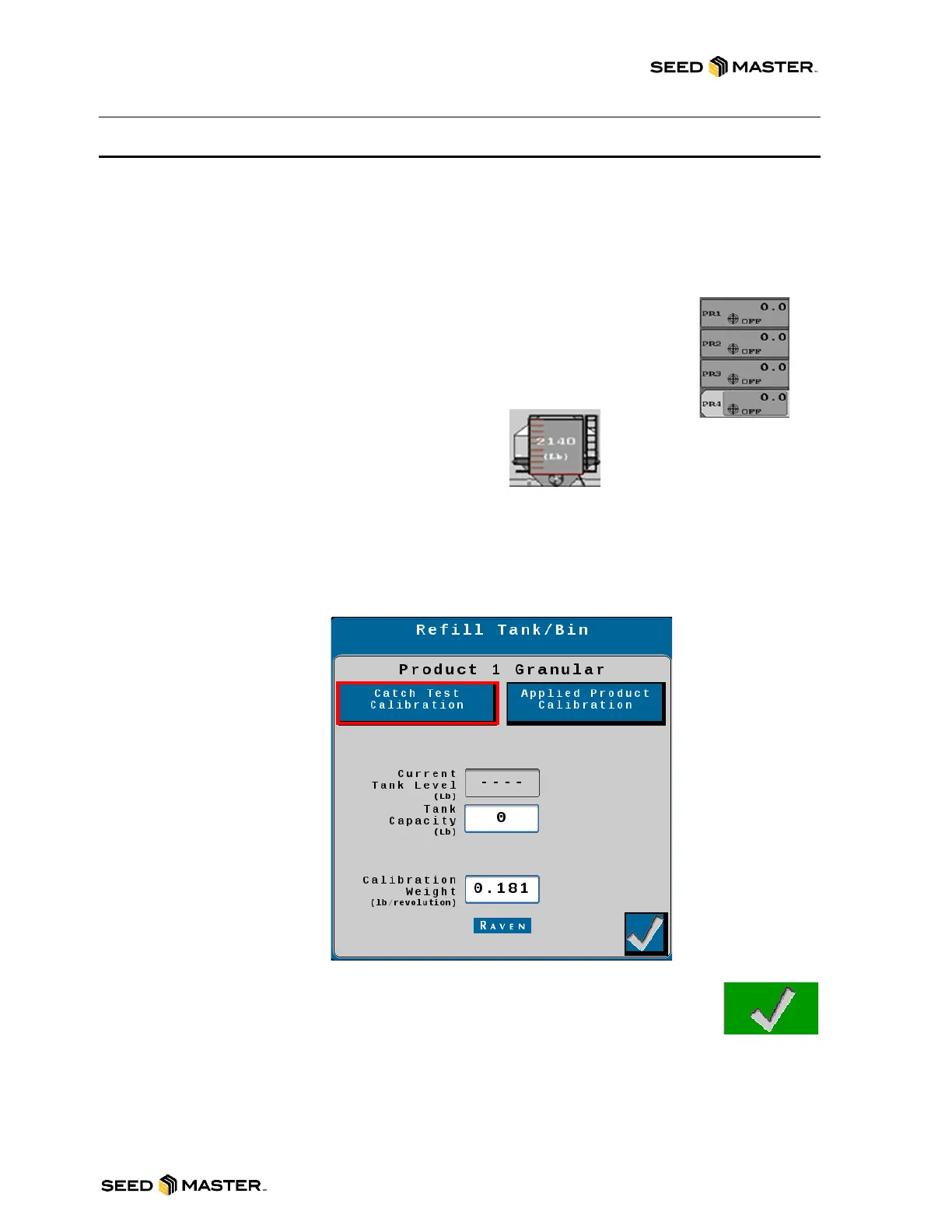
4. Select the product that the catch test will be performed on.
5. Touch the Tank in the middle of the screen.
REVIEW INITIAL CALIBRATION SETTINGS
6. Enter the Current Tank Level Reading into the Tank Capacity area.
7. Enter the Calibration Weight. A starting Calibration Weight can be found with the
SeedMaster App. The Estimated Cal Weight will be calculated as a starting point.
NOTE: Please see the “SEEDMASTER APP” Chapter for more information.
8. After the settings have been reviewed, touch “Catch Test Calibration”.
9. After touching “Catch Test” a warning screen will appear saying that product
will be expelled. Please read the warning before touching the green check
mark. Note: If buttons are greyed out, turn off master switch.



 To Next Page