SEEDMASTER 2023
96
REMOTE TANK MONITOR TROUBLESHOOTING
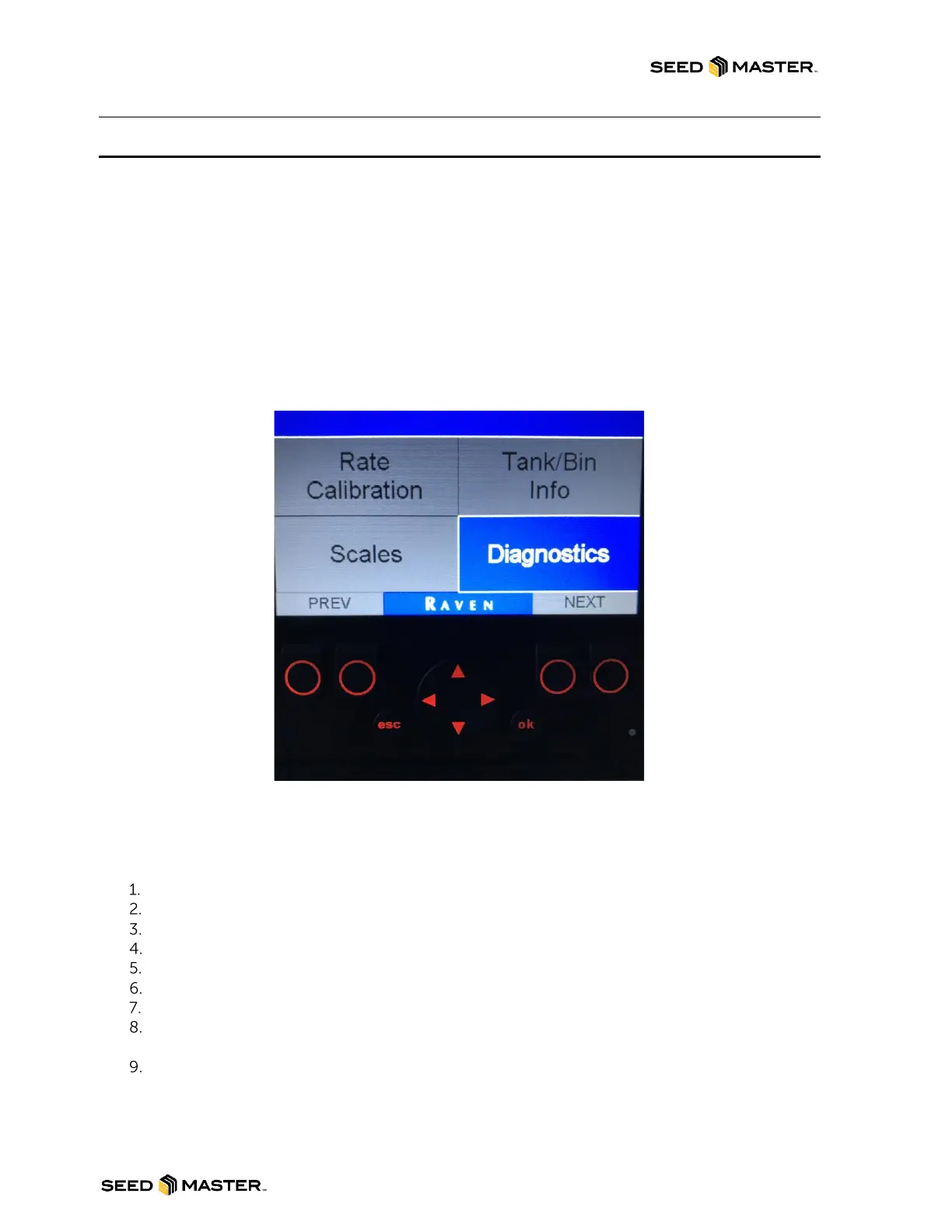
MAIN MENU IS GREYED OUT
If the main menu is greyed out, either the RCM(s) are offline or the current ECU (RCM) is not selected.
Ensure the desired RCM is selected.
1. Press the “esc” button on the front of the monitor to exit to the main menu.
2. The “Diagnostics” box will be highlighted blue.
3. Press “ok” to enter the Diagnostics Info screen.
4. Press either button below “Next ECU” to toggle between RCM’s.
NOTE: If the “CURRENT ECU SERIAL” displays “0” this means that an RCM is not
selected.
5. Once the desired RCM’s is chosen, press the “esc” button to return to the main menu.
RED LED BLINKING RED
If the Remote Tank Monitor screen is black and the LED light in the bottom right hand corner is blinking
red, the monitor did not boot up in sequence.
Turn Tractor OFF.
Turn In-Cab Monitor OFF.
Ensure that all electronics are powered down.
Check the IBBC connector at the back of the Tractor.
Start Tractor.
Turn on In-Cab Monitor.
Check Remote Tank Monitor operation.
If problem still exists unplug and plug back in the Remote Tank Monitor from the main harness
and repeat steps 1 thru 7.
If unsuccessful, contact your SeedMaster Dealer for assistance.



 To Next Page