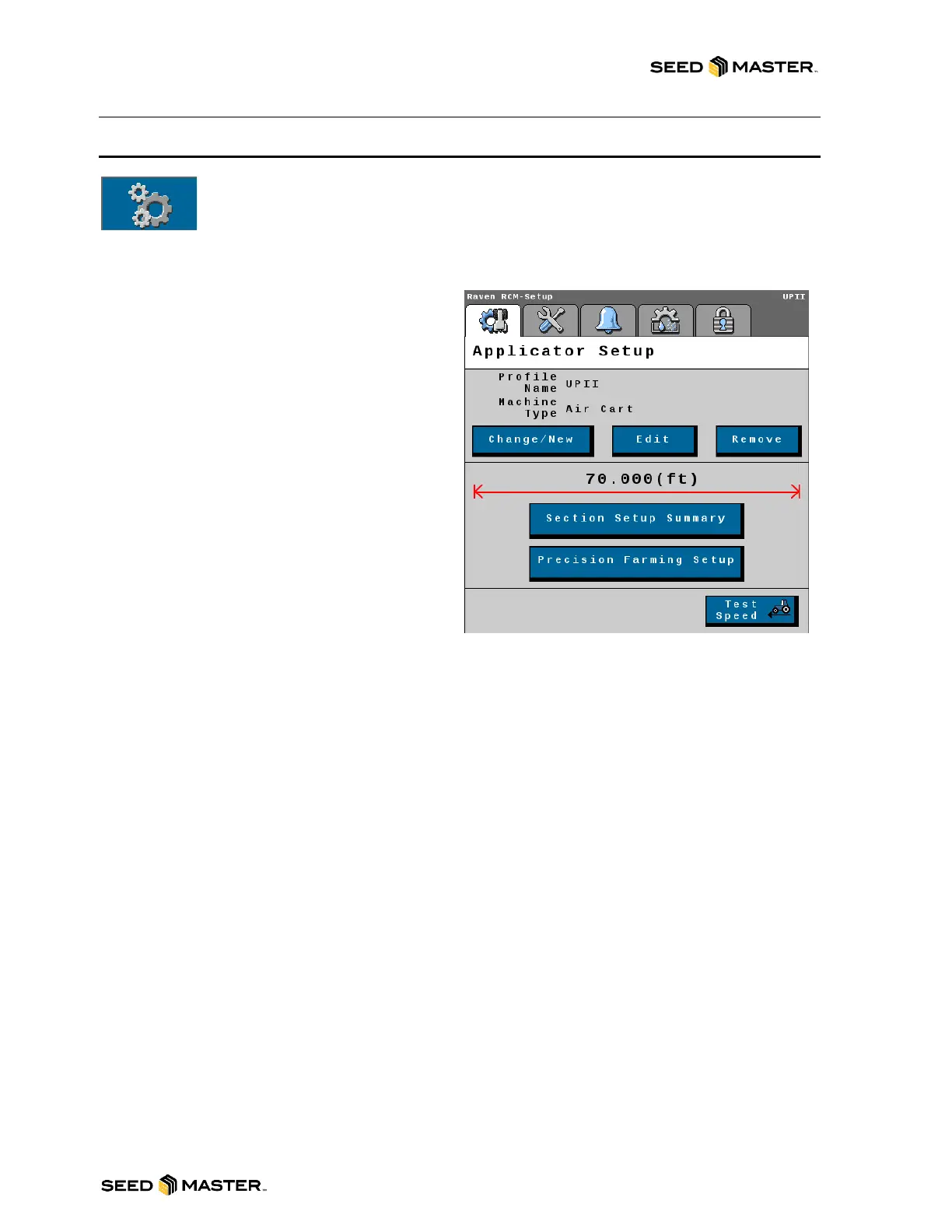
- View Profile and machine type information
- Change/New Button: Touch this button to
create a new machine profile. If there are
multiple profiles created already, you can change
to an existing profile.
- Edit Button: Touch the edit button to edit the
current selected profile.
NOTE: This will walk you through the entire
setup wizard. You cannot back out of this
process and must complete it to exit. See the
set-up wizards beginning on page 81 for
instructions.
- Remove Button: Touch the remove button to
delete the current selected profile.
- Section Setup Summary Button: Touch this
button to review each product’s section widths,
the wired signal driver, and switch number that
each section is assigned to.
- Precision Farming Setup Button: This is not
used.
- Test Speed Button: Use the test speed to
simulate a ground speed. This is used to turn the
meters when standing still.



 To Next Page