SEEDMASTER 2023
69
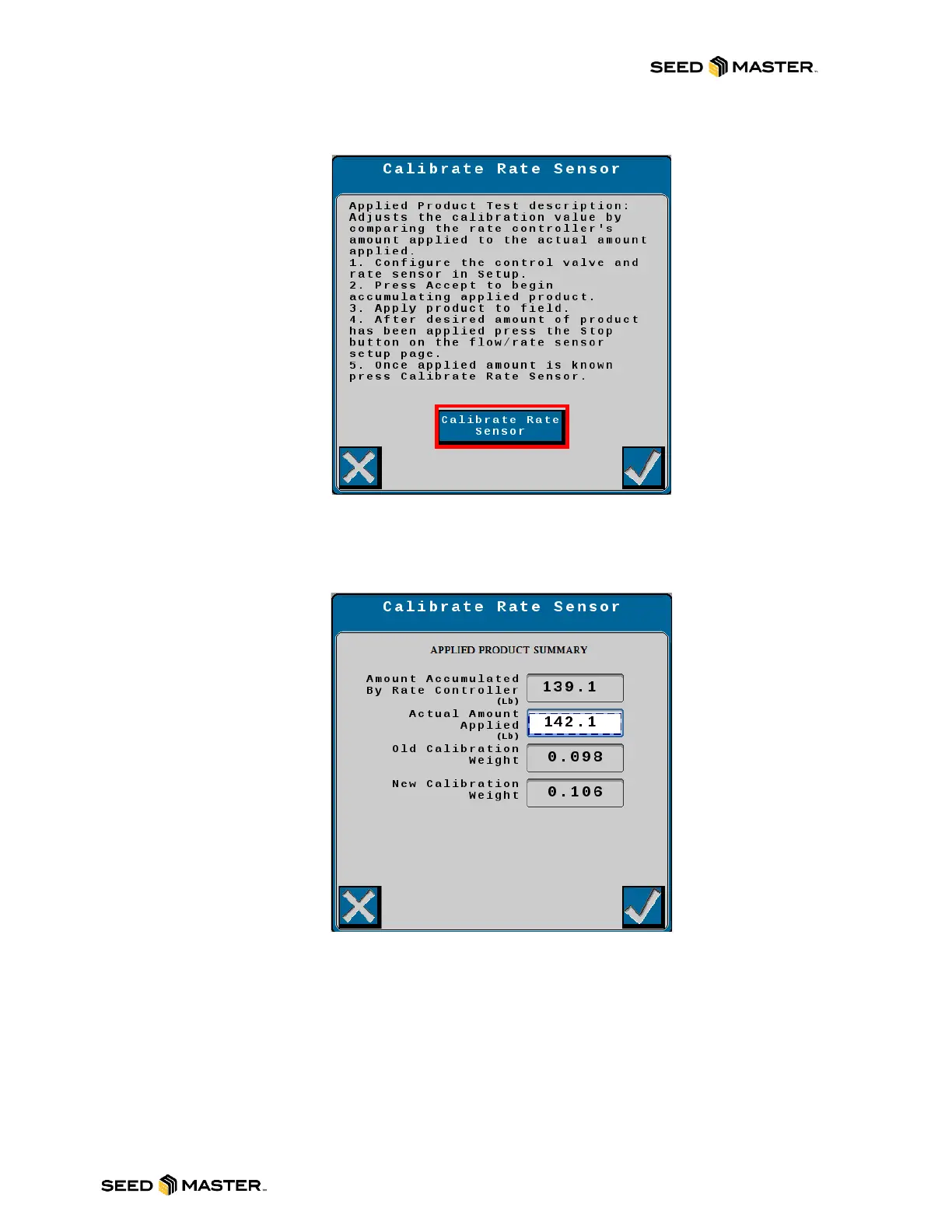
19. Touch the Calibrate Rate Sensor button.
20. The Applied Product Summary page will be displayed. Review the values on this page. If
the values are acceptable, touch the check mark to accept the new calibration weight. To
discard the new calibration weight, touch the X and this will stop the calibration process.
21. After accepting or discarding the new Calibration Weight you will return to the Setup Rate
Sensor page. Touch the check mark to return to the home page or touch the Applied
Product button to initiate another calibration.
22. If multiple Applied Product Calibrations were being performed, please repeat steps 15 to 22.
Note: You can initiate a SmartCal at any time while you are in a job and perform as
many SmartCals on the product(s) as you feel necessary.



 To Next Page