SEEDMASTER 2023
30
SYSTEM INFORMATION HOME PAGE SET UP
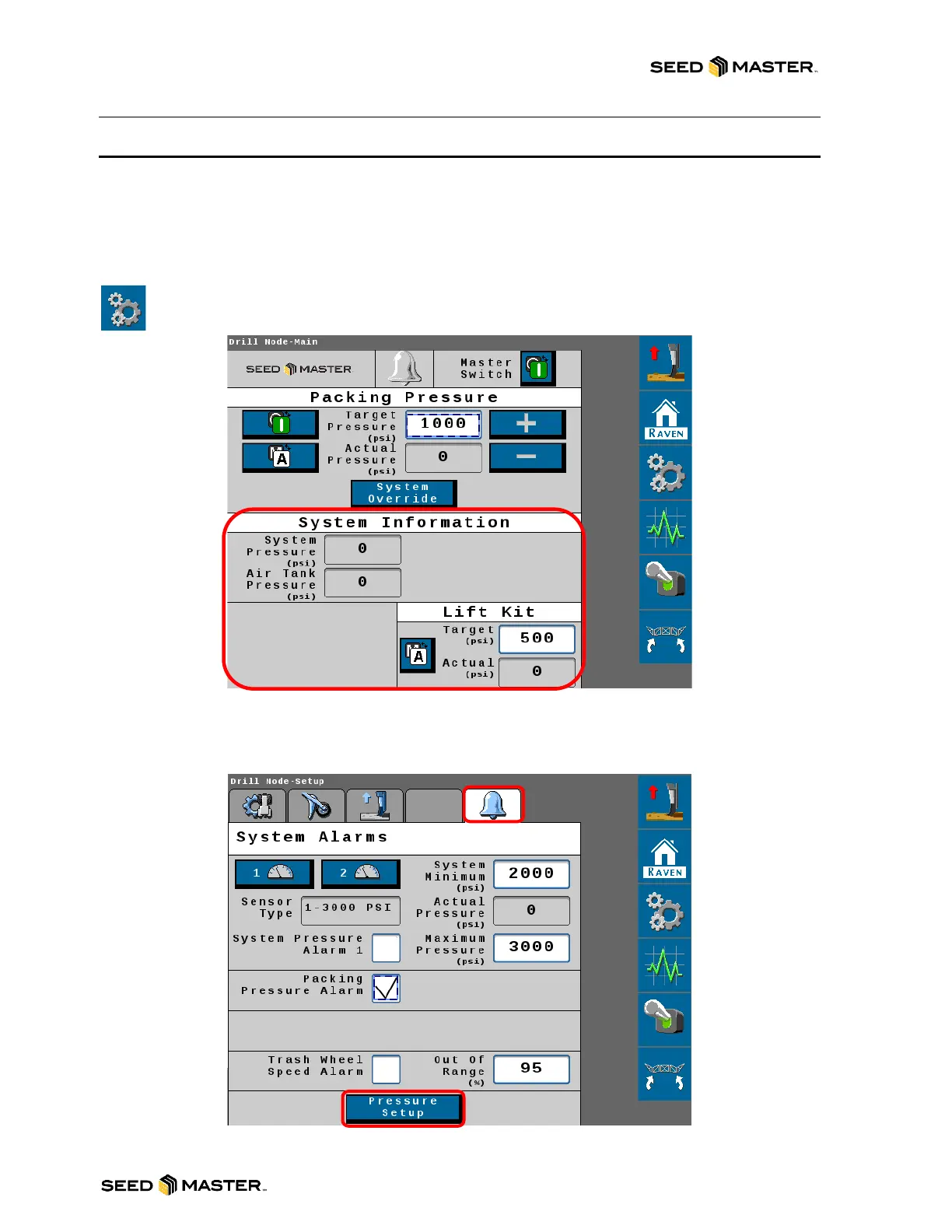
The System Information area on the home page displays the System Pressure and the Air Tank
Pressure (if equipped with SeedMaster Zone Command).
Follow the steps below to set up the parameters for your pressure sensors. Please note that your
SeedMaster machine will need to be equipped with the corresponding pressure transducer in order to
monitor the pressure.
1. Touch the Settings Soft Key to access the System Alarms page.
2. Touch the System Alarms tab at the top right of the page and choose Pressure Setup at the
bottom of the page to access the sensors required and their corresponding pressures.



 To Next Page