SEEDMASTER 2023
103
CREATING PRODUCT PROFILES
Create Product Profiles for common applications for upcoming field operations. The product
configuration saves the control channel and the product information for various product types. It allows
the operator to reselect profiles, quickly resume, or restart an application or operation for various fields.
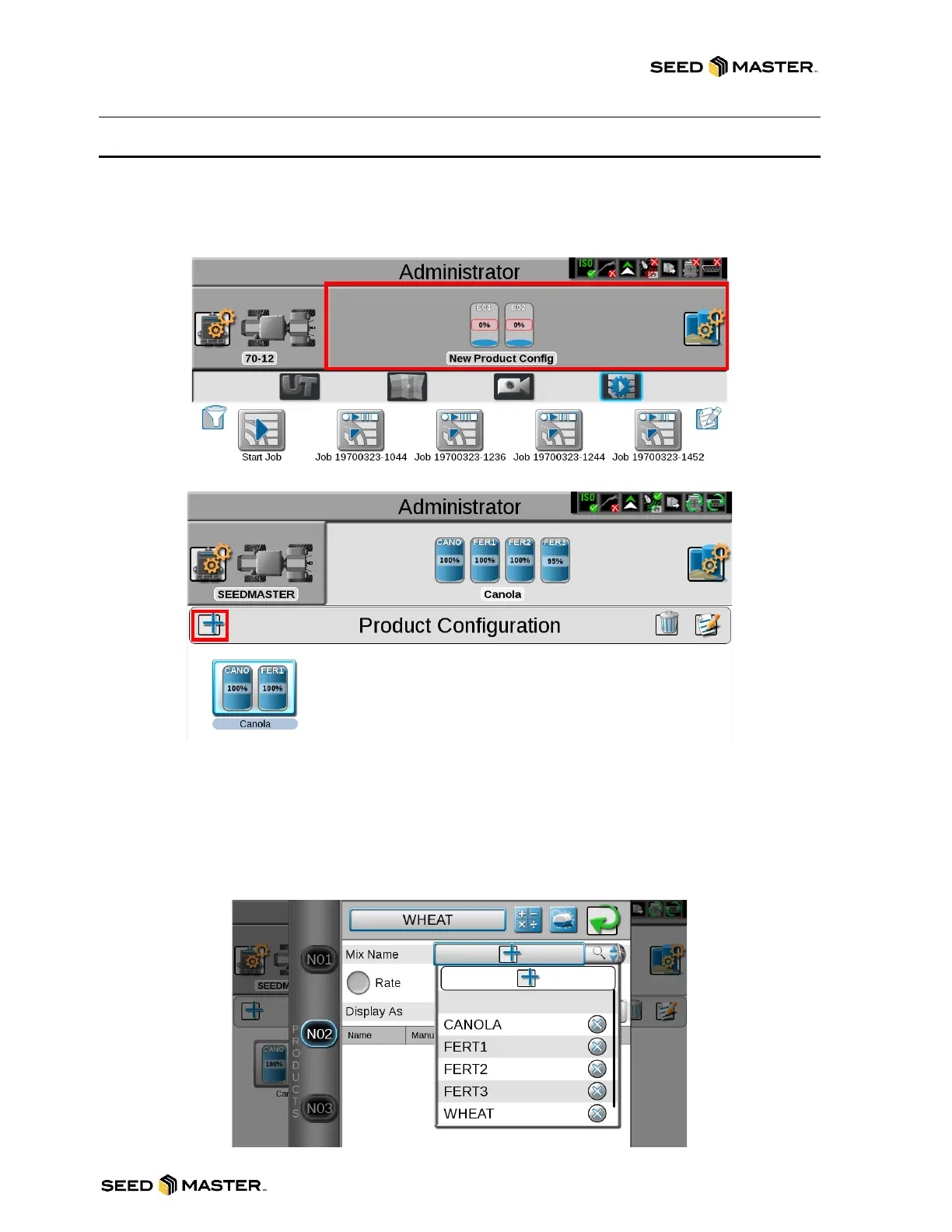
1. Touch the Product Profile Panel.
2. Touch the Add button.
3. Enter a Product Configuration Name. Then, touch the check mark
4. Name each product. Select the product from the left-hand side. (E01, E02, E03, or E04).
5. To add product names, touch the Mix Name add button.
6. Type in the name of the product.
7. The product list saves the names of products as they are added. To choose an already added
product name, touch the magnifying glass in Mix Name.
8. Touch the green check mark to finish naming the products.



 To Next Page