SEEDMASTER 2023
64
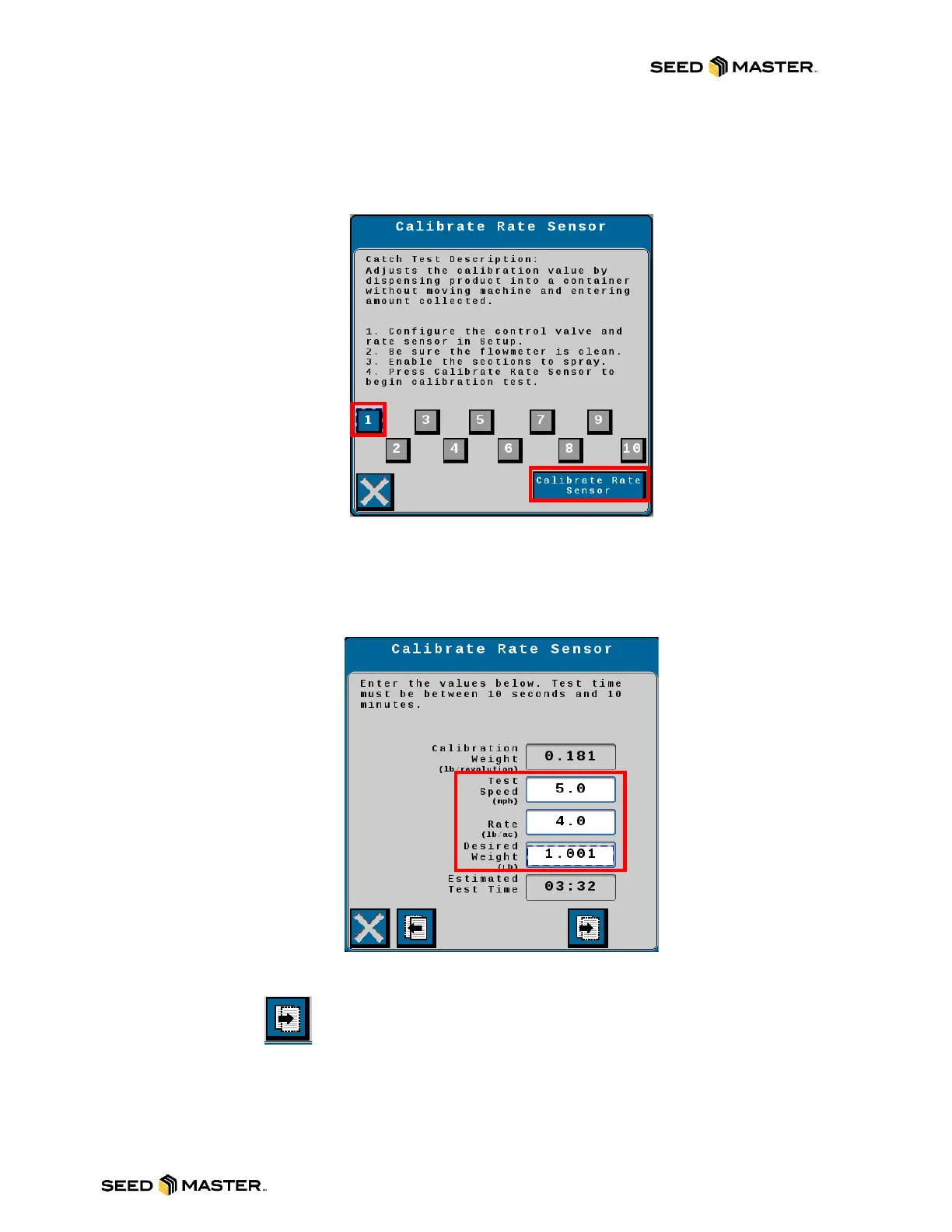
10. Please read through the Catch Test Description.
11. Touch the Zone (section) number that is setup to catch product. In this example the catch
tray would be setup under Zone 1 on the left side of the machine. After selecting the zone to
catch from, touch “Calibrate Rate Sensor”.
12. Enter the following values:
a. Test Speed = 5
b. Rate (lb/ac) = Desired Rate for the product being metered in the field.
c. Desired Weight (lb) = The amount of product to be caught into the catch pail.
13. After entering the Test Speed, Rate and Desired weight, touch the next button pointing to
the right.
NOTE: The Estimated Test Time must be under 10 minutes. If the test time is greater than
10 minutes, decrease the Desired Weight (the amount of product being caught).



 To Next Page