SEEDMASTER 2023
27
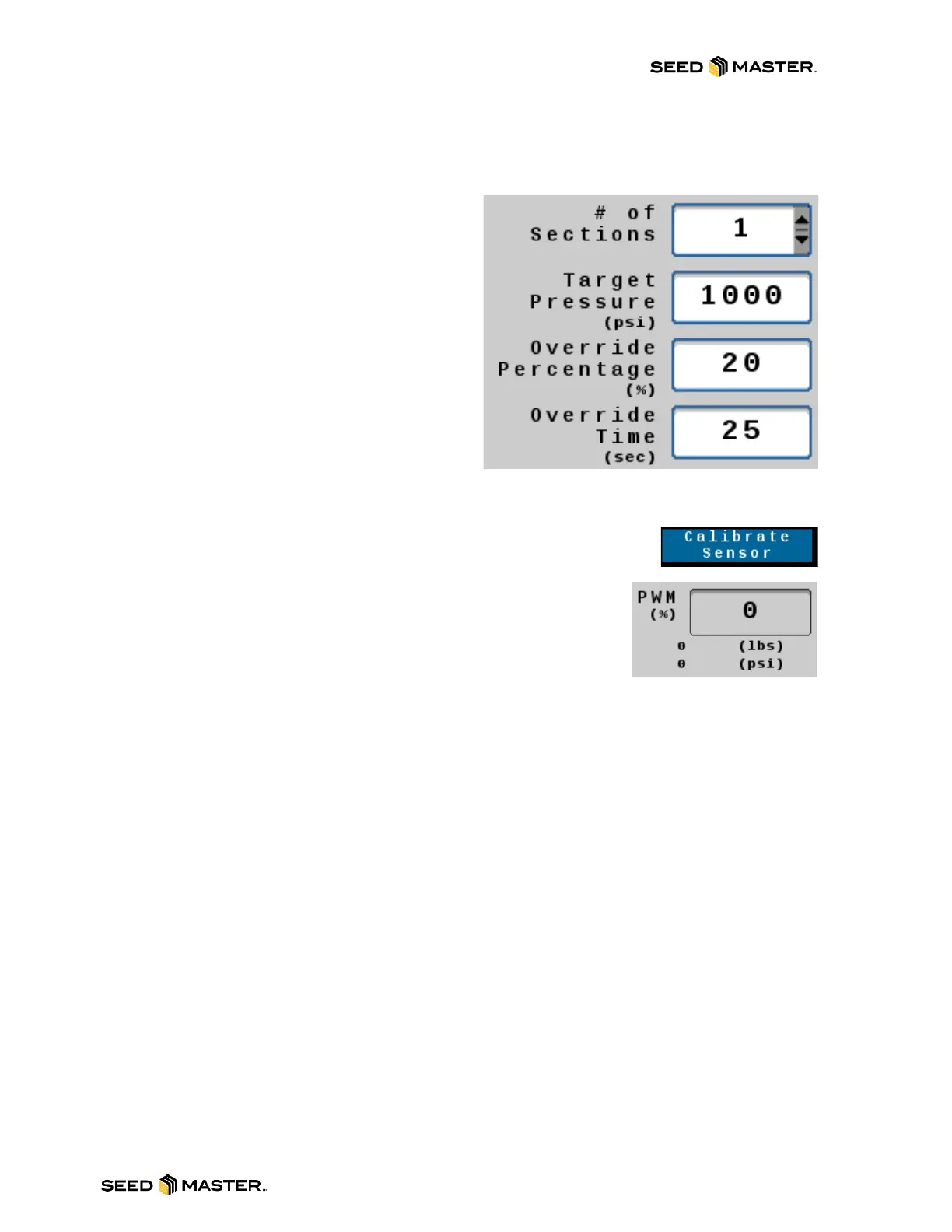
Target Pressure setting: The target pressure will be the desired amount of packing pressure in PSI of
down force to the openers. For example, if the desired amount of packing pressure is 1000psi, touch the
white box to the right of Target Pressure and enter 1000.
Pressure Override % setting: This setting will
reduce the amount of packing pressure to the
openers to a percentage of the set target pressure.
Use the System Override button to turn the override
function on/off/reset the override time. Use a lower
percentage value to reduce the pressure
significantly. For example, if the Target Pressure is
set at 1000psi, the Override % is set at 20%, and the
system override is tripped, it will drop the Target
Pressure to 200psi. To set the Pressure Override %,
enter the percentage in the white box to the right of
Override.
Pressure Override Time: This setting sets the
amount of time that the system will override the packing pressure setting. Enter the desired amount of
time in seconds in the white box to the right of Override Time. The factory default setting is 30 seconds.
Calibrate Sensor Button: With the openers raised and the hydraulic remotes
disengaged, press the “Calibrate Sensor” button to zero out the hydraulic
pressure transducer.
PWM Reading: This reading will display the current position in percentage
of the PWM valve.



 To Next Page