14-24
Computer Link
14
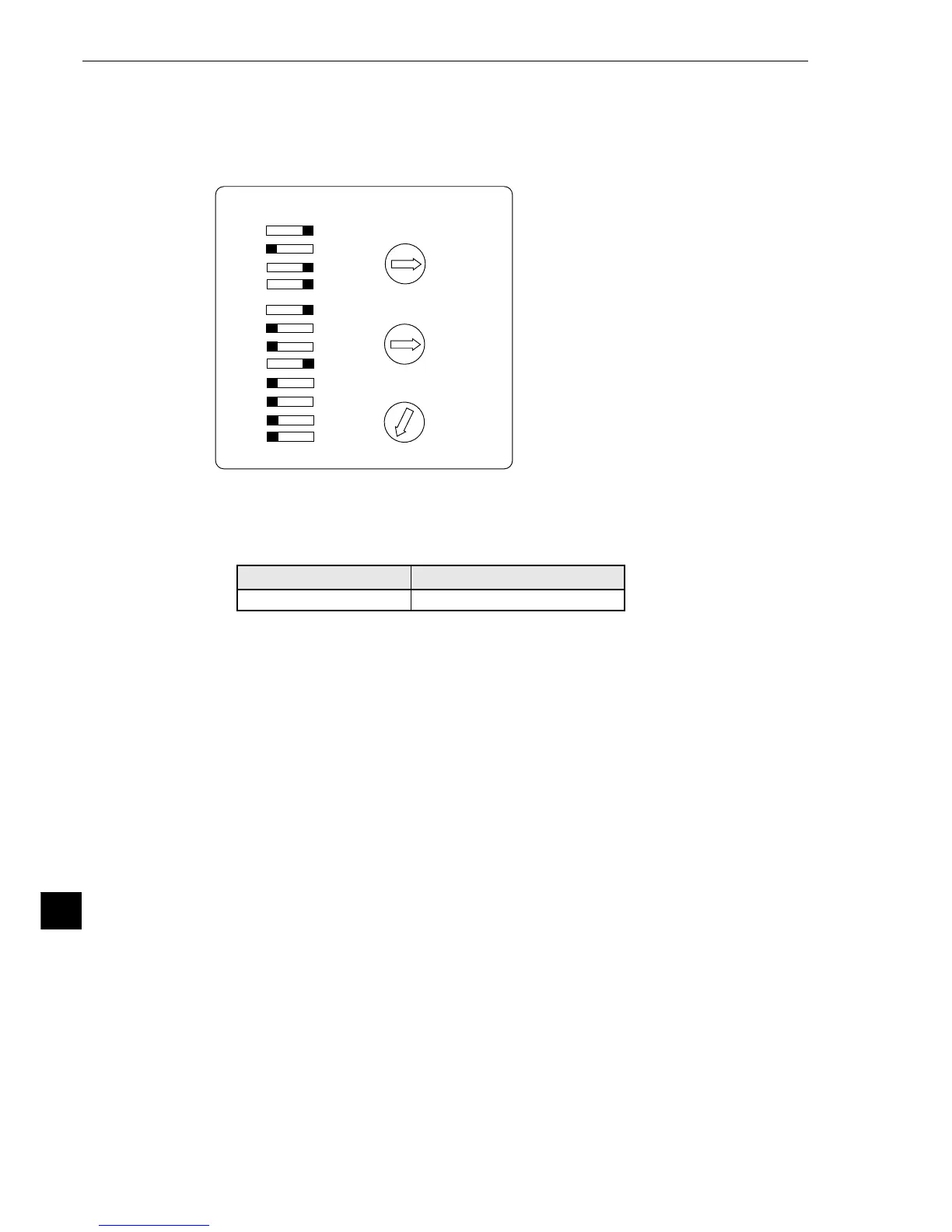
2 Example using an A1SJ71UC24-R4 module
[Switch setting]
Ex.: To set as below:
Mode: RS-422, Transmission speed: 19.2 K bytes/sec.
Parity: Even, Stop bit: 2bits
(2) Using memory
To allow the memory to be used by the IV-S20, use a result write start address within the following
range.
Note: To write data from the IV-S20 to a Mitsubishi PC, use the WW/QW write command. The range
that can be written using the write command WW/QW is D0000 to D1023/D000000 to
D008191, due to the limitation of Mitsubishi PCs. The write all address can be set within the
range of limitation for Mitsubishi PCs. (See page 11-19.)
Memory
D (data register)
Range (address)
0 to 999900
SW
01
02
03
04
05
06
07
08
09
10
11
12
ON OFF
STATION No.
80
C
4
1
2
35
6
7
F9
EA
DB
0
1
2
3
4
9
5
6
8
7
0
1
2
3
4
9
5
6
8
7
×10
×1
MODE



 To Next Page