72 FLOWSIC200 · Operating Instructions · 8013271/1CJ9/V 2-0/2022-01 · © SICK Engineering GmbH
Commissioning and parameterization
4.2.5 Setting the check cycle
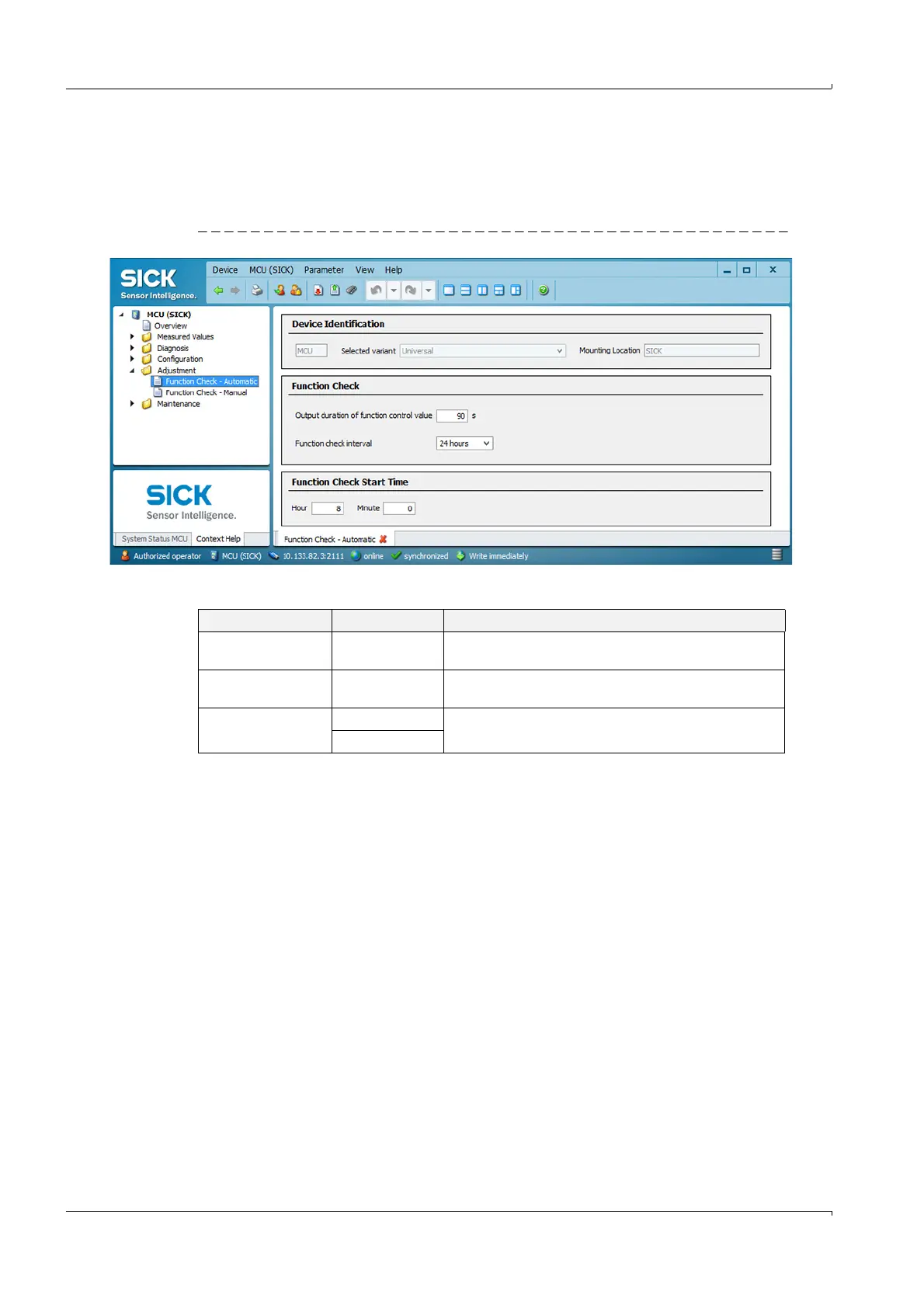
To set/change the interval time, output of control values on the analog output and start
timepoint for the automatic control cycle, open the “MCU” device file and select
directory “Adjustment / Function Check - Automatic“.
Fig. 59 Directory “Adjustment / Function Check - Automatic“ (settings example)
Entry field Parameter Remark
Output duration of
function control value
Value in seconds Output duration of check value
Function check
interval
Time between two
check cycles
p. 28, §2.4
Function Check Start
Time
Hour Define a start timepoint in hours and minutes.
Minute













 To Next Page