Commissioning and parameterization
FLOWSIC200 · Operating Instructions · 8013271/1CJ9/V2-0/2022-01 · © SICK Engineering GmbH 99
4.4.4 Changing the display settings with SOPAS ET
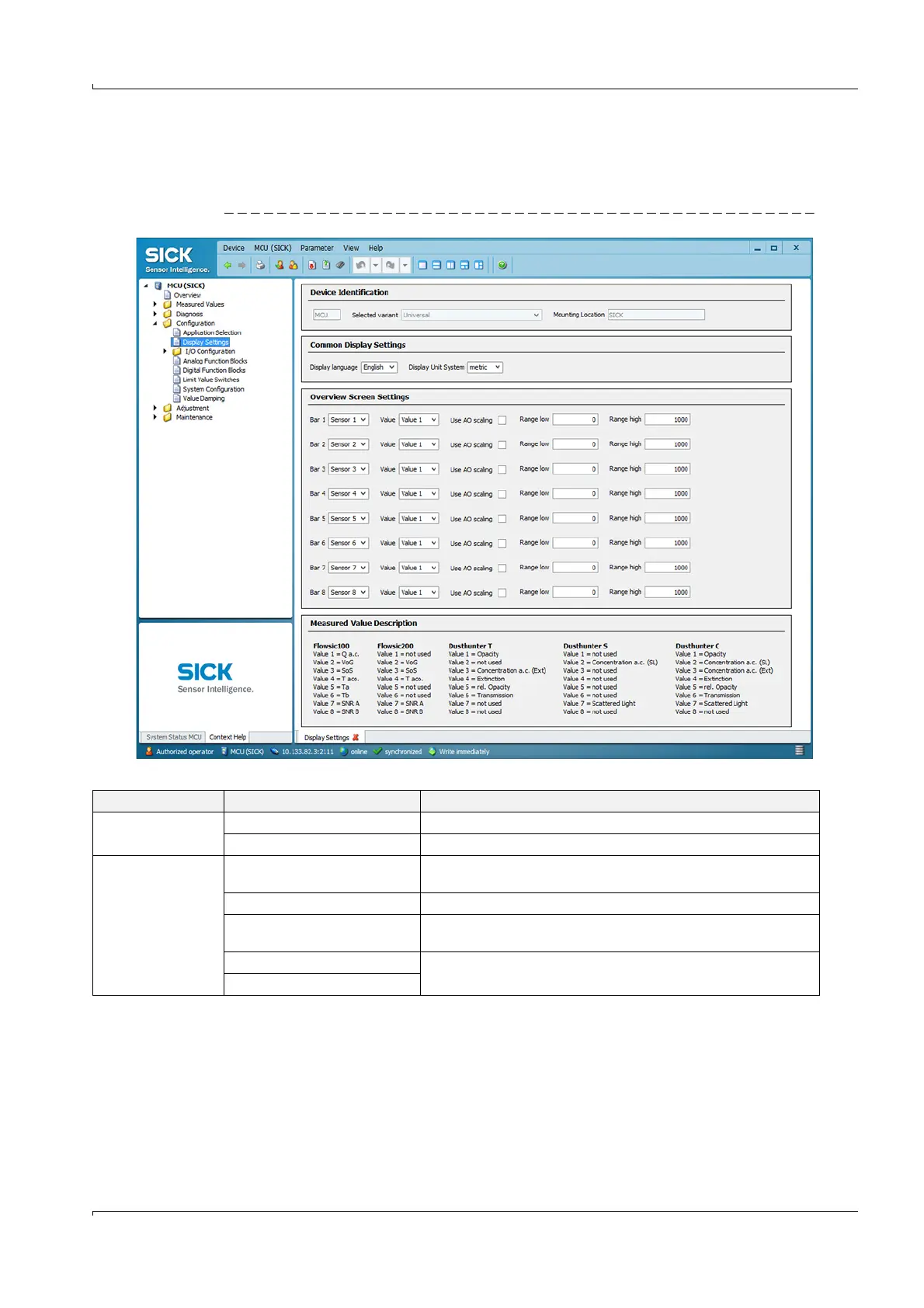
To change the factory settings, open the “MCU” device window, enter the Level 1 password
and call up the “Configuration / Display Settings” directory.
Fig. 91 Directory “Configuration / Display Settings“
*Assignment of measured value index to measured value
p. 73, §4.2.6
Section Selection field Significance
Common Display
Settings
Display language Language version shown on the LC display
Display Unit System Unit system used in displays
Overview Screen
Settings
Bars 1 to 8 Sensor address for the respective measured value bar in the graphic
display
Measured value Measured value index for the respective measured value bar
Use AO scaling If active, the measured value bar of the corresponding analog output is
scaled. If not activated, define the limit values separately
Range low Values for the separate scaling of the measured value bar,
independent of the analog output
Range high













 To Next Page