Commissioning and parameterization
FLOWSIC200 · Operating Instructions · 8013271/1CJ9/V2-0/2022-01 · © SICK Engineering GmbH 91
4.3.2.3
Configuring the Ethernet module
Assigning the Ethernet module a new IP address
An IP address specified by the customer is entered at the factory when the address is
available when the device is ordered. If not, standard address 192.168.0.10 is entered.
The following steps are necessary to change the address:
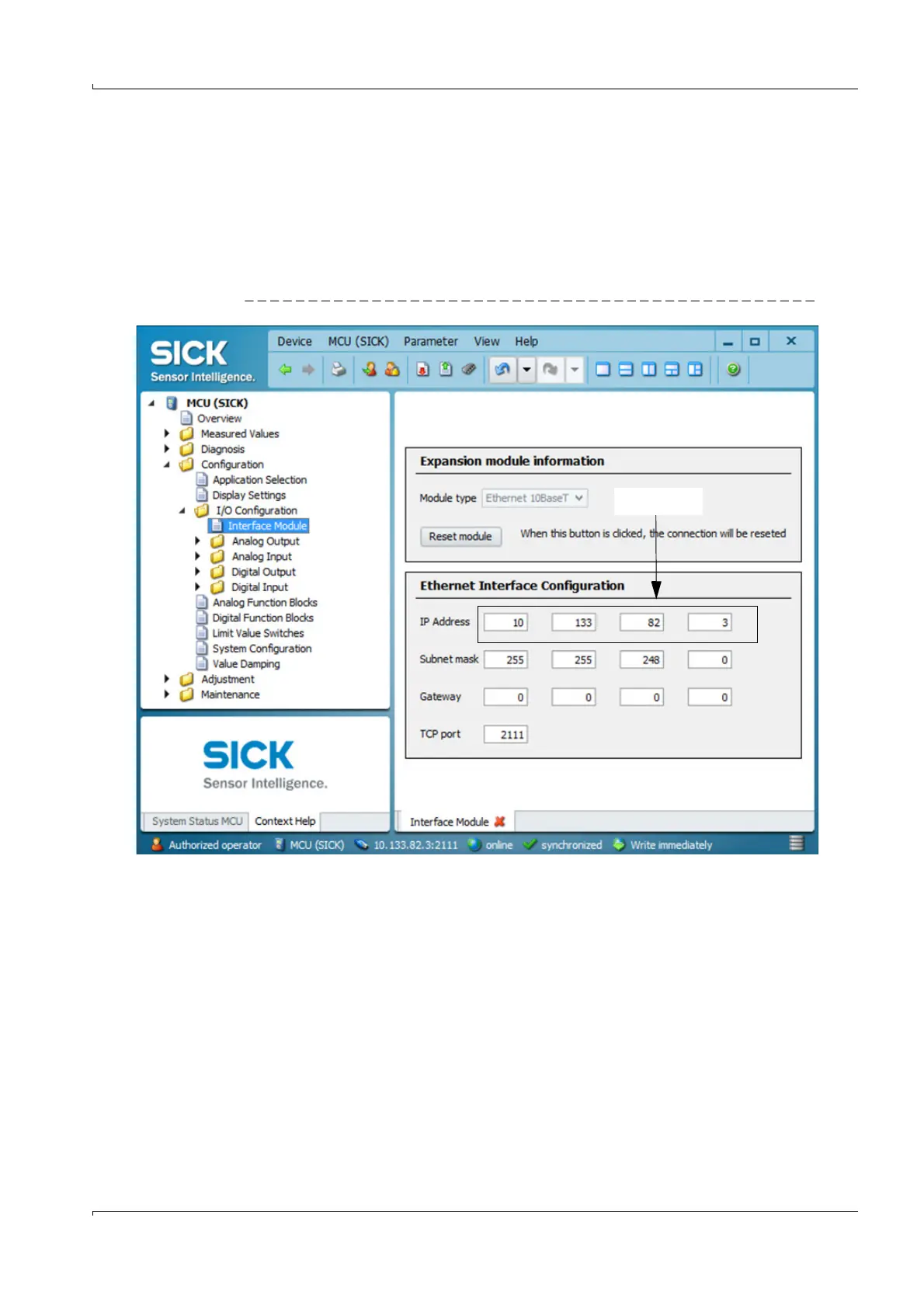
Set the desired network configuration in the “Ethernet Interface Configuration” field
and click “Reset module” under “Expansion module information”.
Fig. 82 Directory “Configuration / I/O configuration / Interface Module” (example)
Assigning a new IP address to the SOPAS ET program
Connect the device
p. 58, §4.1.3.













 To Next Page