96 FLOWSIC200 · Operating Instructions · 8013271/1CJ9/V 2-0/2022-01 · © SICK Engineering GmbH
Commissioning and parameterization
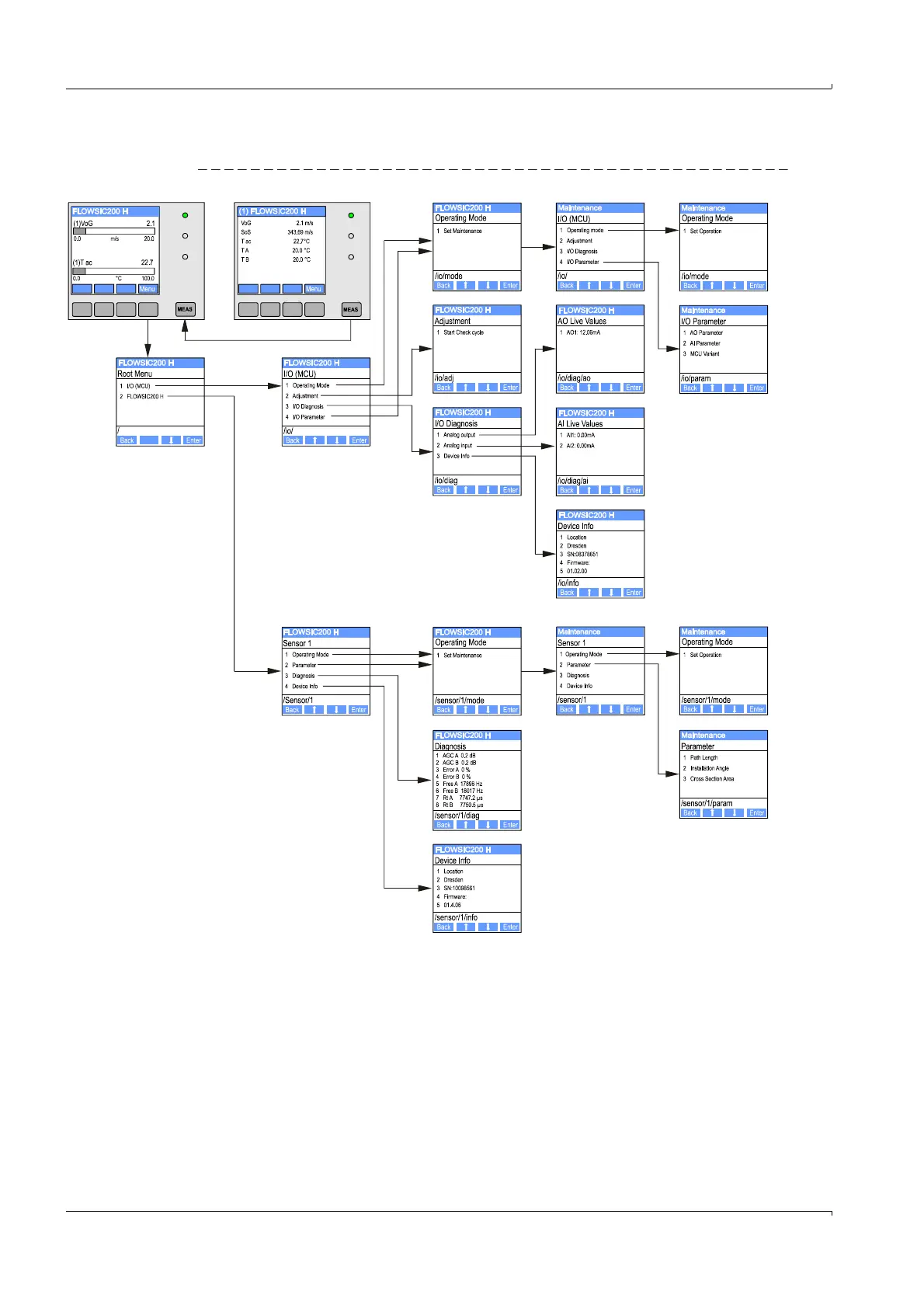
4.4.2 Menu structure
Fig. 88 Menu structure LC display (shown for FLOWSIC200 H)
4.4.3 Configuring
4.4.3.1 MCU
Analog outputs / inputs
Set the MCU to “Maintenance” mode and select the “I/O Parameter” submenu.
Select the desired parameter and enter the default password “1234” using “^” (scrolls
from 0 to 9) and/or “→” (moves the cursor to the right) buttons.
Select the desired value using “^” and/or ”→” buttons and write it to the device with
“Save” (confirm twice).
1): as in the operating mode
2):
p. 96, §4.4.3.1
3):
p. 98, §4.4.3.2
1
2
}
1
}
3













 To Next Page