68 FLOWSIC200 · Operating Instructions · 8013271/1CJ9/V 2-0/2022-01 · © SICK Engineering GmbH
Commissioning and parameterization
4.2.1 Assigning sensors
The MCU must be set to the sender/receiver units to be connected. A malfunction is
reported in case of a mismatch. Assignment must be made after installation when the
setting is not possible at the factory (e.g., when several devices are delivered at the same
time or when the MCU is swapped later). The following steps are then necessary:
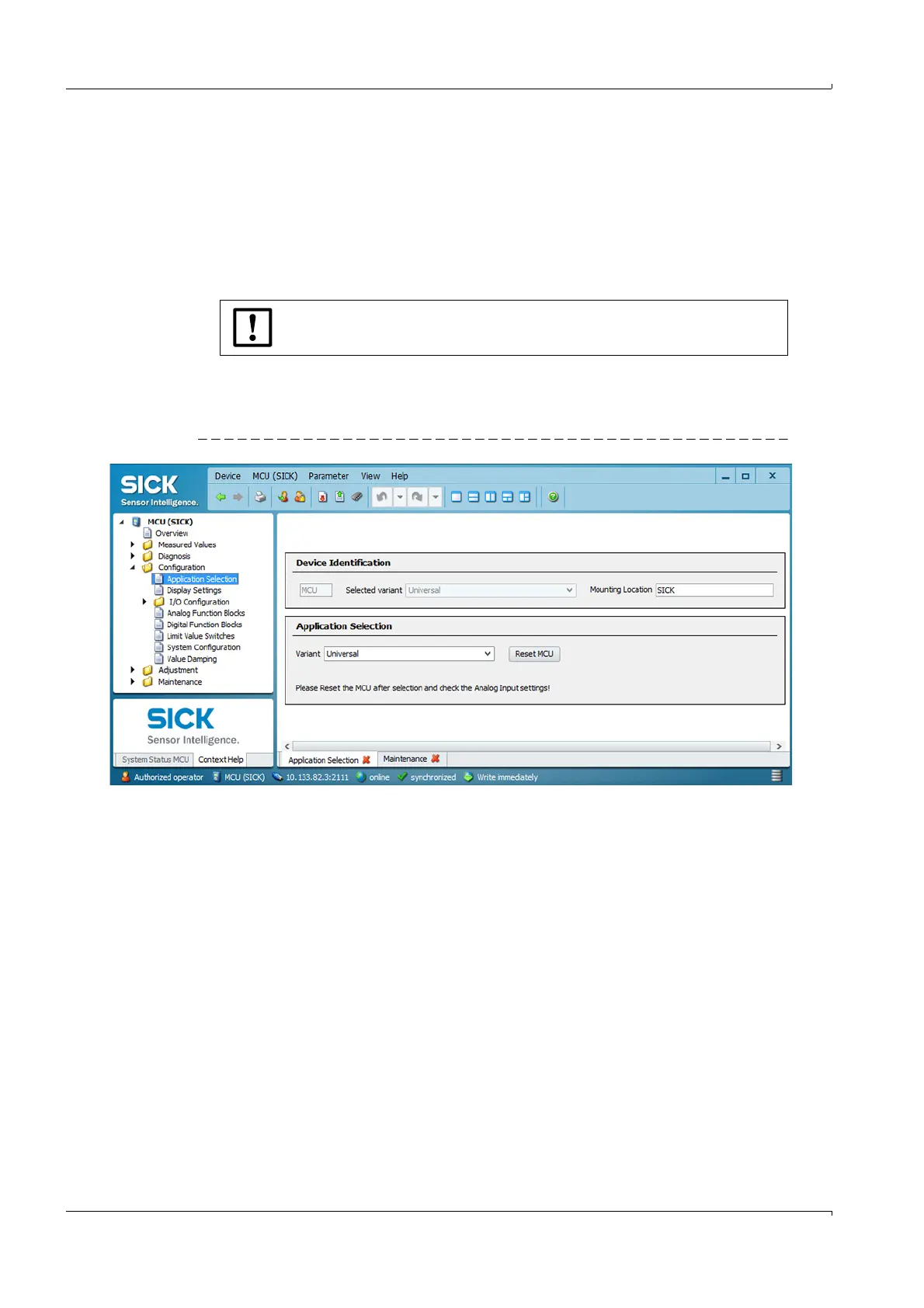
Select device file “MCU”, open directory “Configuration / Application Selection“
(
p. 68, Fig. 55) and check the correct type is displayed in selection field “Variant”
(“Universal” for FLOWSIC200).
If this not the case, set the measuring system to “Maintenance”.
Select “Universal” in the “Variant” selection field (“Application Selection” area), click
“Reset MCU” to restart the measuring system.
Fig. 55 Assigning sensors
The MCU must be connected with the sender/receiver units.













 To Next Page