94 FLOWSIC200 · Operating Instructions · 8013271/1CJ9/V 2-0/2022-01 · © SICK Engineering GmbH
Commissioning and parameterization
4.3.5 Configuring automatic system restart
The system can be restarted automatically after a predefined number of hours and
minutes.
Setting automatic system restart
1 Open SOPAS ET.
2 Select the firmware used in the device catalog.
The automatic restart can be set from MCU firmware 01.16.00 or higher.
3 Open the project..
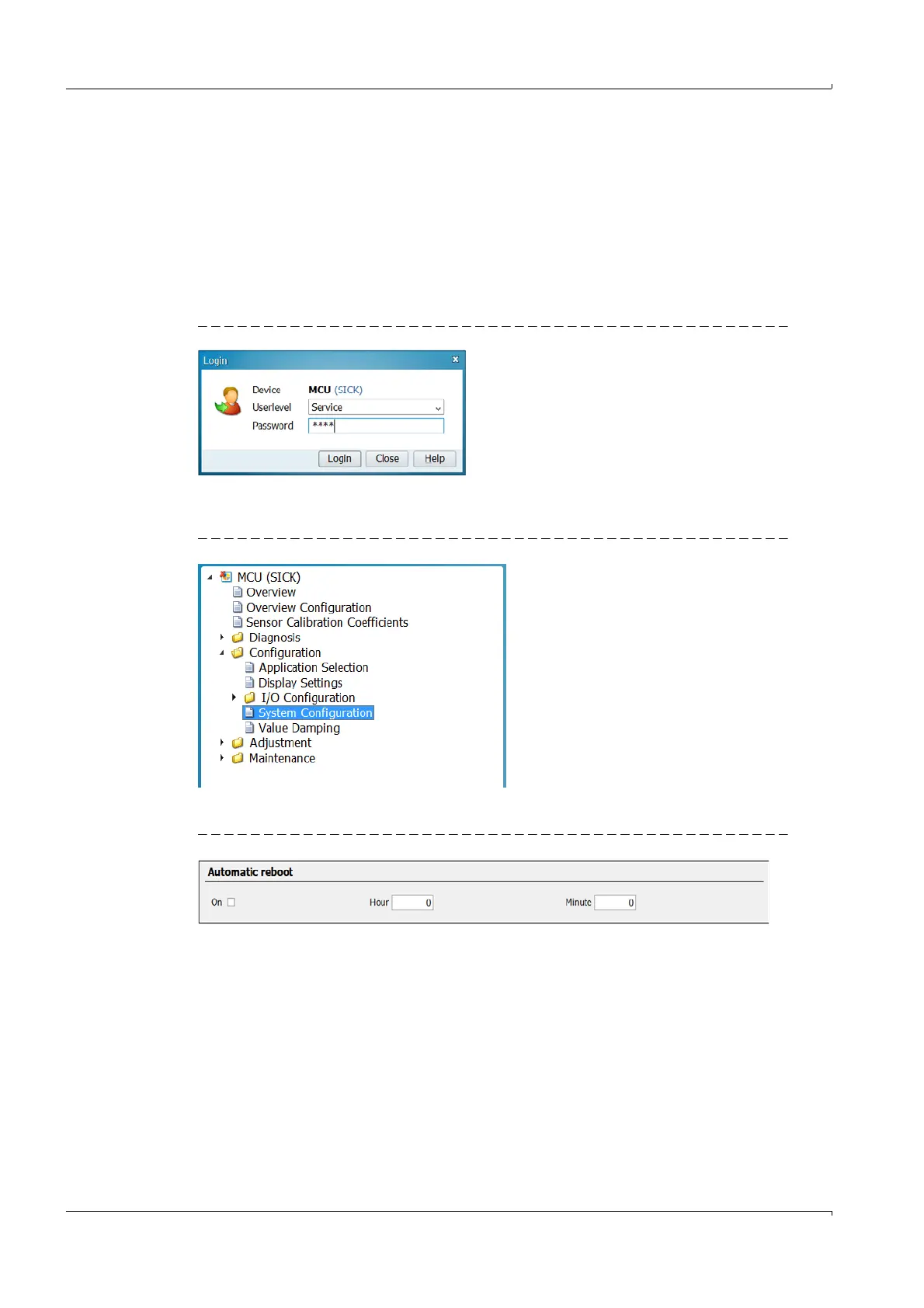
Fig. 84 Login entry
4 Login with user level “Service”.
5 Switch to Maintenance mode.
Fig. 85 “System Configuration” menu item
6 Select the “System Configuration” menu item.
Fig. 86 “Automatic Restart“
7 Activate “Automatic Restart”.
8 Set hours and minutes (max. 23 hours and 59 minutes). This specification defines the
time until the next restart. The time until the next restart begins when the tick is set.
(Example: If the hours are set to 8 and the minutes to 0, the system will restart
automatically every 8 hours).













 To Next Page