Commissioning and parameterization
FLOWSIC200 · Operating Instructions · 8013271/1CJ9/V2-0/2022-01 · © SICK Engineering GmbH 59
4.1.3.2
Connecting to the device via the “Device family” mode (recommended search settings)
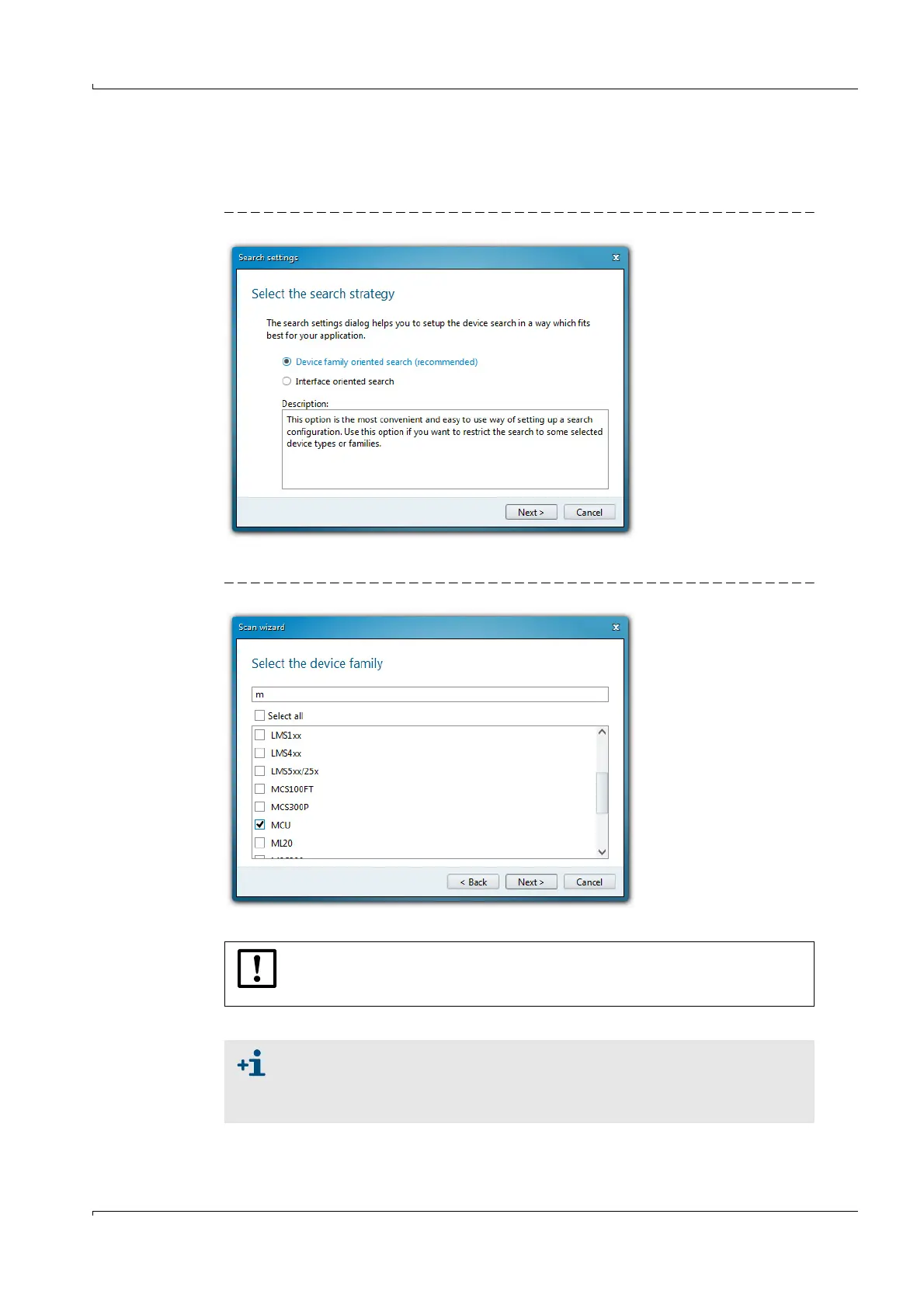
1 Click “Search settings”.
2 Select search mode “Device family oriented search” and click “Next”.
Fig. 40 Selecting the search mode
3 Select device family “MCU” and click “Next”.
Fig. 41 Selecting the device family
4 If devices are to be connected via Ethernet, configure the IP addresses:
Click “Add”.
NOTICE:
The MCU(P) does not support automatic recognition of IP addresses (SICK
AutoIP), therefore the IP addresses have to be configured manually.
An IP address specified by the customer is entered at the factory when the
address is available when the device is ordered. If not, standard address
192.168.0.10 is entered.
To change the IP address, see
p. 91, §4.3.2.3.













 To Next Page