Commissioning and parameterization
FLOWSIC200 · Operating Instructions · 8013271/1CJ9/V2-0/2022-01 · © SICK Engineering GmbH 95
4.4
Operating / parameterization with the LC display option
4.4.1 General information on use
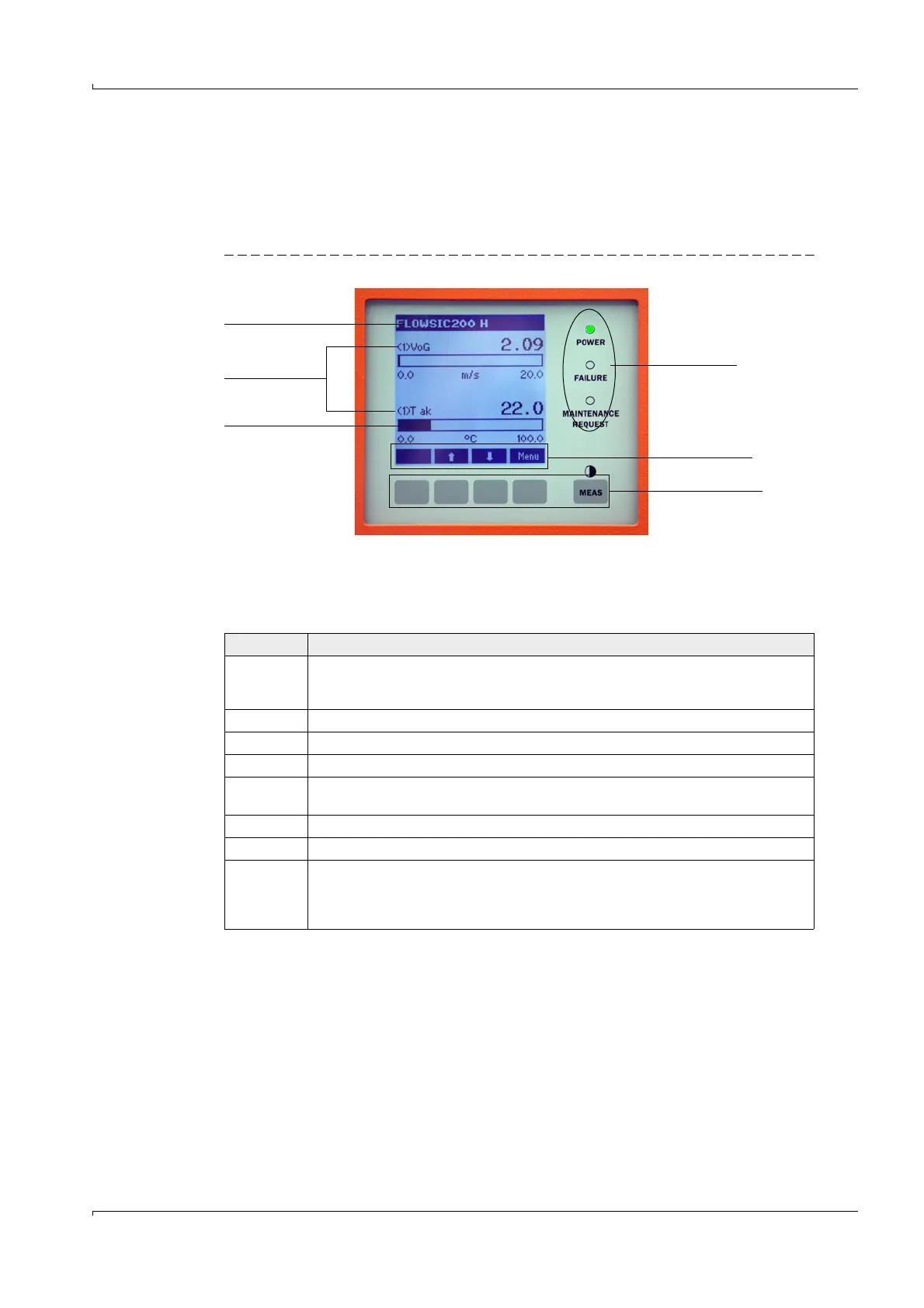
The display and operation interface of the LC display contains the functional elements
displayed in Fig.87.
Fig. 87 Functional elements - LC display
Button functions
The function shown depends on the menu currently selected. Only the function shown in
the button is available.
Status bar
Number of the
connected sensor
Measured value bar
Status LED
Current button
function
Control buttons
Button Function
Diag Display diagnostic information (warnings and errors during a start using the Main menu,
sensor information during a start using the Diagnostics menu;
p. 96, Fig. 88)
This function is only active when warnings or malfunctions are present.
Back Switch to the next higher level
Arrow Scroll up
Arrow Scroll down
Enter Execution of the action selected with an arrow button (switch to a submenu, confirm
parameter selected during parameter setting)
Start Start an action
Save Save a changed parameter
Meas
Toggle between display of measured values in a bar (graphics display) or in text form
When sender/receiver units of several measuring points are connected to one MCU, the
measured values of the individual measuring points are displayed one after the other.
Display the contrast setting (press the button at least 2.5 s)













 To Next Page