Commissioning and parameterization
FLOWSIC200 · Operating Instructions · 8013271/1CJ9/V2-0/2022-01 · © SICK Engineering GmbH 97
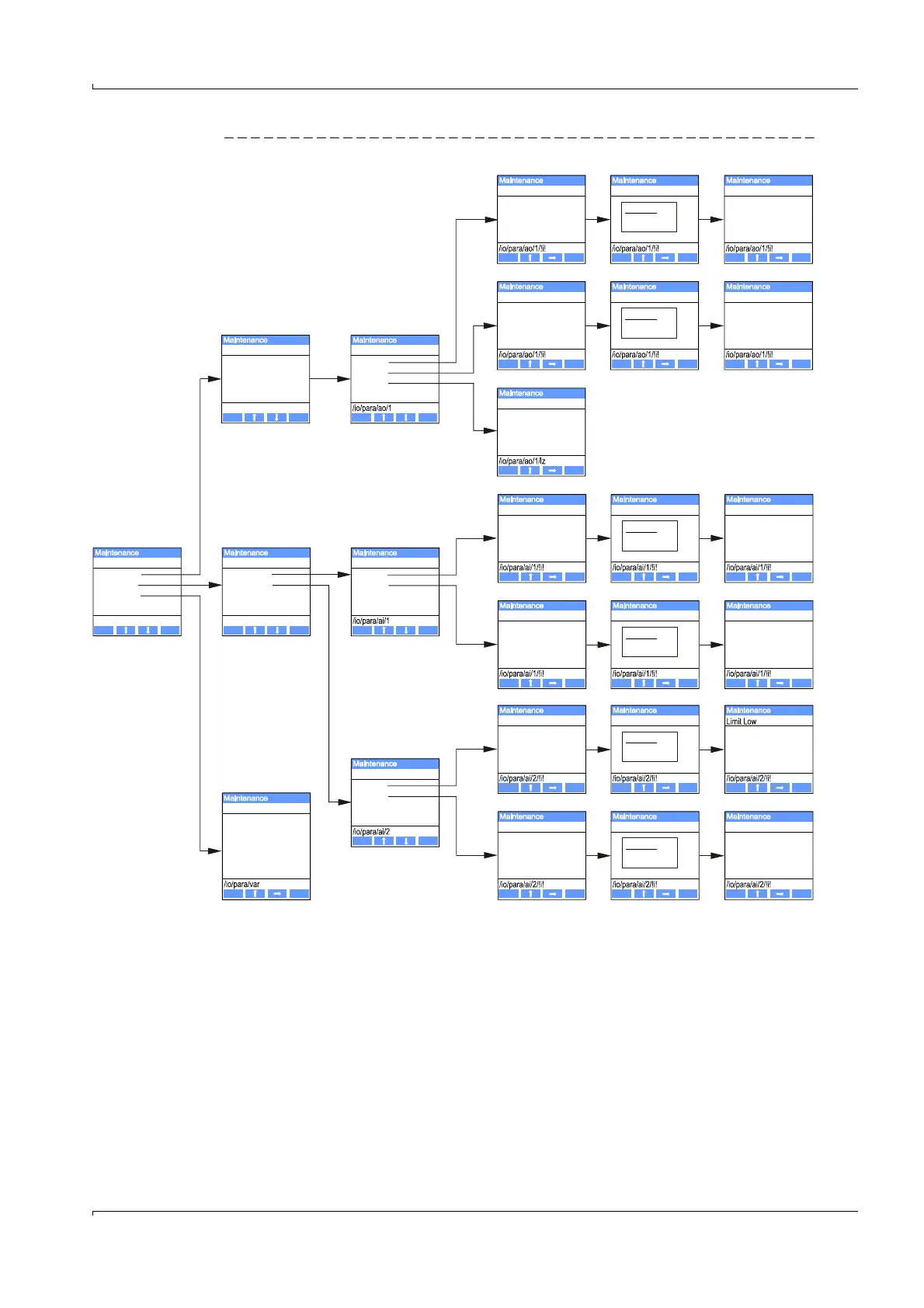
Fig. 89 Menu structure for parameterizing analog outputs / inputs and setting the MCU variant
Setting the MCU variant
The following steps are necessary for subsequent setting of the MCU to the sender/
receiver units of the FLOWSIC200 (
p. 68, §4.2.1):
Set the MCU to “Maintenance” mode, select the “MCU Variant” submenu, and select
the type “Universal (Bus)”.
Enter the default password and store the type with “Save” (confirm twice).
The other selection options have no significance here.
1 AO Parameter
2 AI Parameter
3 MCU Variant
1 AI1 Parameter
2 Ai2 Parameter
I/O Parameter AI Parameter
/io/param /io/para/ao
Back Enter
Back Enter
Back Save
Back Save
Back Save
Back Save
Back Save
Back Save
Back Save
Back Save
0000.00
0000.00
0000.00
0000.00
0100.00
0100.00
1000.00
1000.00
Limit Low
Limit Low
Limit High
Limit High
Limit Low
1 AO1 Parameter
AO Parameter
/io/para/ao
Back Enter
Back Save
Back Save
Back Save
Back Save
Back Save
2 Limit High
3 Live Zero
0 mA
2 mA
4 mA
000.00 m/s
0030.00 m/s
-020.00 m/s
0020.00 m/s
AO1 Parameter
Limit Low
Limit High
Live Zero
Limit Low
Limit High
Limit High
Back Save
MCU Variant
Fl100 1 Path
Fl100 2 Path
DUSTHUNTER S
DUSTHUNTER T
DUSTHUNTER C
DHS_FL Combi
Unlimited













 To Next Page