80 FLOWSIC200 · Operating Instructions · 8013271/1CJ9/V 2-0/2022-01 · © SICK Engineering GmbH
Commissioning and parameterization
Saving as a protocol
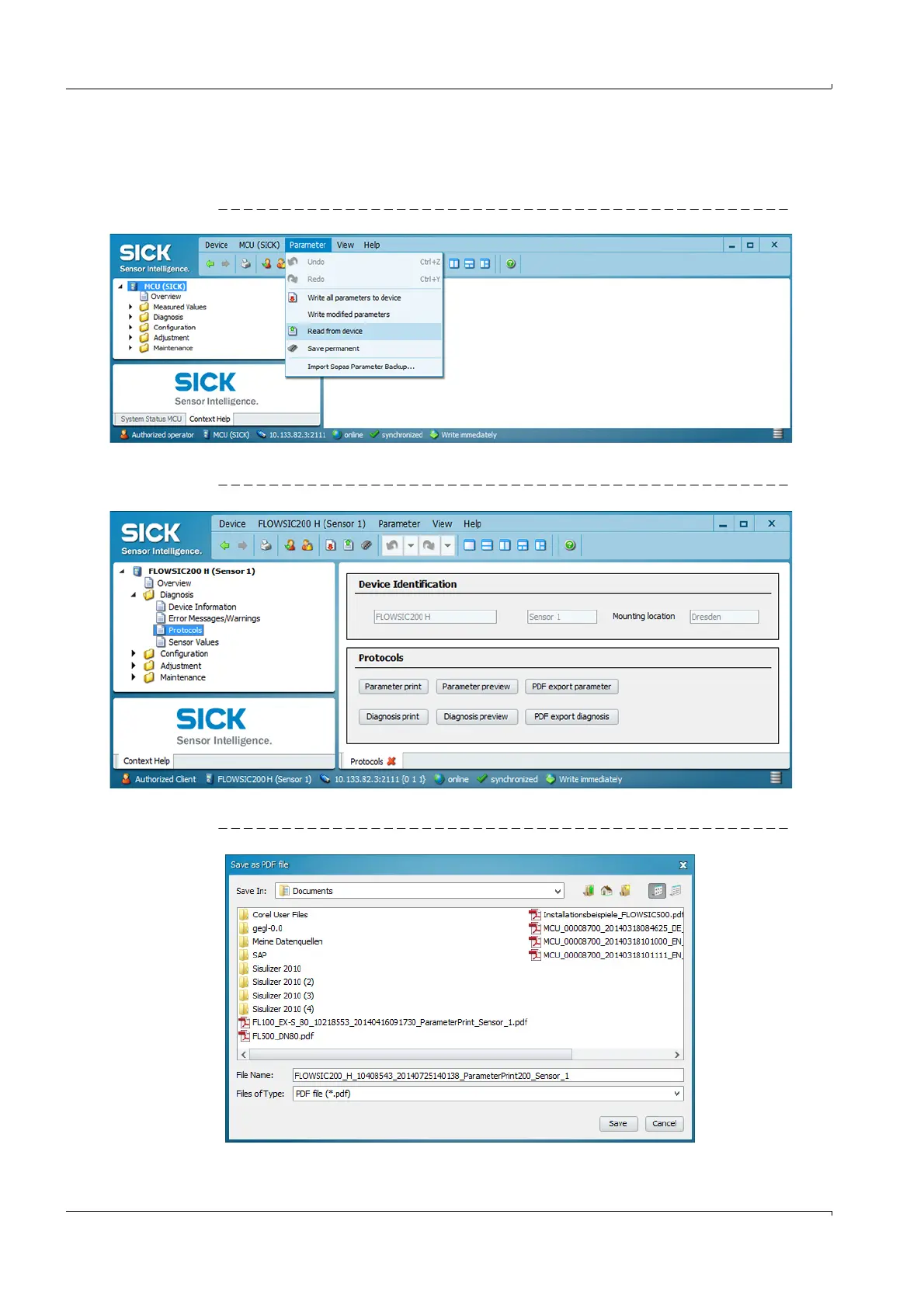
Select device and update device data by selecting “Parameters/ Read from device” in
the menu.
Fig. 67 Updating device data
Select directory “Diagnosis / Protocols” and click the desired protocol type.
Fig. 68 Directory “Diagnosis / Protocols”
The file name and storage location must be specified for export to a PDF file.
Fig. 69 Specifying file name and storage location













 To Next Page