The RS423 and GPIB Ports. Remote Control 1250 Frequency Response Analyzer
13-22 AMK/1250/4
13.12.3 GPIB NORMAL MODE
This mode of presenting measurement results is selected by setting the TALK ONLY
switch on the rear panel of the 1250 to OFF. The data output is in compressed form,
suitable for interpretation by a Controller. The 1250 automatically allocates to each
parameter a constant field width of 11 characters, containing a 5-digit fixed point part
and a 2-digit exponent. For example the frequency field is of the form:
Exponent, including
2-digit number and
polarity sign
5-digit fixed point part
with polarity sign
±ƒ.ƒƒƒƒ E±ƒƒ
Decimal point
always here
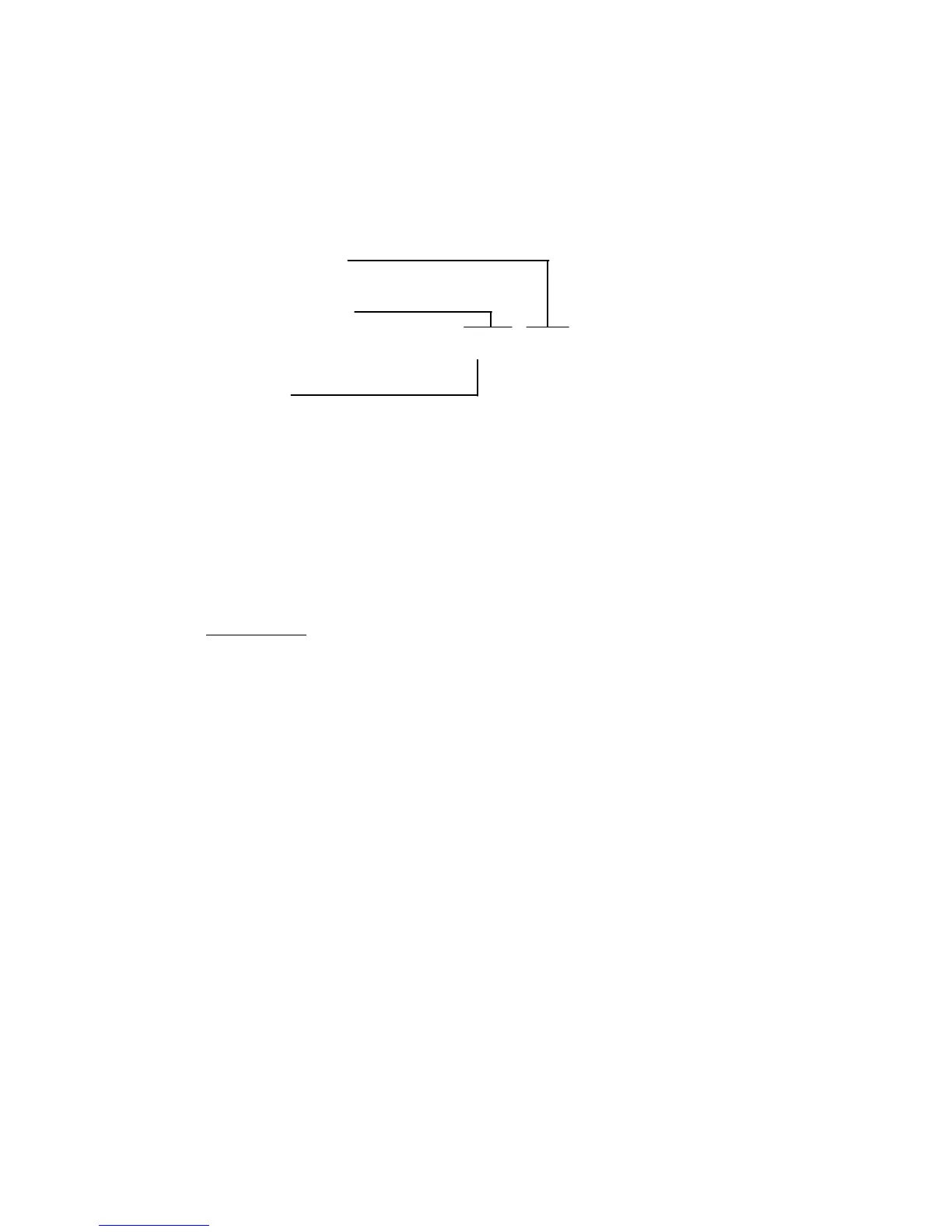
A complete reading takes the form:
±ƒ.ƒ ƒ ƒ ƒE ±ƒ ƒ, ±a.a a a a E ±a a, ± b. b b b b E ±b b, e cr
frequency a b error code
frequency r theta error code
frequency log r theta error code
where e represents a 1-digit Error Code, as listed in Chapter 11, Section 2. Only the last
digit of Group 8 Error Codes is reported. The Output Separator character is shown as a
comma, and the Output Terminator is cr, i.e., Carriage Return.
To select different Separator and Terminator characters, see Section 13.12.6
For 1250N only
If the GPIB Talker/Listener Output Format is set to 0 (the default), the output format is
as shown above. If the Output Format is set to 1, using the RO1 command, the format
is:
±a. a a a a E±a a, ± b. b b b b E ± b b, ±ƒ.ƒ ƒ ƒ ƒE ±ƒ ƒ, e cr
a b frequency error code
r theta frequency error code
log r theta frequency error code
An example of a Controller program to output readings to the GPIB is given below. The
programming statements defined in Section 8 are used, and the use of the comma as
Separator and crlf as a Terminator is assumed.
Instruction Meaning
OUTPUT "CO0" Select co-ordinates a, b.
OUTPUT "OP2,1" Send all the readings to the GPIB.
OUTPUT "SI" Make a Single measurement.
INPUT F, A, B, E Store the results of the measurement.
PRINT "FREQ = ", F means: Print the result
PRINT "a = ", A same
PRINT "b = ", B same
PRINT "error = ", E same
Note that the results sent to the GPIB ASCII port are from the same Source Channel
and are in the same co-ordinates as the results displayed on the Front Panel.



 To Next Page