1250 Frequency Response Analyzer Switching On and Initialising
AMK / 1250 / 3 3-3
3.2 INITIALISING
The 1250 can remember its previous settings for at least 100 hours whilst switched off.
Therefore it is most likely that POWER RESTORED will be displayed when the
instrument is switched on again. If the next measurement to be made is similar to the
one preceding switch-off, the 1250 is already virtually set up, and will need only slight
adjustment.
However, if a markedly different type of measurement is to be made, it is advisable to
“erase" all existing settings to ensure that no unwanted facilities, e.g. Bias, are
inadvertently left active. This is achieved by initialising, which returns all controls to
the default state, and also erases the File plus all Learnt programs (Note: To erase
Learnt Programs 10 to 18 the keyswitch must be in the Supervisor position). The default
states are given in Chapter 8, Menu Summary.
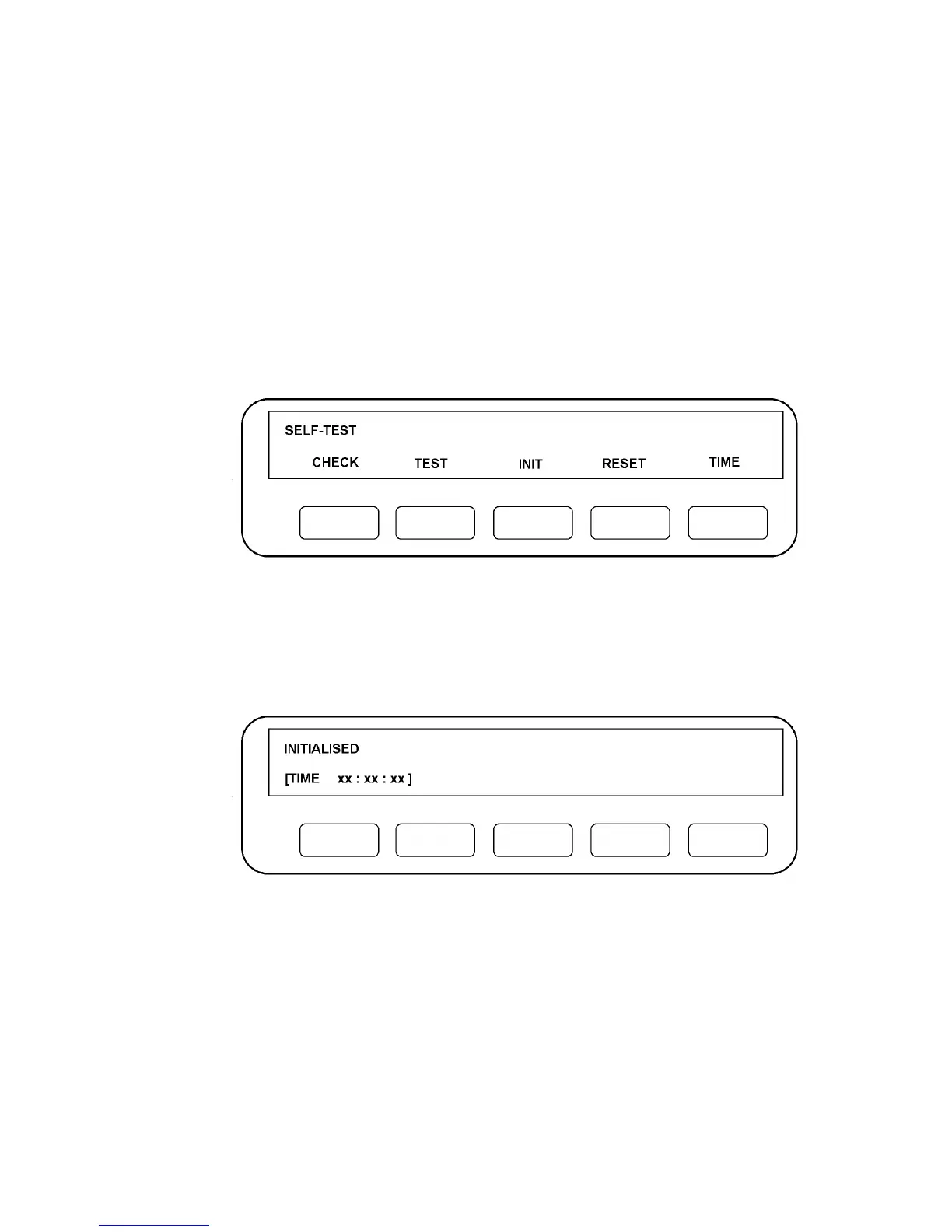
To initialise press "self test" on the front panel. Five softkeys will be assigned as shown
in Fig. 3.3:
Figure 3.3
Press INIT. Initialisation takes about 14 seconds to complete in Supervisor mode, and
about 250ms in Normal mode, (see Chapter 1, Section 4: Keyswitch). When initialisation
is complete, the Display will be as shown in Fig. 3.4.
Figure 3.4
The 1250 is now in an identical state to that shown in Fig. 3.2, except that Learnt
Programs 10 to 18 will also have been erased if the keyswitch is in the Supervisor
position. Numerical values, e.g. Generator Amplitude, will read "not entered" on the
Display when interrogated, but are actually set to their default values. The TIME display
is set to zero.



 To Next Page