Making Measurements: The Generator 1250 Frequency Response Analyzer
4-6 AMK / 1250 / 4
4.5.3 GENERATOR STOP @ KEY
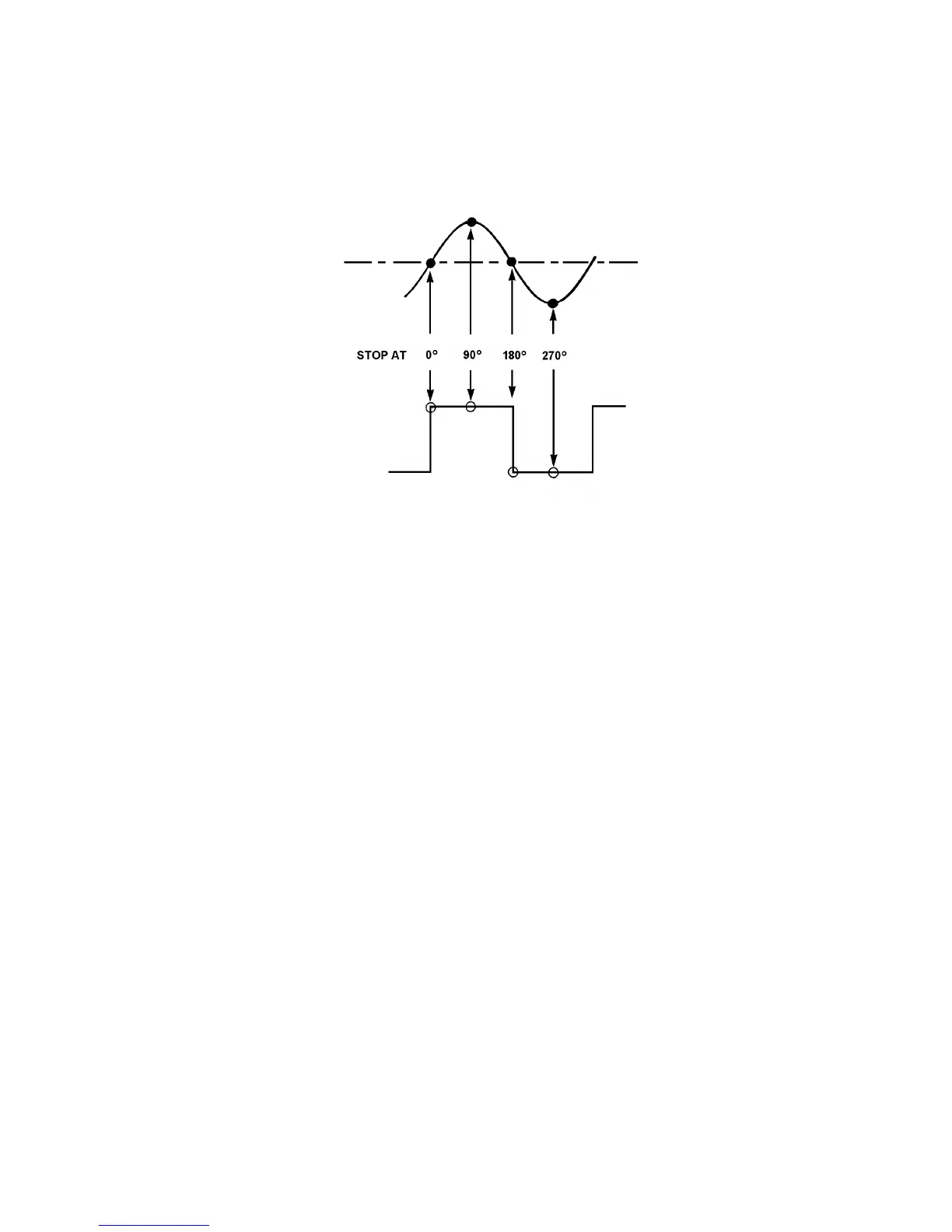
This control enables the Generator to be stopped at any of the four cardinal points
shown in Fig. 4.5. When the key is pressed, four soft keys will be assigned, one to each
Stop point.
Figure 4.5
When the required soft key is pressed, the next time that the Generator waveform
reaches the selected Stop point, it will halt there and stay until START is pressed again
(unless the 1250 is initialised, or switched on and off again in the meantime).
When START is operated again, the STOP @ command is cancelled, and the
Generator will continue running from the cardinal point at which it had been instructed to
stop.
4.5.4 APPLICATIONS OF THE STOP @ KEY
Apart from enabling the user to ensure that the Generator waveform always starts from
a known point, this control has several other applications in sine wave mode:
1. STOP @ 0° enables any offsets in the system under test to be adjusted to zero,
before testing commences.
2. If a large piece of machinery is being controlled by the Generator, e.g. a
hydraulic jack, this can be brought gently to rest by using STOP @ 0°, instead of
being stopped in some arbitrary position from which it abruptly returns to zero,
as could occur if GENERATOR STOP were used and then the equipment
switched off.
3. STOP @ 90° or 270° enable maximum amplitudes to be determined empirically,
see Chapter 9 'VARIABLE' Section 1.5 for a typical procedure.



 To Next Page