Additional Generator Controls 1250 Frequency Response Analyzer
9-2 AMK/1250/2
9.1 THE VARIABLE KEY
9.1.1 INTRODUCTION
This mode of control enables the user to vary the Generator settings, whilst observing
the effect on the object-under-test. By this means, for example, the optimum position of
a mechanical device may be determined empirically, or an electrical resonance
identified by observing the changing Display readings.
Three Generator parameters are controllable via the Variable key. These are:
Frequency (freq)
Amplitude (ampl)
Bias (bias)
The required choice is established by using the SELECT and ENTER keys as usual.
Another use of the VARIABLE key, when an X-Y plotter is connected, is to adjust
precisely the size and position of the plotting field, e.g. to suit pre-printed chart paper.
This use is explained fully in Chapter 12, Section 4 'X-Y Plotter'.
9.1.2 METHODS OF USE
There are basically two ways of using the VARIABLE key:
1 . With the Generator running but the Analyzers stopped. In this case the relevant
Generator parameter is varied whilst observing the effect on a driven mechanical
device. Having ascertained the required value for the Generator setting by this
means, measurements can continue in the normal way by starting the Analyzers, i.e.
pressing SINGLE or RECYCLE.
2. With the Generator and Analyzers running. Here the Generator parameter is varied
whilst observing the effect on the reading in the Display. This method can be used
for detailed investigation of small sections of the response curve of resonant circuits
and filters.
9.1.3 METHOD 1, WITH ANALYZERS STOPPED
Press VARIABLE, the Display will show VARIABLE: [freq].
Establish the required parameter in the square brackets by operating the SELECT key,
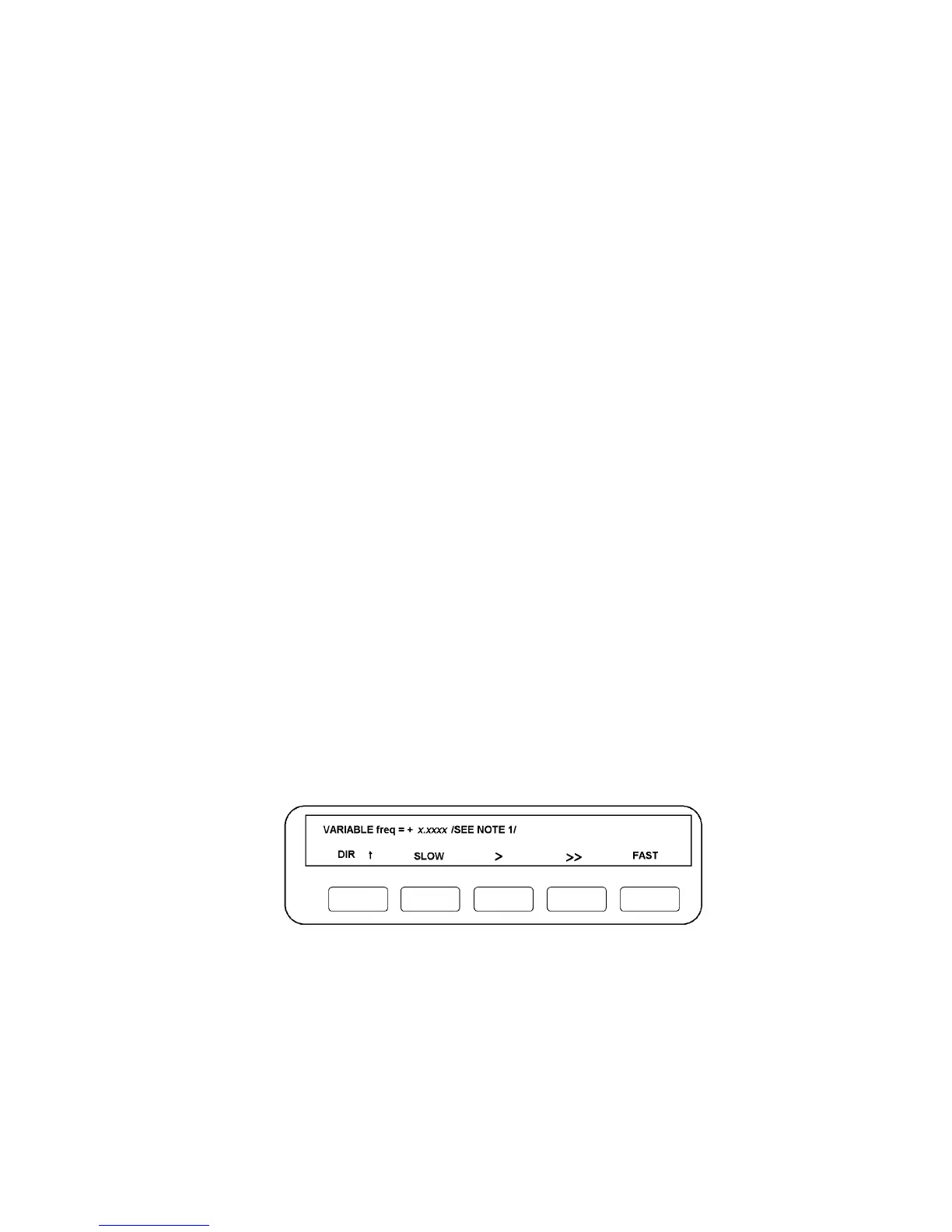
and ENTER. As an example. if freq is entered, the Display will be as in Fig. 9.1.
Figure 9.1 - Typical Display with VARIABLE pressed and Analyzers stopped.
Varying the Frequency. The five soft keys now operate on the displayed frequency 11
“x.xxxx" as follows:
The left-hand DIR key controls the direction of variation. It has only two settings, "DIR
↑ " for increasing the frequency and "DIR ↓ " for reducing it.



 To Next Page