1250 Frequency Response Analyzer Making Measurements: The Generator
AMK / 1250 / 4 4-3
square brackets signify that the user has a choice as to which word or symbol shall
appear between them. Successively operate the SELECT key until the chosen word
appears in the square brackets.
Press ENTER, the new command will not be accepted by the 1250 until ENTER is
pressed. The Display will revert to that shown in Fig. 4. 1.
To verify that the new command has been accepted, simply press WAVEFORM again.
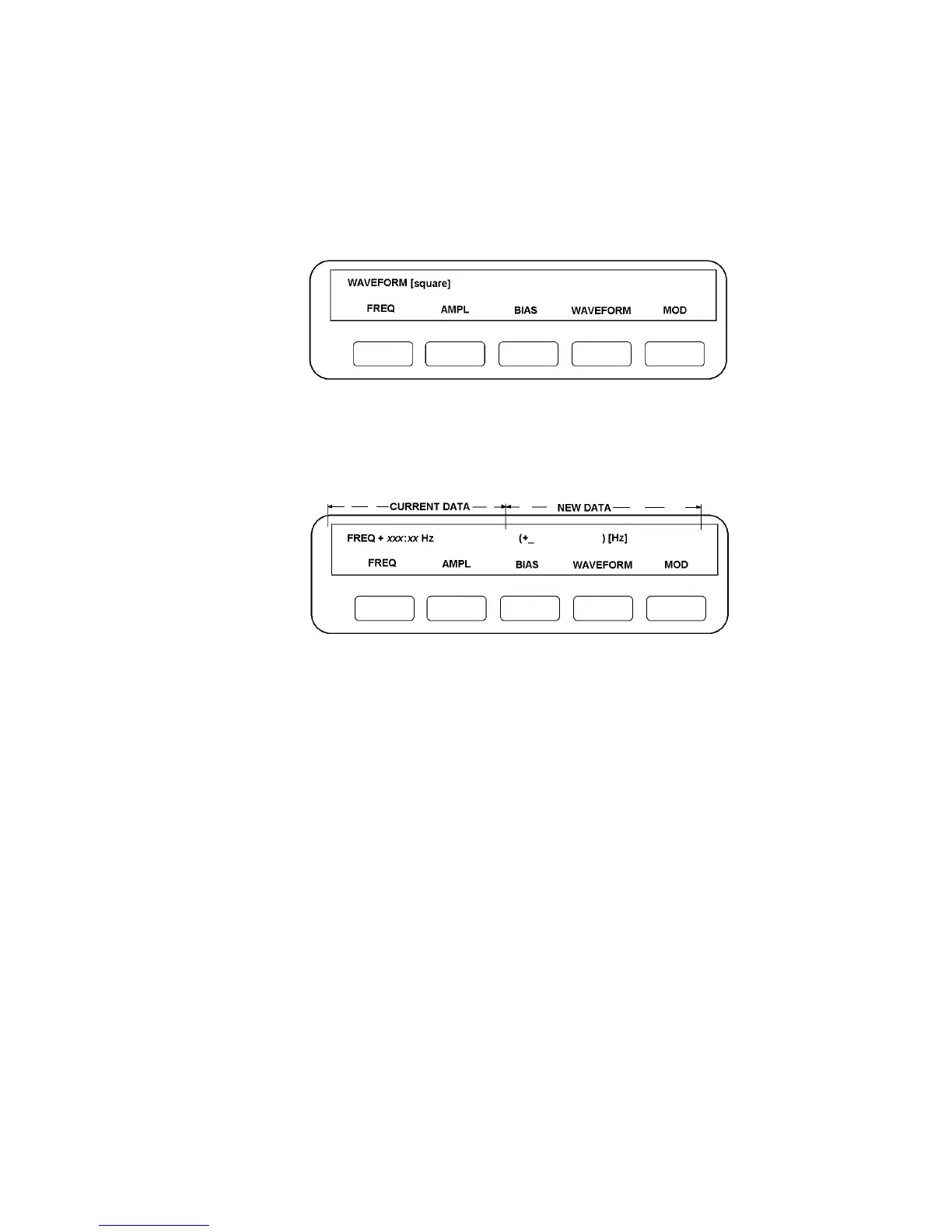
If [square] has been entered the Display should now be as shown in Fig. 4.3.
Figure 4.3
4.2.4 FREQUENCY
Press FREQ. The Display should now resemble Fig. 4.4.
Figure 4.4
The top left-hand section, here labelled "Current Data", displays the current frequency,
represented by FREQ + xxx.xx Hz. If no frequency has been entered since an
initialisation, the Current Data section will show "not entered" although the value will in
fact have defaulted to 100Hz.
Key in the new frequency from the numeric key pad. The figures will appear after the
"+" sign between the round brackets, in the section labelled "New Data" in Fig. 4.4. The
flashing cursor indicates where the next character typed will be placed.
The maximum number of characters that can be displayed between the round brackets,
excluding any exponent entry (described later), is six, or five digits plus decimal point. If
further digits are typed, they do not displace those already displayed, and will usually be
ignored by the 1250 if they exceed the specified resolution.
The units of frequency, Hz in Fig. 4.4, appear in square brackets and can therefore be
altered by operating the SELECT key, the choices being mHz, Hz and kHz.
Alternatively, range may be expressed in exponent notation, by using the EXP key. The
1250 accepts exponents in the range 10
-9
to 10
+9
, these being keyed in as E-9 to E+9,
the sign of the exponent being changed by the +/- key.



 To Next Page