DMS-1200 Release 6 Operations Manual
Section 7 – DAS Device Control 60
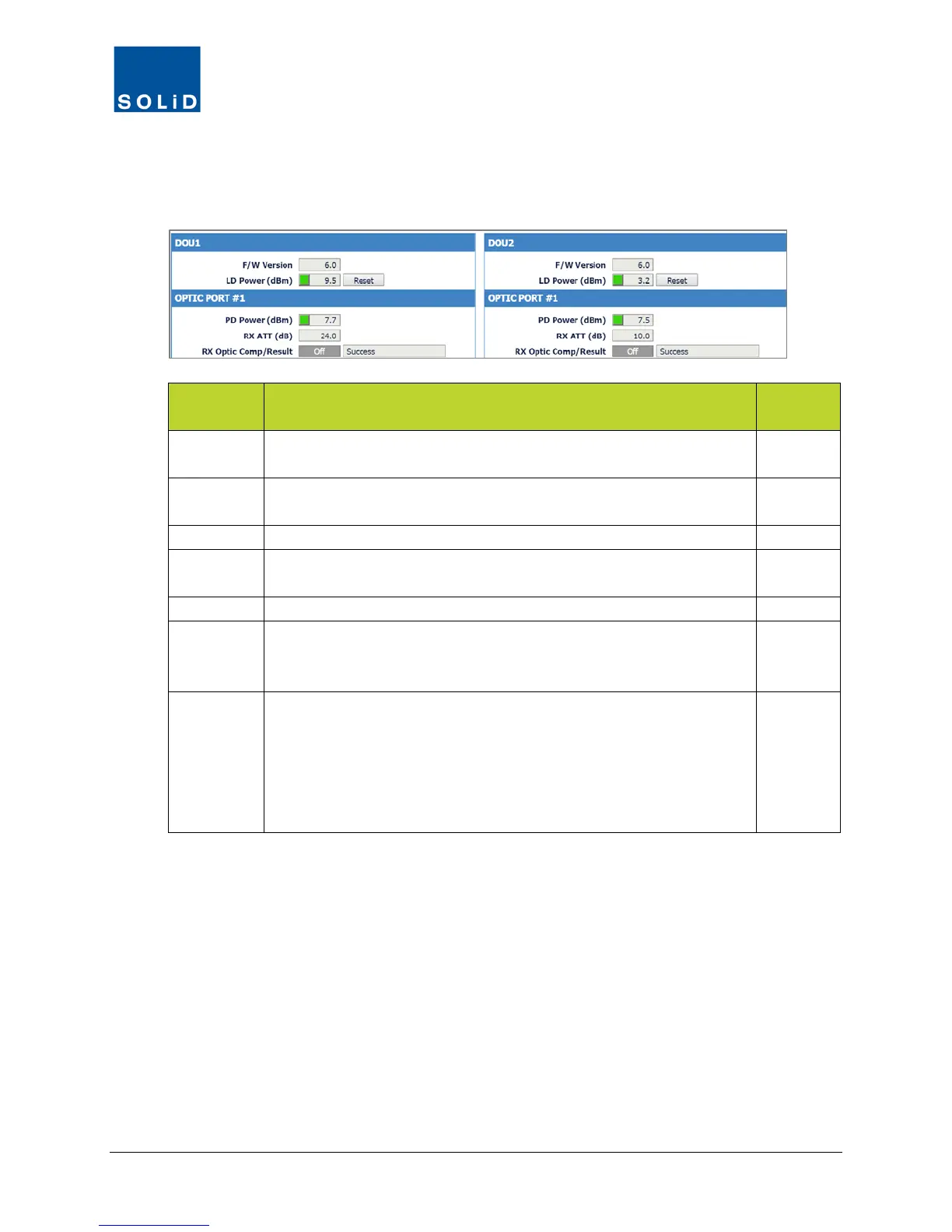
The OEU Control screen also includes the configuration fields for the DOUs installed in the OEU.
Each DOU has four ports. Active ports are lit in blue; inactive are greyed.
3. Configure each active port on the DOUs according to these guidelines:
DOU Field Description
User
F/W
Firmware version of DOU.
N
LD Power Shows laser diode power being transmitted to ROU. Green = normal.
Red = power is below reference power current.
N
Click Reset to cycle power to reboot the DOU optic module.
PD Power Displays photo diode power being received from ROU. Green =
normal. Red = received power falls below reference power level.
N
Shows attenuation level being applied to (RX) side of the DOU.
Rx Optic
Comp
Click the toggle to turn On/Off the Auto optical loss compensation
function. This function applies the same amount of attenuation as the
TX Optic ATT of the ROU or OEU.
Y
Result Shows result after compensating for optical loss:
Success: optical compensation has been successful.
Over Optic Loss: optical loss generated exceeds limits:
6dBo or more for 4-port DOU (OM4); 11dBo or more for 1-port DOU
(OM1).
Fail: Communication between the DOU and ROU has failed.
N
Table 7.9 – OEU / DOU Setup Screen Fields
4. Click Apply when you are done. Changes are saved immediately.



 To Next Page