2.
Adjust the luminance control of the pattern box so that the white portion in the center of the chart is 573 ±6 cd/m
2
Tip
This corresponds to the luminous intensity on the 89.9%-reflective chart at 2000 lx.
5-1-4. Setup Menu
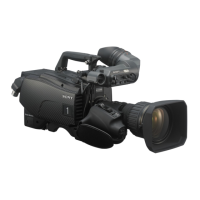
Camera equips setup menu. Some of adjustments given in this section use the setup menu without MSU.
In setup menu, operate from [TOP MENU] screen on the camera.
Configuration of [TOP MENU] screen is as follows.
• USER menu
• USER MENU CUSTOMIZE menu
• OPERATION menu
• PAINT menu
• MAINTENANCE menu
• FILE menu
• DIAGNOSIS menu
• SERVICE menu
Note
Display of [SERVICE] menu, refer to “How to Display the SERVICE Menu”.
The setup menu operation is described as follows.
Example: When the AUTO SETUP page of MAINTENANCE menu is selected from the TOP menu and AUTO LEVEL
is performed.
MENU: MAINTENANCE
PAGE: AUTO SETUP
ITEM: AUTO LEVEL
How to Display the SERVICE Menu
Set the DISPLAY switch to “MENU” while pressing the ASSIGNABLE 1 switch on the side of the camera and the
rotary encoder on the front of the camera.
[SERVICE] menu is displayed on the [TOP MENU] screen.
Display screen of [SERVICE] menu, Refer to “8-2. SERVICE Menu”.
HDC4300
5-4


 To Next Page