5-5. ND Offset Adjustment
5-5-1. White Balance Compensation
Note
When the filter disk unit is replaced alone, the correction of white balance is required. Proceed as follows.
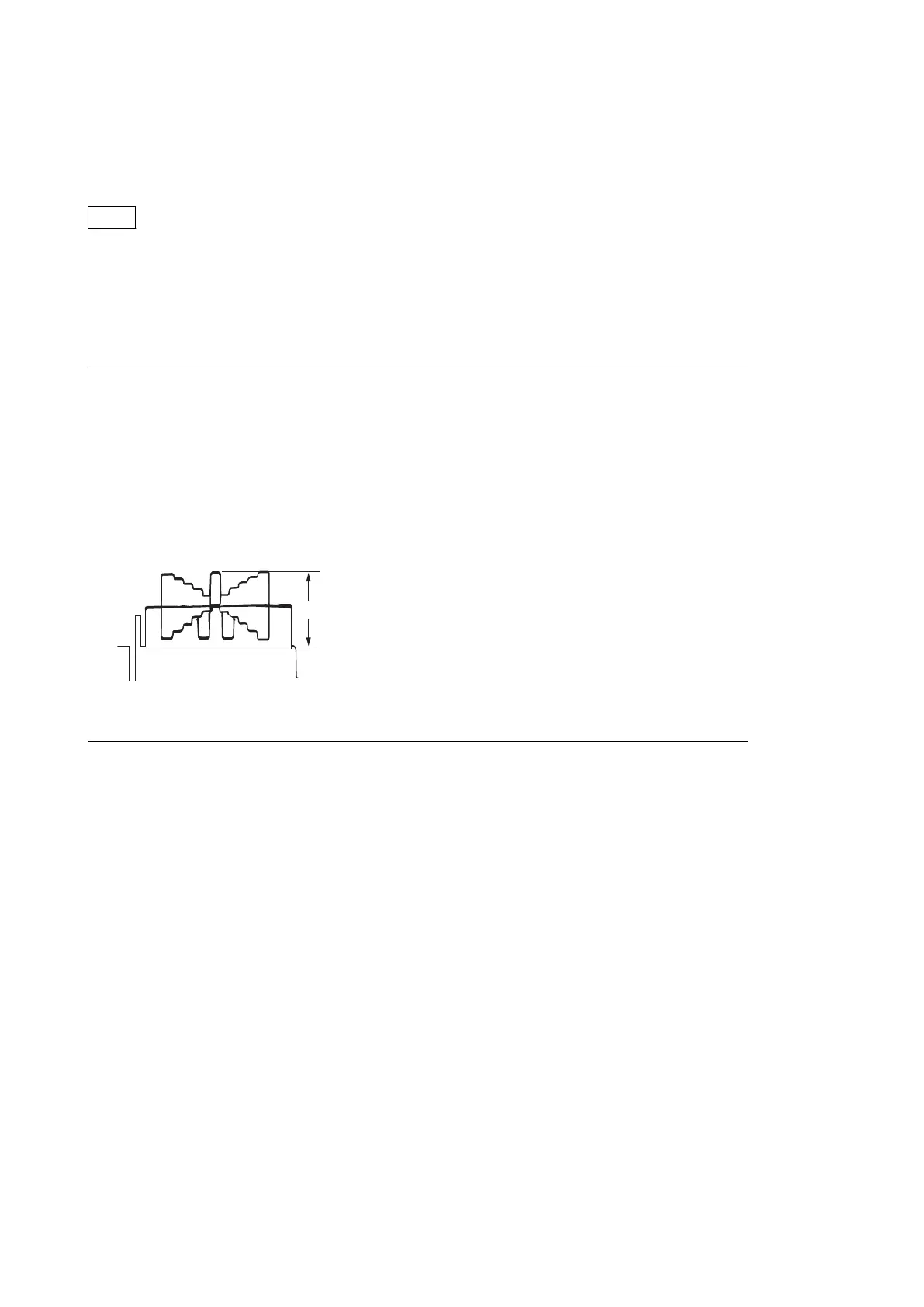
Equipment: Waveform monitor (R, G, B)
Test Point: SDI 1 connector
Object: Grayscale chart
Preparation
• Setting for MSU
AUTO IRIS button → ON (lit)
MASTER GAIN → 0
• Shoot the grayscale chart so that the chart frame is aligned with the under scanned monitor frame.
• Lens iris: F4 to F5.6
• A = 600 ±20 mV
If the lens aperture is greater than F5.6, adjust the light amount with the shutter.
Procedure
1. Operate the control panel of MSU, and set as follows.
• FILTER CONTROL button → ON (lit)
• ND1 button → ON (lit)
2. Operate the control panel of MSU, and perform the automatic white balance adjustment.
WHITE button → ON (lit)
After the adjustment is completed, the message “AWB : OK” is displayed. 。
3. Operate the control panel of MSU, and set as follows.
• ND2 button → ON (lit)
• MASTER GAIN → 0 dB
4. Operate the control panel of MSU, and perform the automatic white balance adjustment.
WHITE button → ON (lit)
After the adjustment is completed, the message “AWB : OK” is displayed.
5. Operate the control panel of MSU, and set as follows.
• ND3 button → ON (lit)
• MASTER GAIN → 0 dB
6. Operate the control panel of MSU, and perform the automatic white balance adjustment.
WHITE button → ON(lit)
After the adjustment is completed, the message “AWB : OK” is displayed.
7. Operate the control panel of MSU, and set as follows.
• ND4 button → ON (lit)
• MASTER GAIN → 6 dB
HDC4300
5-28


 To Next Page