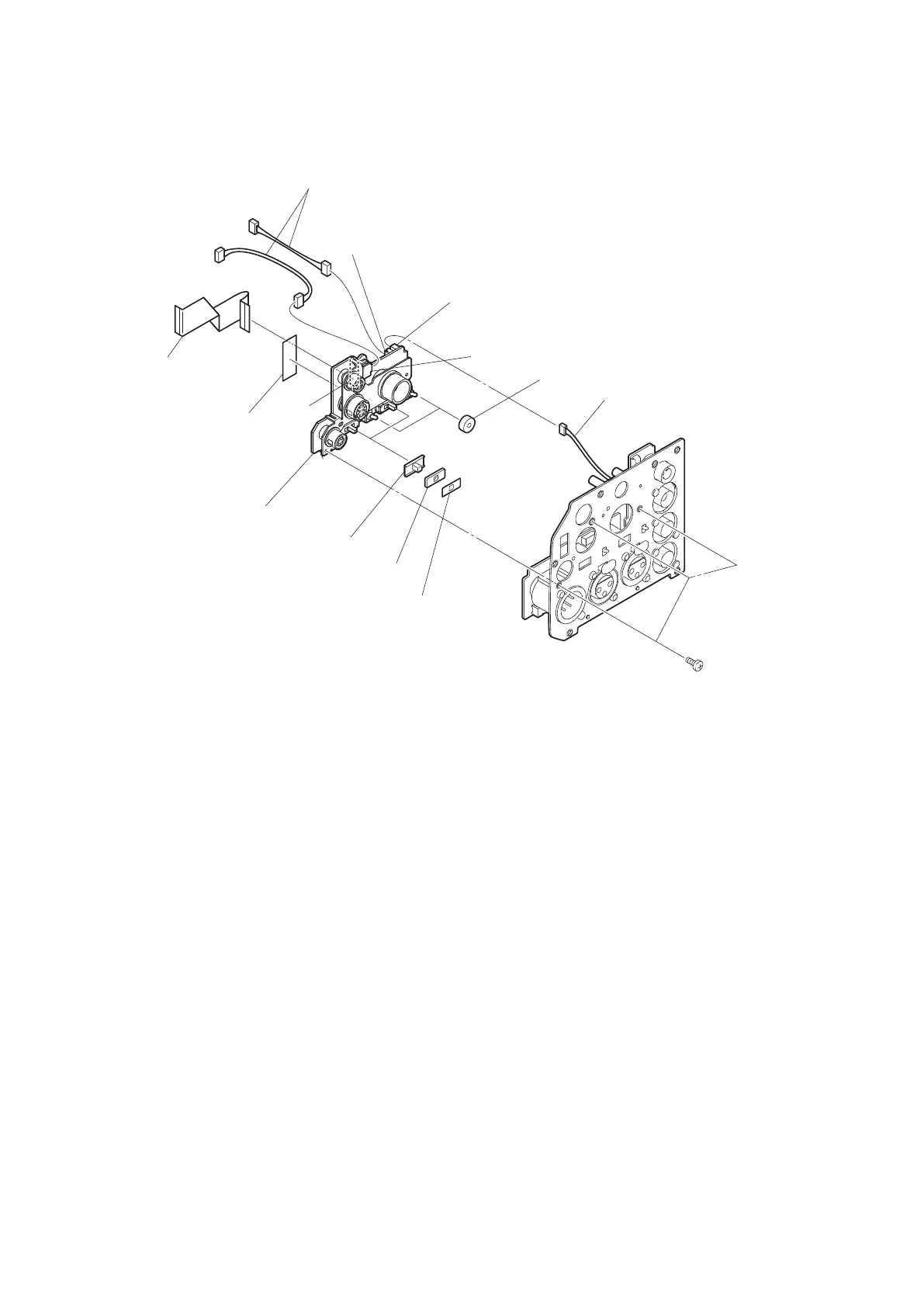
12. Remove the three screws, and detach the CN-3427 board, two cushion drop protection toggles, two SW sliding
sheets, two slide SW water resist sheets, and two slide switch covers.
Harness
Harnesses
Flexible flat cable (36 core)
CN-3427 board
Slide switch covers
Slide SW water resist sheets
SW sliding sheets
B2.6 x 5
Cushion drop protection toggles
CN1
UL tape
CN2
CN6
CN3
13. Install the removed parts by reversing the steps of removal.
4-11-2. AUDIO IN Connector (CN-3425 Board)
Preparation
1. Remove the MIC panel assembly. (Refer to“4-11-1. CN-3429 Board/CN-3427 Board” on page 4-47 )
Procedure
1. Remove the four screws, and detach the CN-3425 board.
HDC4300
4-49



 To Next Page