4-11. MIC Panel Block
4-11-1. CN-3429 Board/CN-3427 Board
Preparation
1. Remove the inside panel assembly. (Refer to“4-2. Inside Panel Assembly”)
2. Remove the outside panel assembly. (Refer to“4-3-1. Outside Panel Assembly”)
Procedure
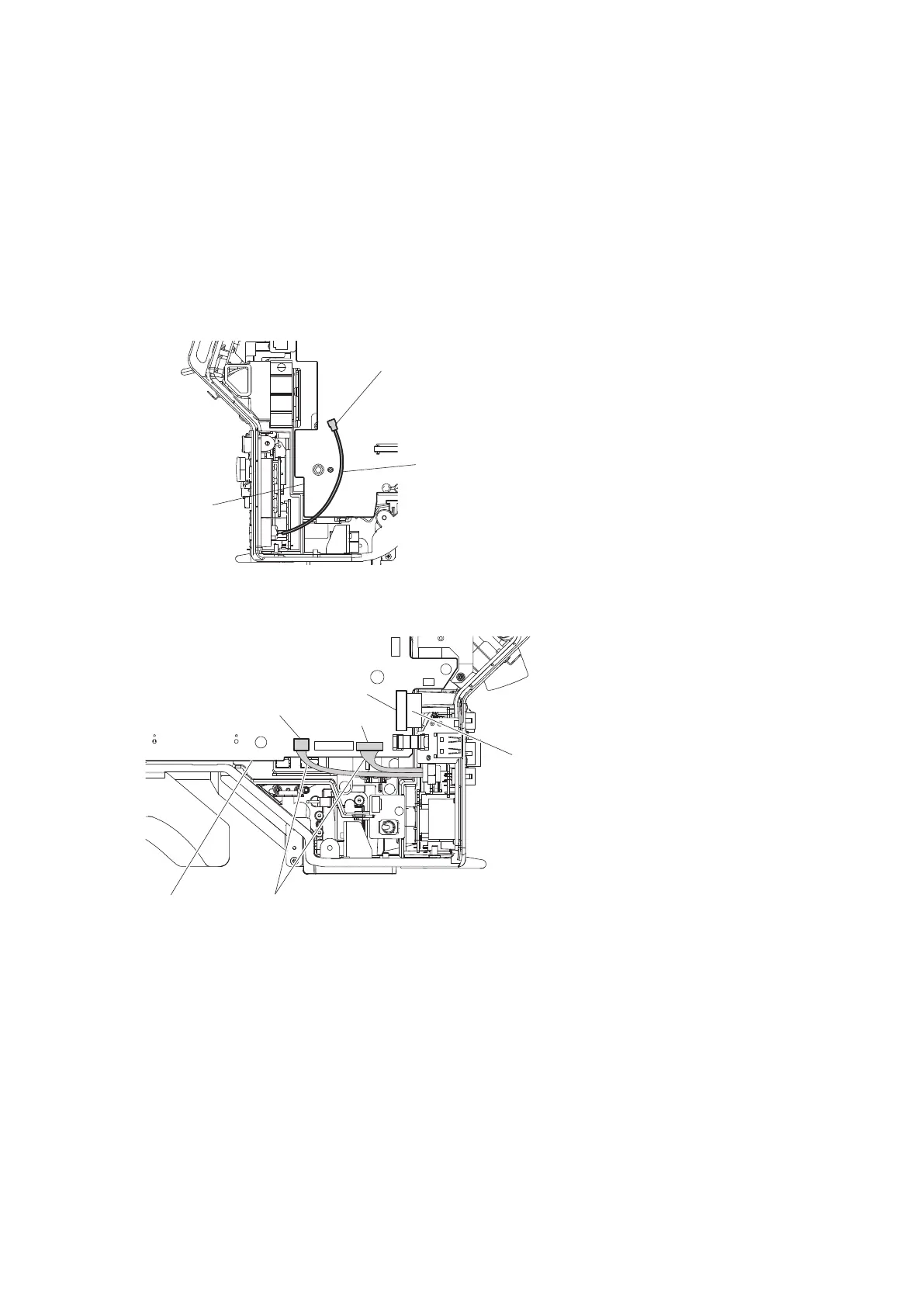
1. Disconnect the coaxial cable from the connector (CN801) on the DPR-370 board.
Coaxial cable
DPR-370 board
CN801
2. Disconnect the flexible flat cable from the connector (CN8) on the SY-408 board.
3. Disconnect the two harnesses from the two connectors (CN10, CN12) on the SY-408 board.
HarnessesSY-408 board
Flexible flat cable (36 core)
CN12
CN10
CN8
4. Remove the five screws and pull out the MIC panel assembly.
5. Disconnect the harness from the connector (CN2) on the CN-3432 board.
HDC4300
4-47



 To Next Page