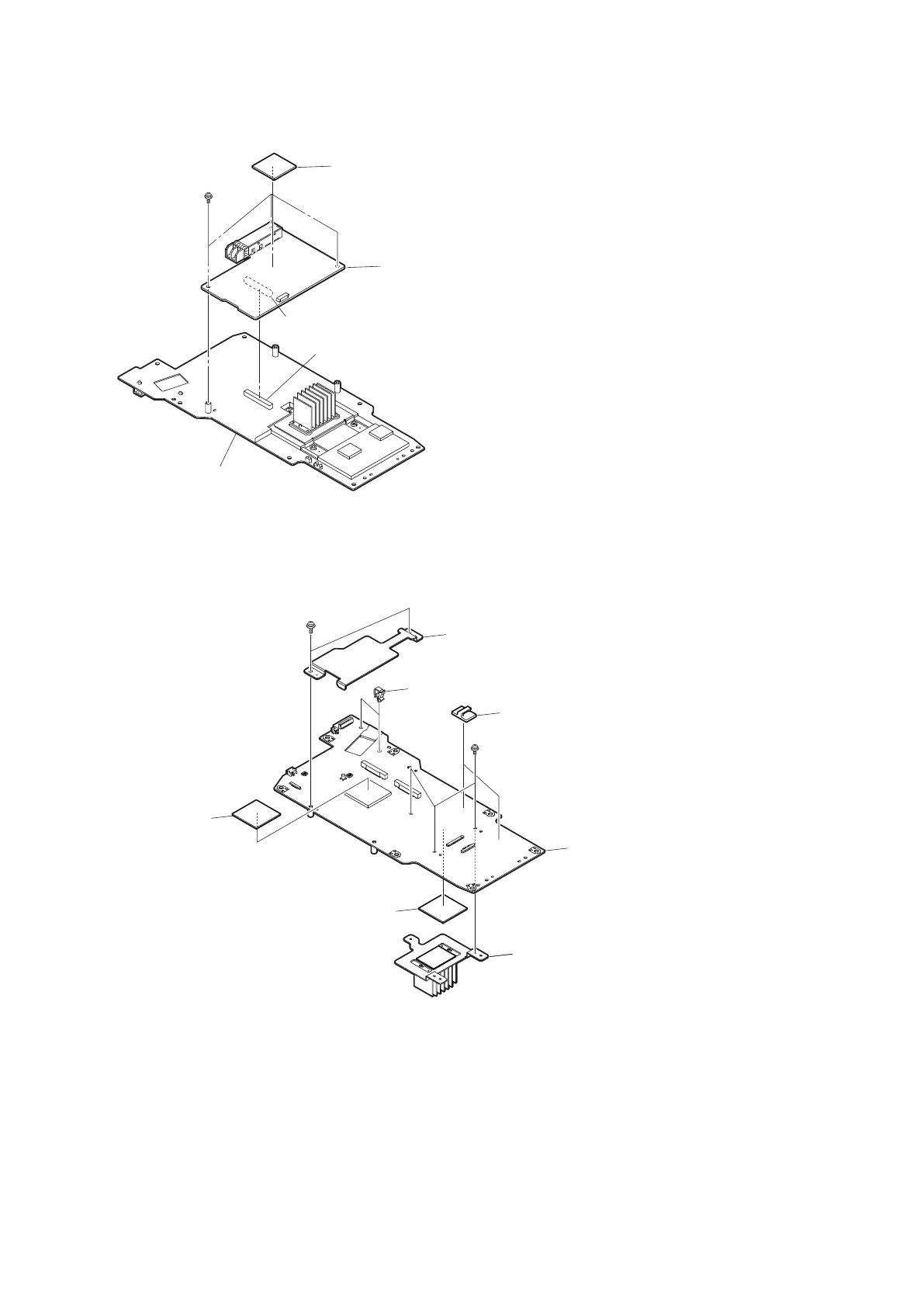
10. Remove the three screws, and detach the TX-146 board from the connector (CN200) on the MEM-147 board.
MEM-147 board
TX-146 board
CN200
CN003
Radiation sheet (EC rear)
PSW3 x 6
11. Remove the two screws (PSW3 x 6), and detach the inner rear plate.
12. Remove the three screws (PSW2 x 5), and detach the radiation fin.
13. Remove the two radiation sheets from the MEM-147 board.
14. Remove the two clampers A and two clampers B from the MEM-147 board.
MEM-147 board
Inner rear plate
Clampers A
Clampers B
Radiation sheet
Radiation fin
PSW3 x 6
PSW2 x 5
Radiation sheet
15. Install the removed parts by reversing the steps of removal.
4-3-3. DC Fan (Outside panel)
Preparation
1. Remove the outside panel assembly. (Refer to“4-3-1. Outside Panel Assembly”)
2. Remove the MEM-147 board assembly. (Refer to “4-3-2. MEM-147 Board/TX-146 Board”)
HDC4300
4-10



 To Next Page