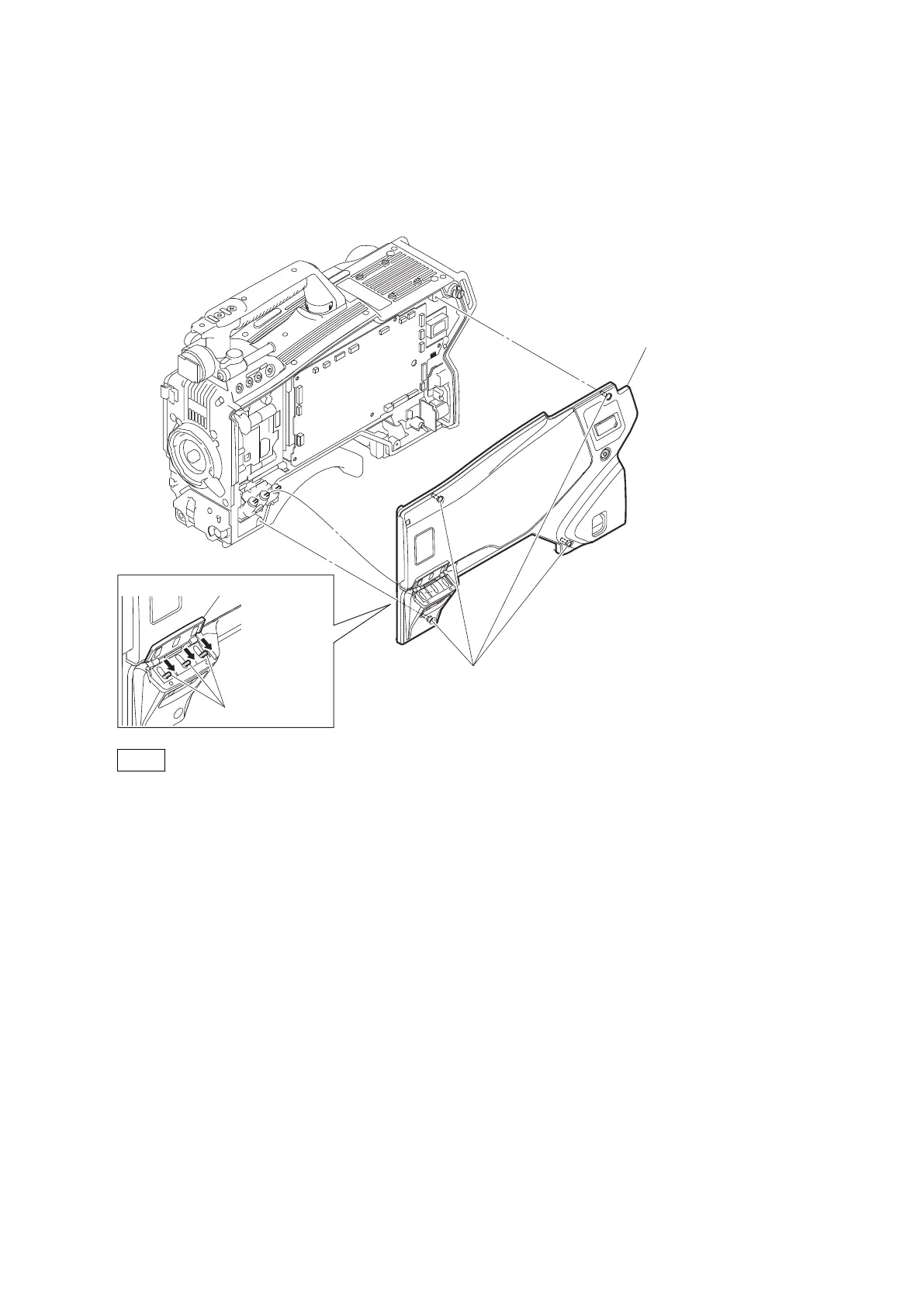
4-2. Inside Panel Assembly
Procedure
1. Open the inside SW cover and turn the three switch levers in the direction of arrow.
2. Loosen the four screws with stopper, and remove the inside panel assembly.
Switch levers
Inside SW cover
Inside panel assembly
Screws with stopper
Note
Turn the switch levers in the arrow direction, and then install the inside panel assembly.
3. Install the inside panel assembly and tighten the four screws with stopper.
HDC4300
4-4



 To Next Page