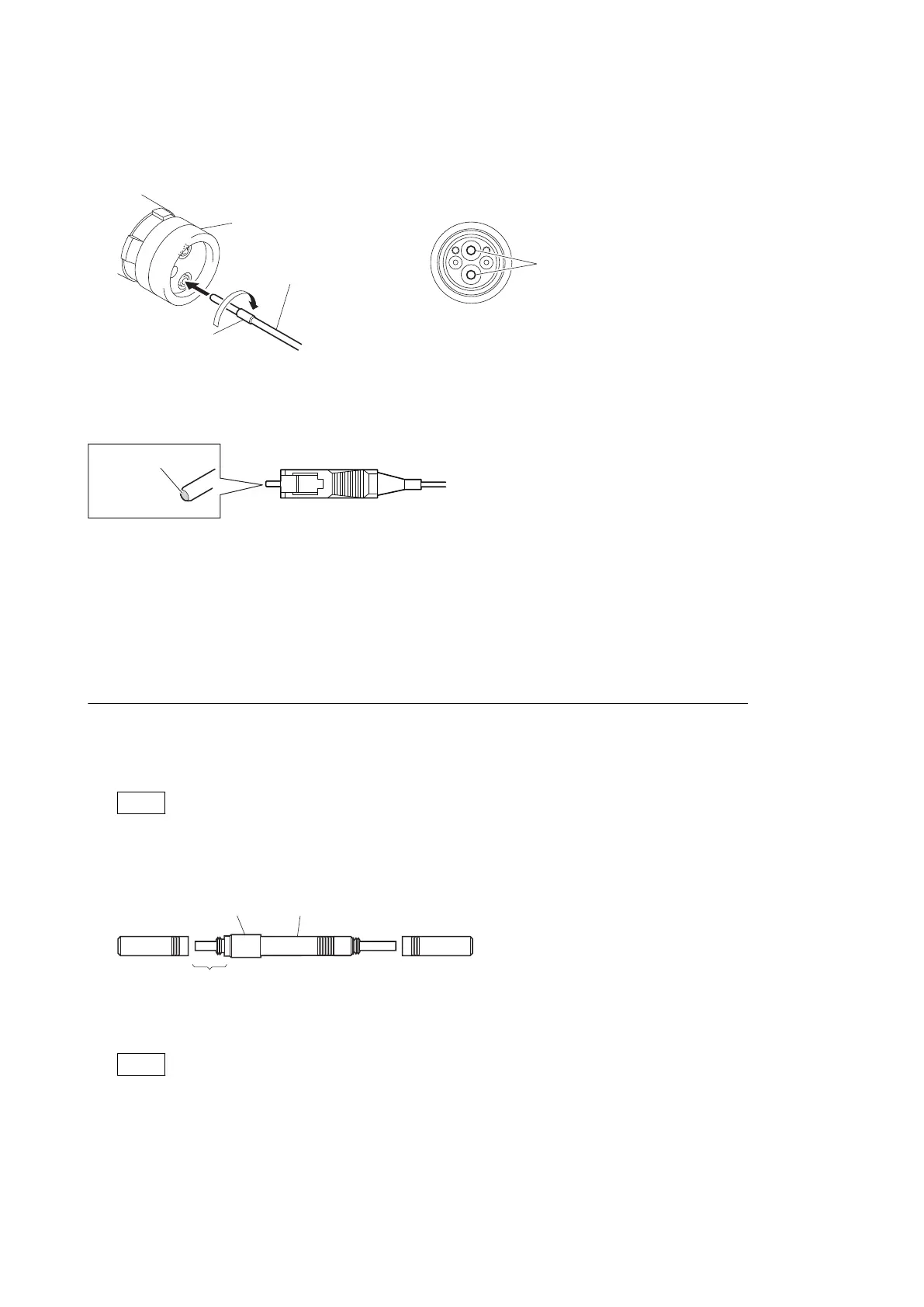
3. While pressing the optical connector cleaner against the tip of the optical contact, rotate the optical connector
cleaner by 4 to 5 turns clockwise. Holding the optical connector cleaner at around its support facilitates to apply
the pressure.
Optical contacts (white)
Optical connector cleaner
Support
Alignment sleeve
Connector
Clean the tip of the white optical contacts using the optical connector cleaner.
2-4-2. When the Optical Connector Cleaner (Commercially Available) is not
Available (Connectors/Cables of LEMO)
Clean the LEMO connectors and cables using the following procedure.
Fixtures
• Alignment sleeve remover HC-001 (for female connector)
Sony Part No. : J-6480-010-A or DCC.91.312.5LA manufactured by LEMO, or equivalent
Note
Insert the shorter nose end when removing/installing the alignment sleeve. Grasp not the shock absorber portion
of the remover but the handle in use.
Shock
absorber portion
Insert the shorter nose end
Handle
• Alcohol (commercially available)
• Cotton swabs (commercially available)
Note
Use a cotton swab whose diameter is about 4 mm. If a cotton swab whose diameter exceeds 5 mm is used, the
cotton swab cannot be inserted into the end of the connector and the tip of the optical contact cannot be cleaned.
HDC4300
2-5



 To Next Page