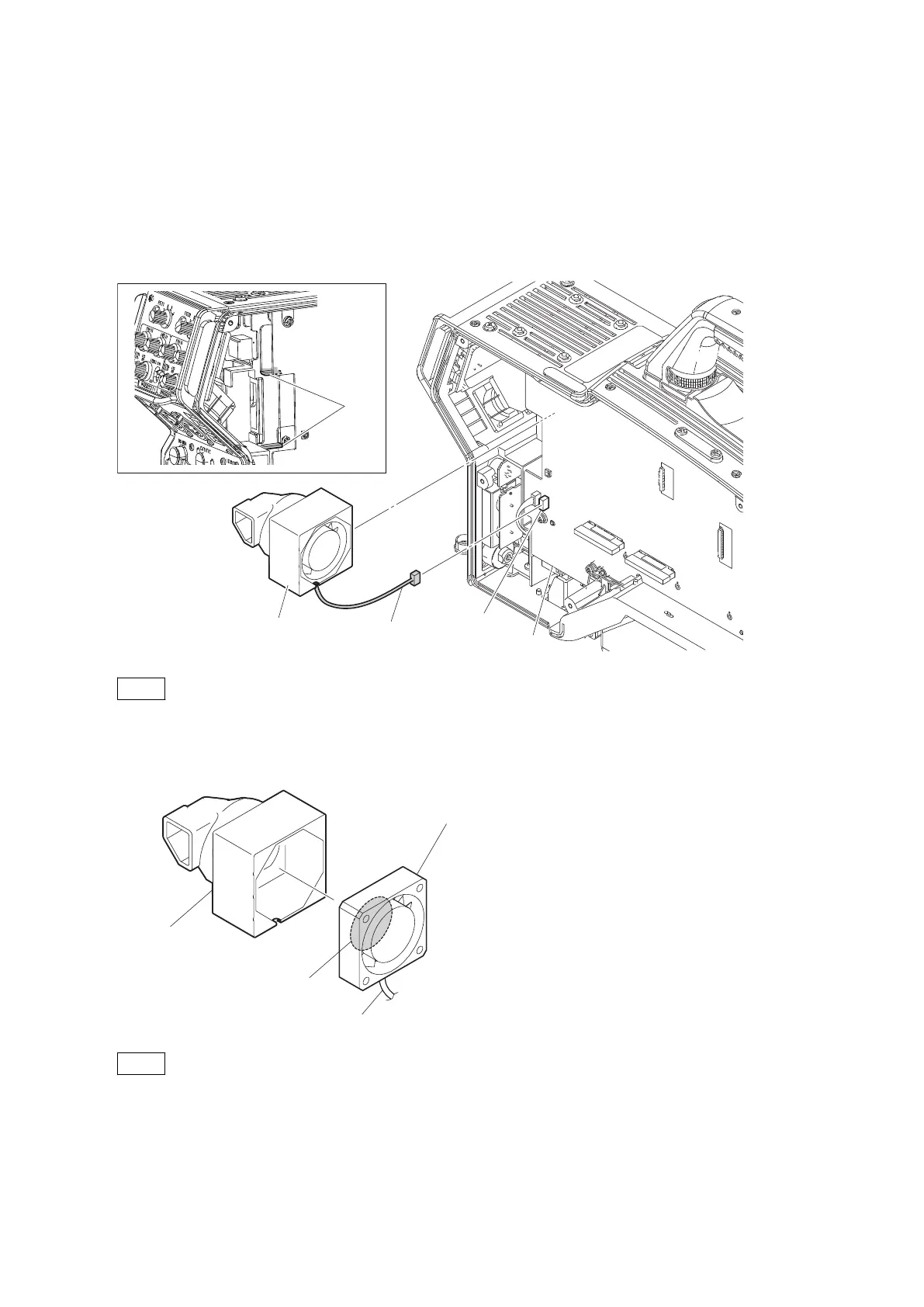
4-10. DC Fan (Rear)
Preparation
1. Remove the outside panel assembly. (Refer to“4-3-1. Outside Panel Assembly”)
Procedure
1. Disconnect the harness from the connector (CN107) on the DPR-370 board, and detach the DC fan (rear).
DC fan (rear) assembly
Harness
CN107
DPR-370 board
Plate
Note
• When installing the DC fan (rear), pay attention that the fan duct is not over the plate.
• When installing the DC fan (rear), be careful not to deform the air vent of the fan duct.
2. Remove the DC fan (rear) from the fan duct.
DC fan (rear)
Label
Fan duct
Harness
Note
When installing the DC fan (rear), carefully install it paying attention to the label and harness locations.
3. Install the removed parts by reversing the steps of removal.
HDC4300
4-46



 To Next Page