Cleaning Procedure
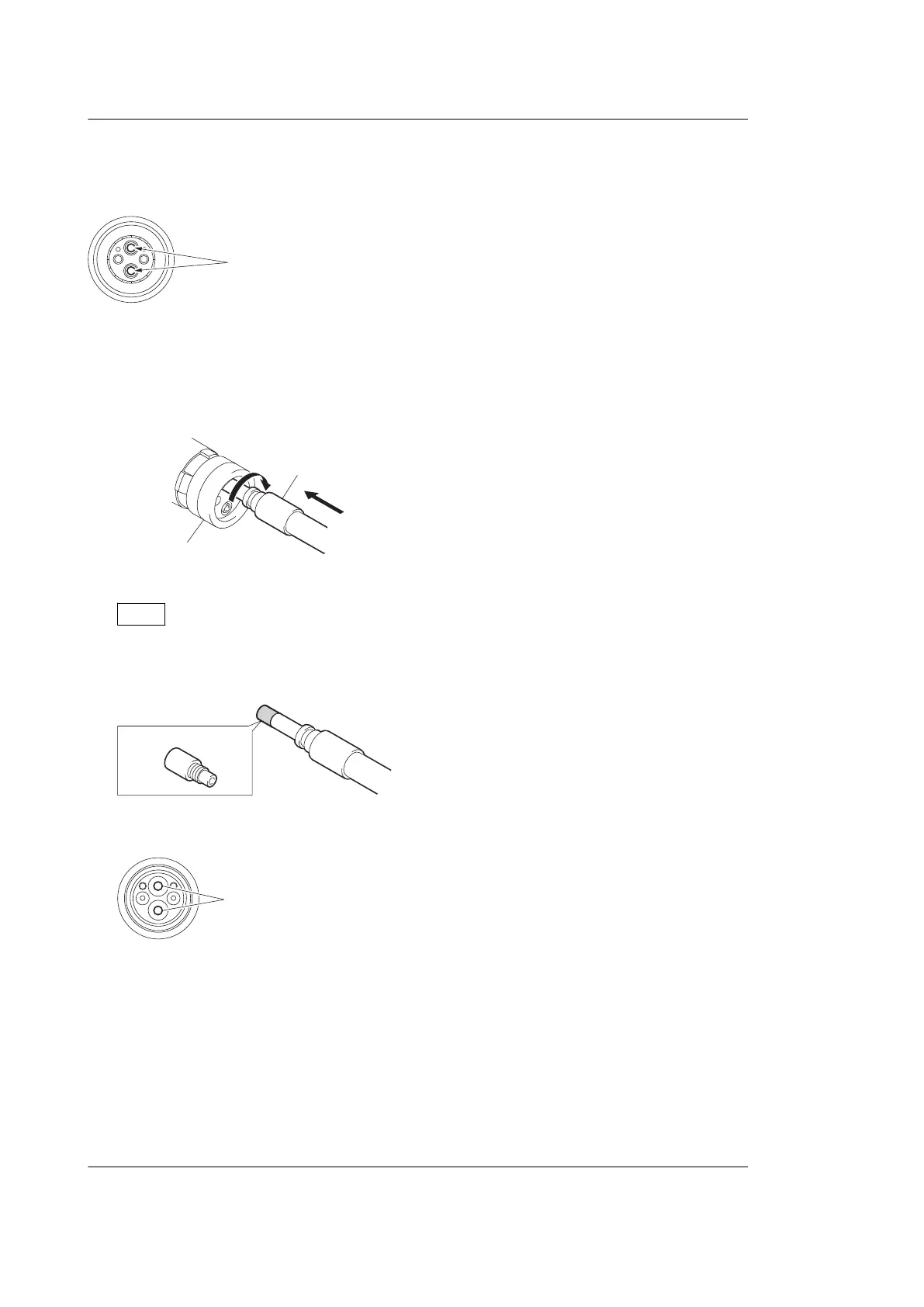
Male connector
Clean the tip of the white optical contacts with a cotton swab moistened with alcohol.
Female connector
The optical contacts for female connector are in an unexposed state. In cleaning, it is necessary to be exposed by removing
the alignment sleeve in advance. Proceed as follows.
1. Insert the alignment sleeve remover into the alignment sleeve in the straight line and turn it clockwise
lignment sleeve
Alignment sleeve remove
2. When the turn stops, pull out the remover in the straight line forcedly.
Note
The alignment sleeve can be removed/reinstalled with the sleeve itself attached to the tip of the remover. Great
care should be taken so as not to lose or damage the alignment sleeve.
Alignment sleeve: Sony Part No. : 9-980-074-01
3. Clean the tip of the white optical contacts with a cotton swab moistened with alcohol.
4. Insert the remover with the alignment sleeve attached to its tip, and push it until it clicks.
5. Rotate the remover counterclockwise to install the alignment sleeve, and extract the remover.
2-4-3. When the Optical Connector Cleaner (Commercially Available) is not
Available (Tajimi Electronics Co., Ltd.)
Clean the connectors and cables of Tajimi Electronics using the following procedure.
Fixtures
• Alcohol (commercially available)
HDC4300
2-6



 To Next Page