5-4-3. Crispening Adjustment
Equipment: Waveform monitor (R, G, B)
Test Point: SDI 1 connector
Object: Grayscale chart
Preparation
• Setting for MSU
DETAIL OFF button → ON (dark)
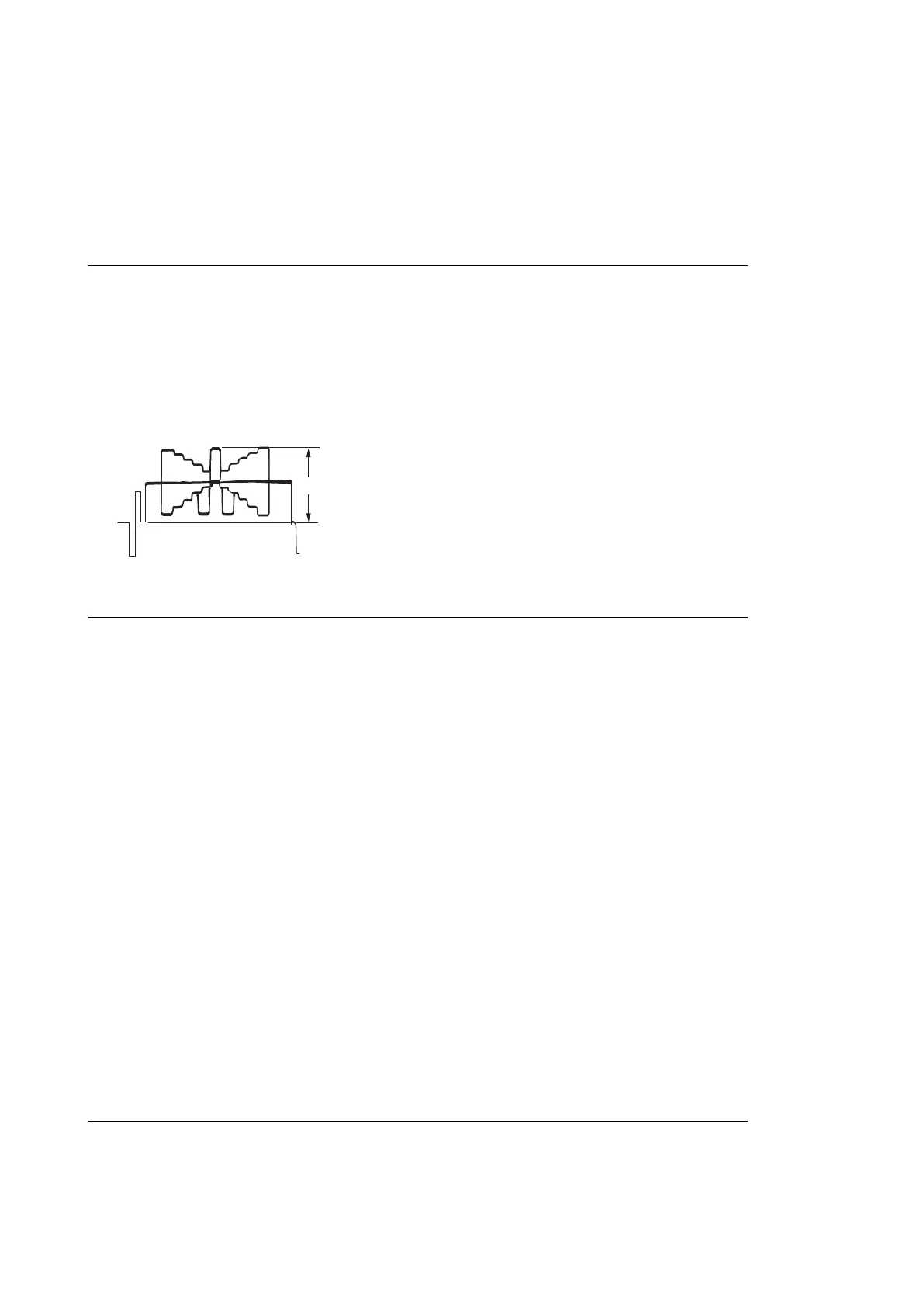
• Shoot the grayscale chart so that the chart frame is aligned with the under scanned monitor frame.
• Lens iris: F4 to F5.6
• A = 600 ± 20 mV
• If the lens aperture is greater than F5.6, adjust the light amount with the shutter.
Procedure
1. Operate the control panel of MSU, and perform the automatic white balance adjustment.
WHITE button → ON (lit)
After the adjustment is completed, the message “AWB : OK” is displayed.
2. Operate the control panel of MSU, and set as follows.
(1) PAINT button → ON (lit)
(2) Touch panel operation: (Page 1) → [Detail] → [1/3]
(3) Set adjustment item [Crispening] to -99.
3. Adjust the value of crispening.
• Adjustment item : [Crispening]
(1) Turn the adjustment knob of MSU to plus direction slowly.
(2) Stop the adjustment knob of MSU at the where the noise at the black level of the waveform just decreases.
4. Store the reference file.
(Refer to the “5-4-12. File Store”.
5-4-4. Level Dependent Adjustment
Equipment: Waveform monitor (R, G, B)
Test Point: SDI 1 connector
Object: Grayscale chart
Preparation
• Setting for MSU
DETAIL OFF button → ON (dark)
• Shoot the grayscale chart so that the chart frame is aligned with the under scanned monitor frame.
HDC4300
5-19


 To Next Page