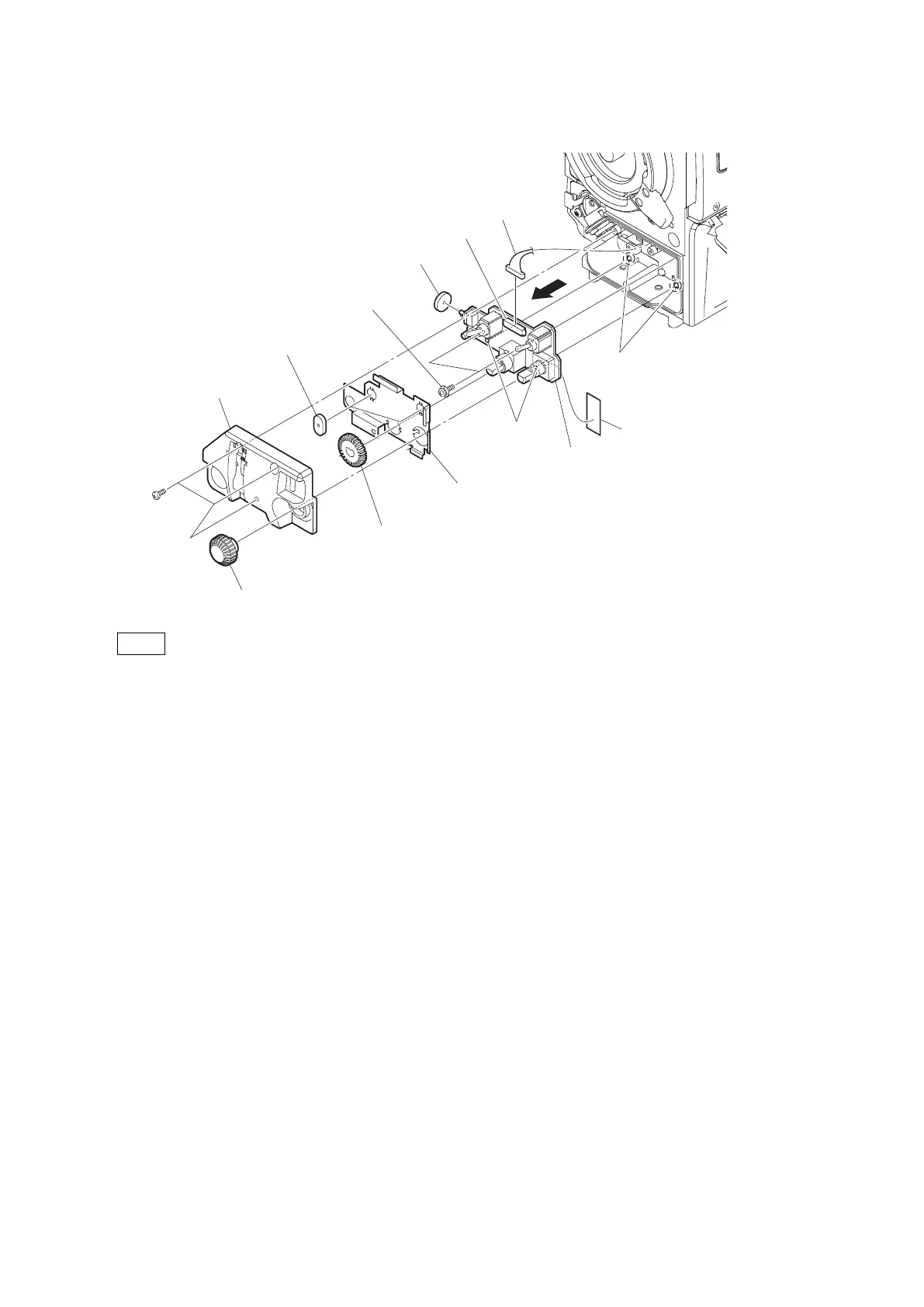
6. Remove the UL tape from the SW-1527 board.
SW-1527 board
Holes
Bosses
Toggle SW cushion
Toggle SW cushion (C)
UL tape
PSW2 x 5
Front shield plate
VR knob (audio)
B2 x 5
RE knob
Front SW cover
CN1
Harness
Note
When installing the SW-1527 board, match the two bosses with the two holes.
7. Install the removed parts by reversing the steps of removal.
4-8-6. CN-3423 Board
Preparation
1. Remove the SW-1527 Board. (Refer to “4-8-5. SW-1527 Board”.)
Procedure
1. Remove the screw and pull out the CN-3423 board.
HDC4300
4-35



 To Next Page