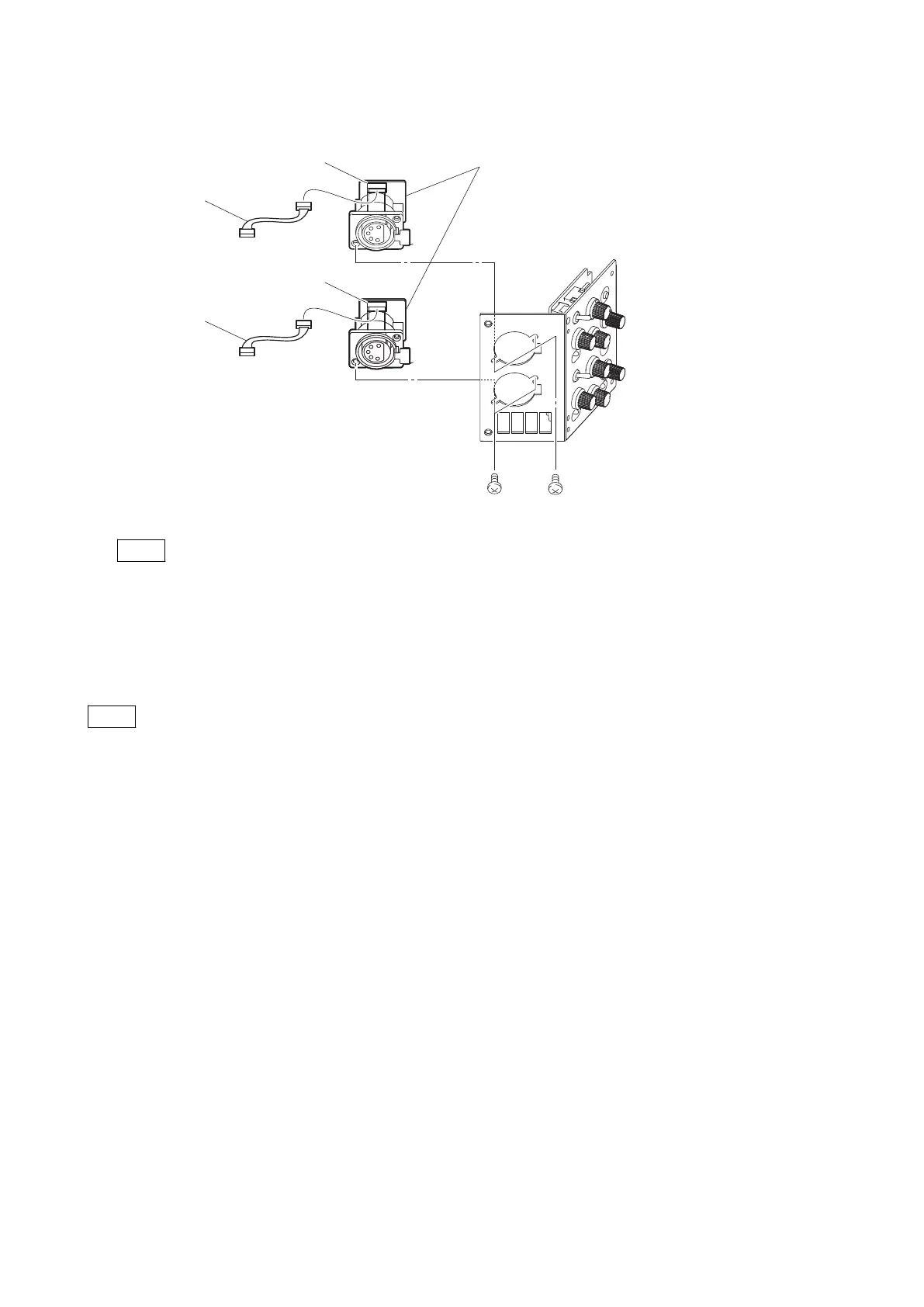
5. Disconnect the two harnesses from the connectors (CN2) on the INTERCOM connectors (CN-3431 boards).
Harness (gray)
INTERCOM connectors (CN-3431 boards)
CN2
CN2
Harness (white)
B2.6 x 5 B2.6 x 5
Note
When connecting the two harnesses, pay attention to their colors.
6. Install the removed parts by reversing the steps of removal.
4-12-2. SW-1530 Board/SW-1530A Board
Note
SW-1530 board is used for the SY/JN model or SW-1530A board is used for the CE/E3 model of this unit. The following
shows how to remove the SW-1530 board as an example.
Preparation
1. Remove the INTERCOM connector (CN-3431 board). (Refer to“4-12-1. INTERCOM Connector (CN-3431
Board)” on page 4-52 )
Procedure
1. Remove the two return select knobs.
2. Remove the six VR knobs.
3. Remove the screw, and detach the DC line protection sheet.
4. Remove the two screws, and detach the SW-1530 board.
5. Disconnect the flexible flat cable from the connector (CN1) on the SW-1530 board.
HDC4300
4-53



 To Next Page