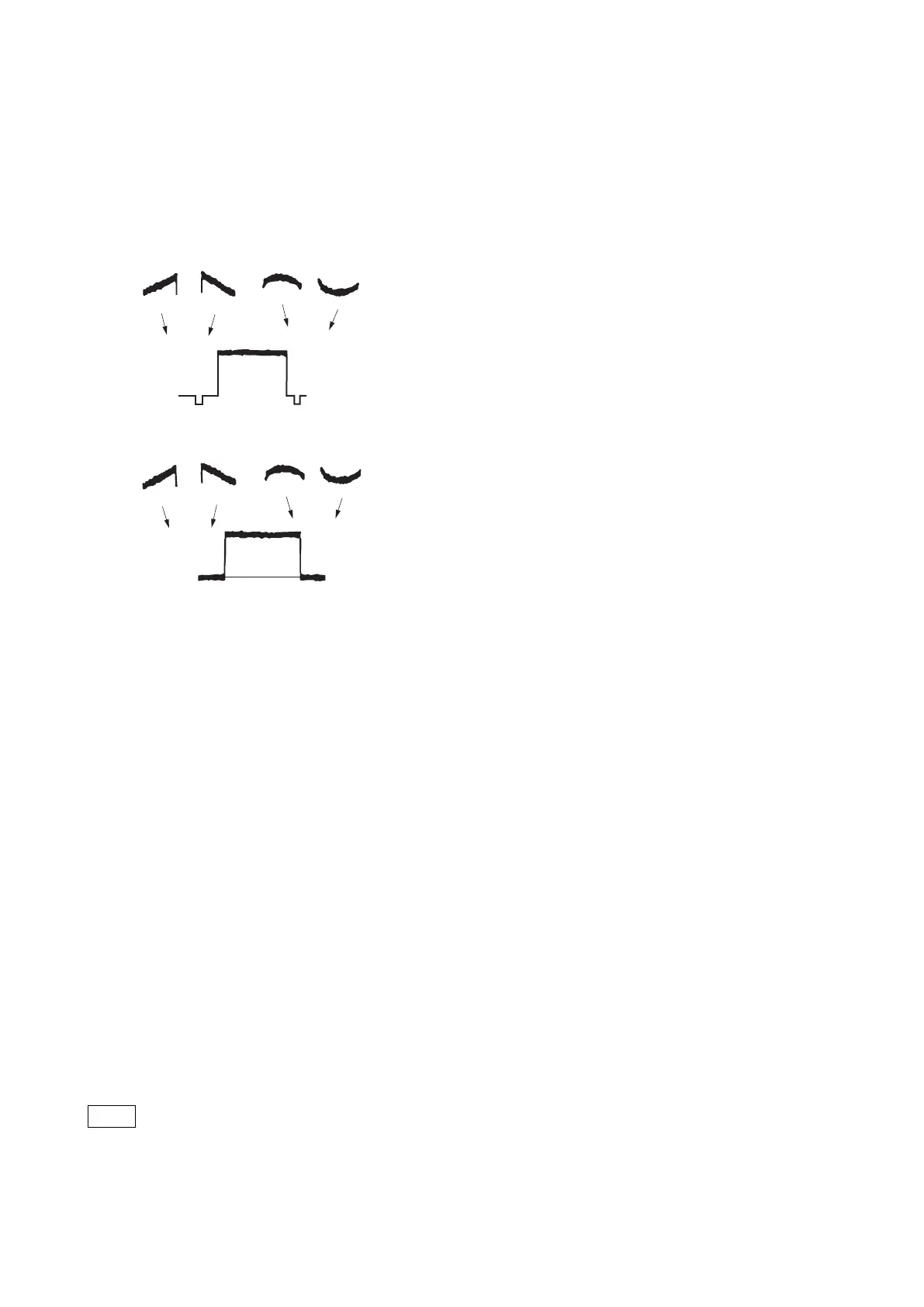
3. Adjust so that R channel waveform becomes as flat as possible.
ITEM:H SAW [R]
ITEM:H PARA [R]
ITEM:V SAW [R]
ITEM:V PARA [R]
(H SAW)
H: LINE
V: FIELD
(H PARA)
(V SAW) (V PARA)
4. Also adjust G and B channels in the same way as step 3.
MENU:SERVICE
PAGE:BLACK SHADING
ITEM:MONITOR SEL → G
ITEM:MONITOR SEL → B
5. Store the file.
MENU:SERVICE
PAGE:BLACK SHADING
ITEM:STORE FILE
6. File the store every following format by camera setup menu.
Format
• 4K59.94P (2x)
• HD59.94P (2x)
• HD59.94P (4x)
• HD59.94P (8x)
File store
MENU:SERVICE
PAGE:BLACK SHADING
ITEM:STORE FILE
5-3-4. White Shading Adjustment
When the next condition corresponds to even one, white shading is not adjusted correctly.
Note
• The brightness of the subject is uneven.
• The brightness is not set correctly.
• Iris value of lens is not set correctly.
• Zoom position is not set correctly.
HDC4300
5-13



 To Next Page