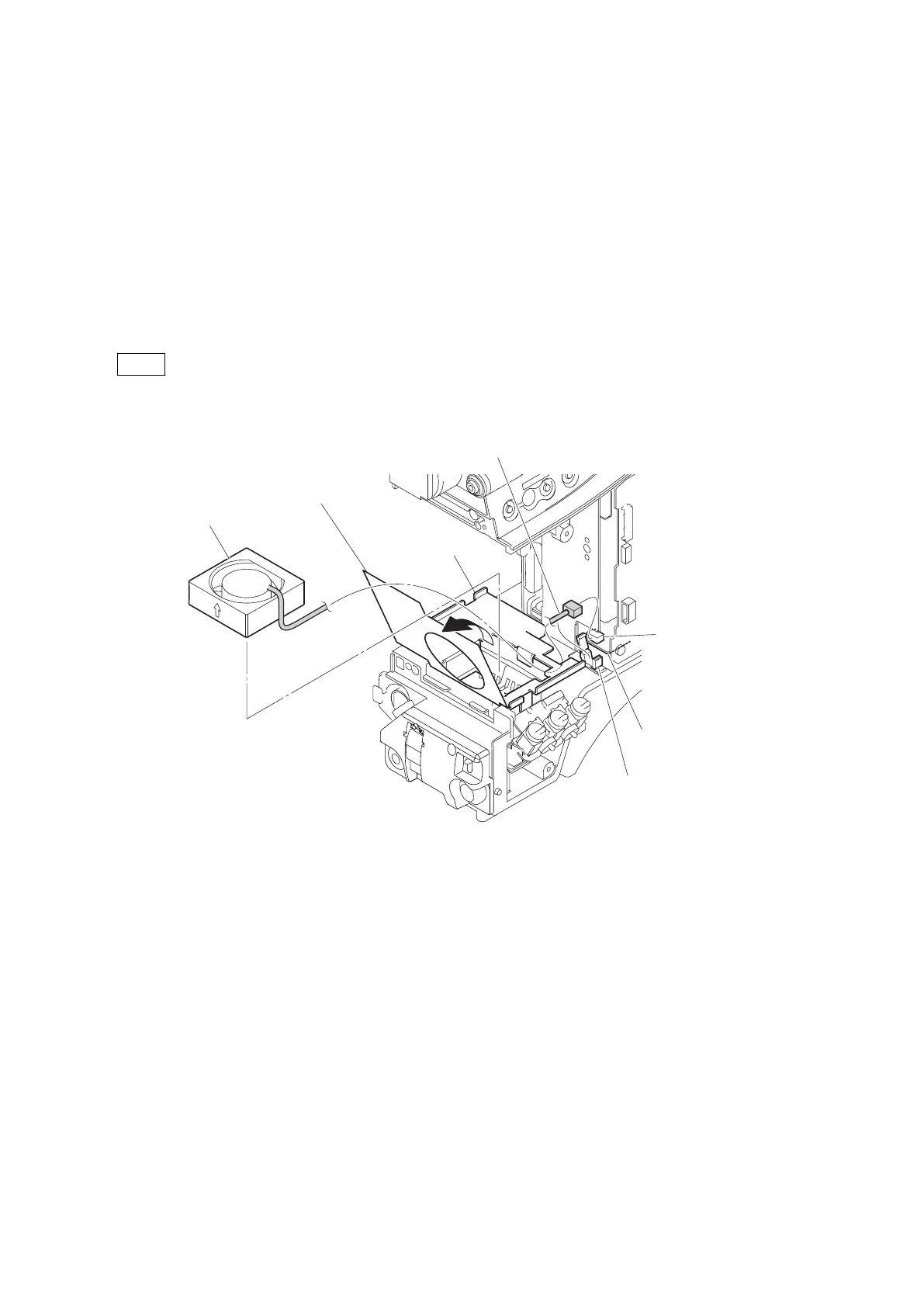
4-9. DC Fan (Front)
Preparation
1. Remove the inside panel assembly. (Refer to“4-2. Inside Panel Assembly”)
2. Remove the outside panel assembly. (Refer to“4-3-1. Outside Panel Assembly”)
3. Remove the front assembly. (Refer to“4-5. Front Assembly”)
Procedure
1. Release the harness from the clamper.
2. Disconnect the harness from the connector (CN3) on the MB-1214 board.
3. Open the OHB sliding sheet as shown in the figure.
Note
The OHB sliding sheet is attached to the SUB frame. When removing it, be careful not to damage the SUB frame.
4. Remove the DC fan (front) assembly.
DC fan (front) assembly
CN3
MB-1214 board
Clamper
Harness
OHB sliding sheet
SUB frame
HDC4300
4-44



 To Next Page