Procedure
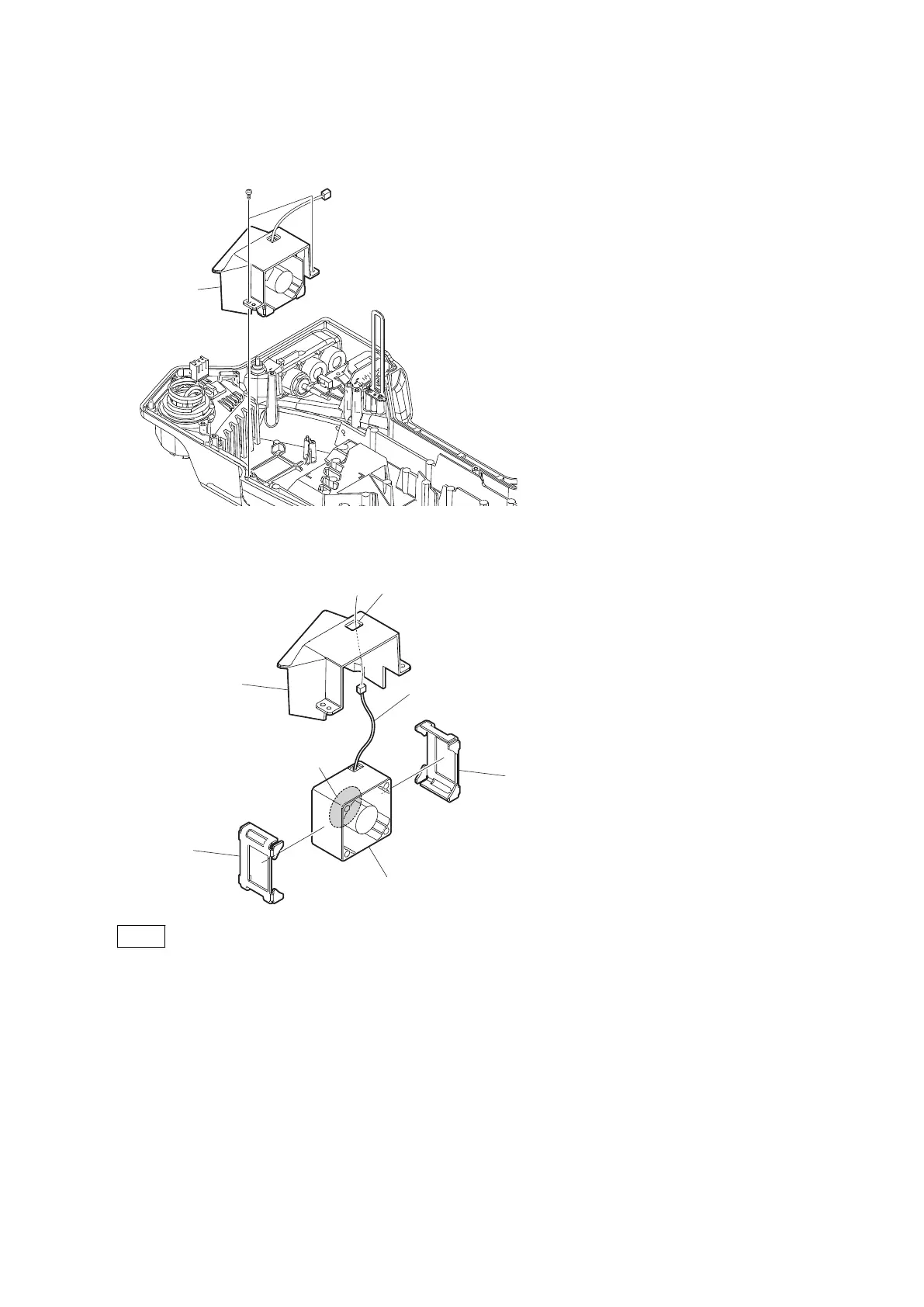
1. Remove the two screws, and detach the fan assembly.
2. Remove the fan cover, and pull out the harness from the hole of the fan cover.
3. Remove the two cushions (fan).
Fan cover
DC fan
Label
Cushion (fan)
Cushion (fan)
Harness
Hole
Note
When installing the DC fan, install the DC fan with its label coming to the position shown in the figure.
4. Install the removed parts by reversing the steps of removal.
4-3-4. CN-3434 Board
Preparation
1. Remove the outside panel assembly. (Refer to“4-3-1. Outside Panel Assembly”)
Procedure
1. Remove the UL tape from the CN-3434 board.
2. Disconnect the fine-wire coaxial cable from the connector (CN001) on the CN-3434 board.
HDC4300
4-11



 To Next Page