5-6. RPN Compensation
• When executing the automatic compensation (APR) from MSU or setting menu, the residual point noise (RPN)
of the CMOS image sensor is compensated.
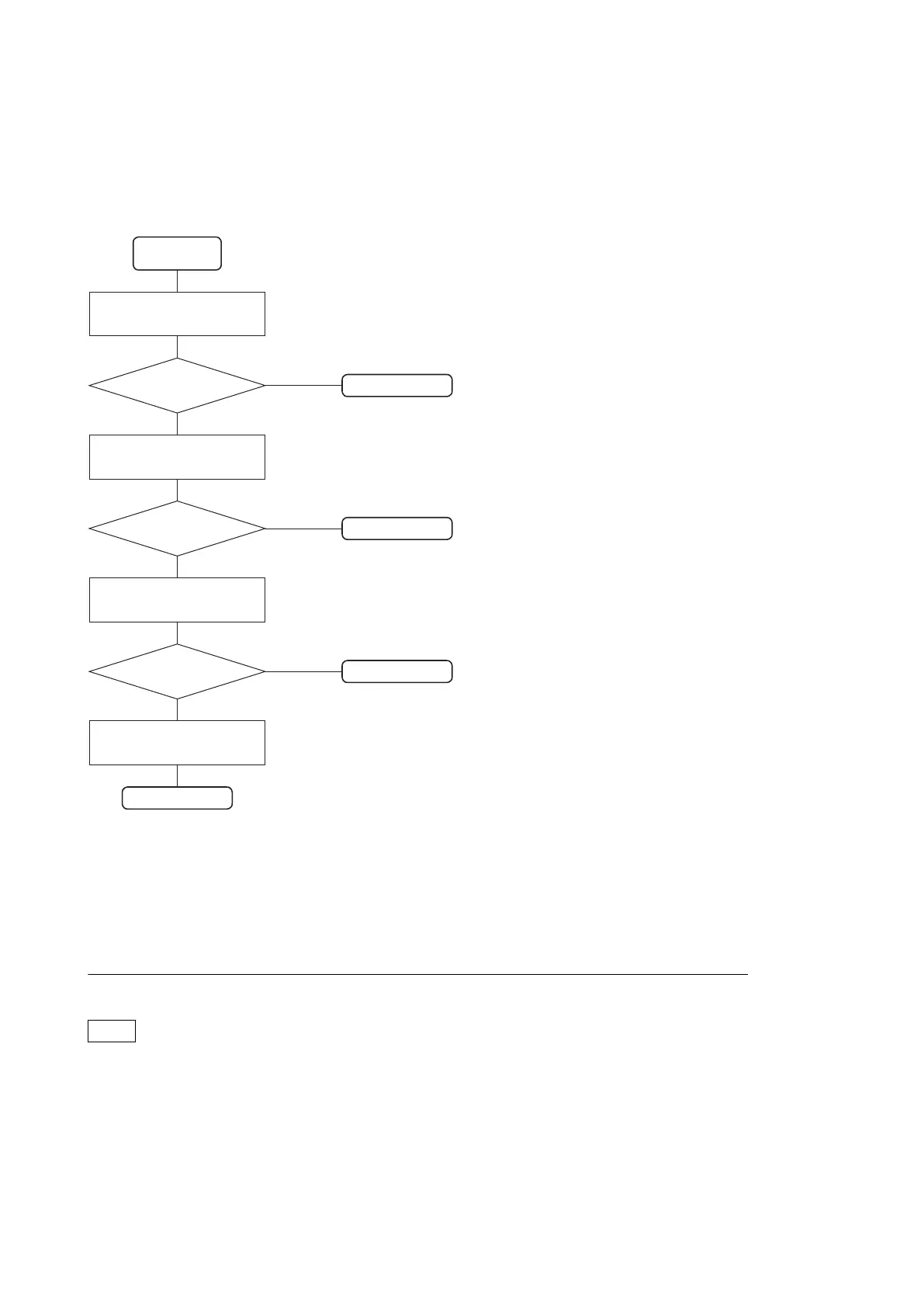
• To compensate the RPN, compensate according to the following chart.
5-6-1. Automatic
Compensation (APR)
Is RPN disappeared?
Compensation
starting
Yes
No
Compensation OK
Is RPN disappeared?
Yes
No
Compensation OK
Is RPN disappeared?
Yes
No
Compensation OK
Compensation OK
5-6-2. Manual RPN
Compensation adjustment
5-6-3. Procedures to be
Taken when the RPN
Compensation Fails
5-6-4. Performing Automatic
RPN Detection Effectively
5-6-1. Automatic Compensation (APR)
When an RPN is detected in the screen, perform the automatic compensation (APR).
RPN automatic compensation (APR)
Note
• When automatic compensation is performed, reset the revision data at the time of the last time detection. Automatic
detection of RPN is performed.
• RPN automatic compensation should be performed both HD and 4K.
• Manual RPN compensation adjustment data is not affected by executing the RPN automatic compensation(APR).
• RPN automatic compensation(APR) may take several minutes.
1. Execute RPN automatic compensation(APR) from MSU or execute AUTO CONCEAL of [RPN MANAGE] in
the SERVICE menu.
HDC4300
5-30



 To Next Page