• Cotton swabs (commercially available)
Note
Use a cotton swab whose diameter is about 4 mm. If a cotton swab whose diameter exceeds 5 mm is used, the
cotton swab cannot be inserted into the end of the connector and the tip of the optical contact cannot be cleaned.
Cleaning Procedure
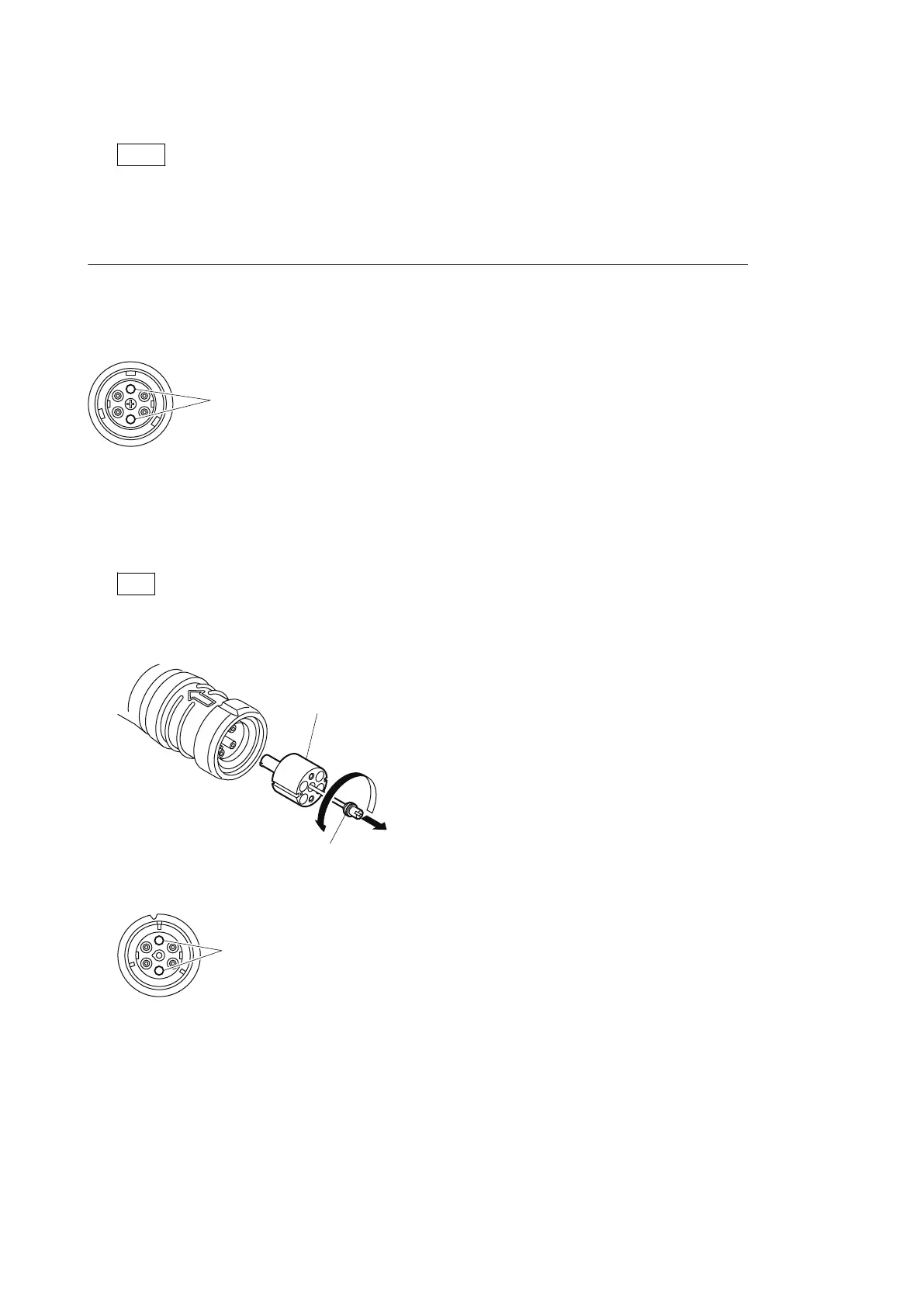
Male connector
Clean the tip of the white optical contacts with a cotton swab moistened with alcohol.
Female connector
The optical contacts for female connector are in an unexposed state. In cleaning, it is necessary to be exposed by removing
the adapter in the connector in advance. Proceed as follows.
1. Loosen the adapter pin at the center of the connector counterclockwise with a screwdriver.
Tip
If there is no screwdriver, use the plate attached to the connector cap.
2. Pull the adapter pin out of the connector in the arrow direction.
3. Clean the white optical contacts with a cotton swab moistened with alcohol.
HDC4300
2-7



 To Next Page